
eminadoo - Minecraft Skins & Skin History
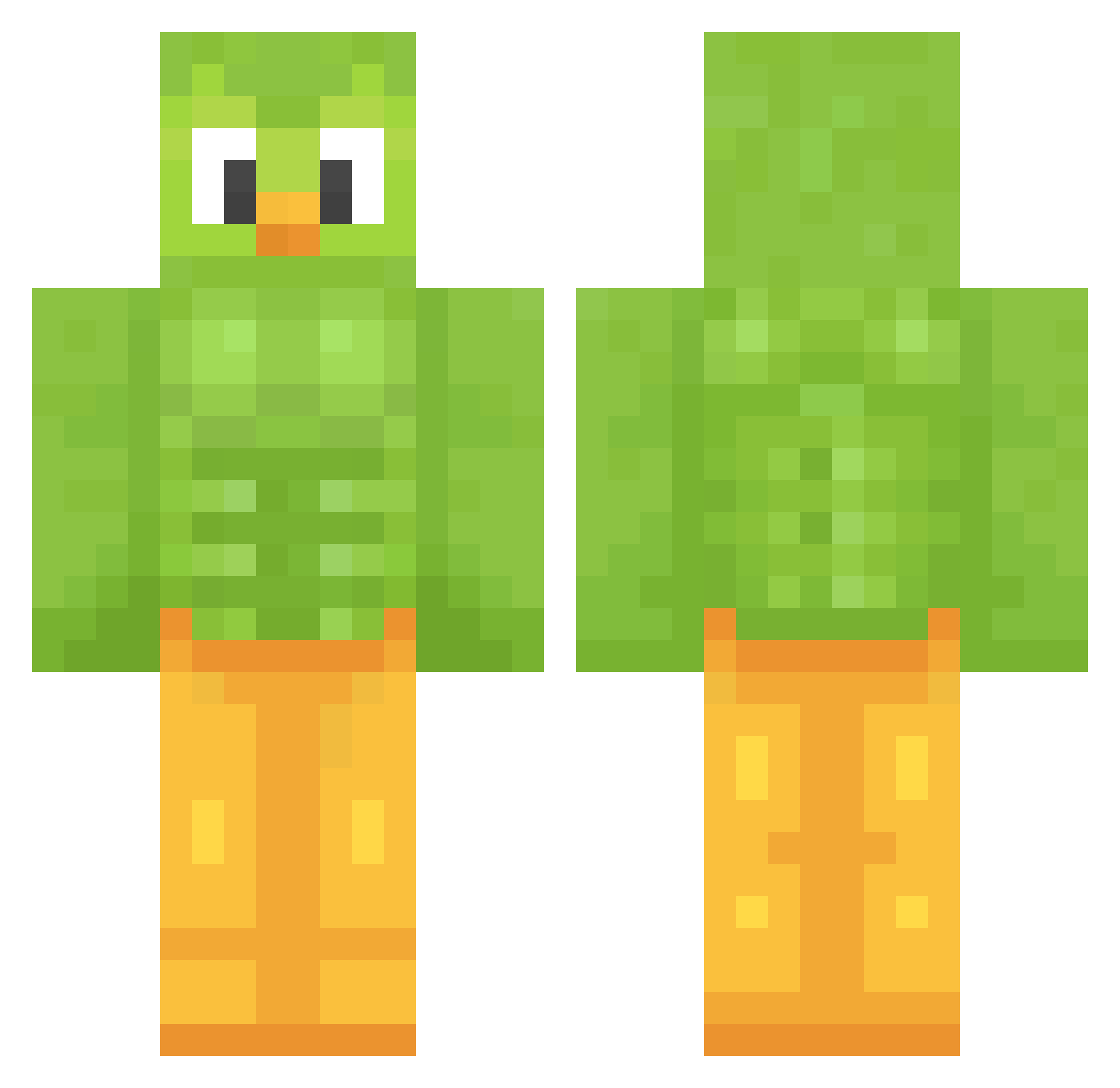
Current Minecraft skin of the player eminadoo, loaded from the official Mojang API. Rotate the 3D model with your mouse or finger, then download the skin as a PNG file and use it in Minecraft: Bedrock Edition or Java Edition for free. When eminadoo changes their skin, this page updates automatically and the old skin stays in the history below.
Other players with this skin (1207)
eminadoo was the 181st player we have seen with this skin, first spotted on 08.08.2026. The same skin was seen on these players. Open a nickname to see their current skin and skin history.
 yakei1853 DinoChomp9
 FunkyMonky3000 Twofoxylot Pudding23 Vodka_princess _fratelli Ender07x Dime1030 ItsMasonnnn FreakyBigM Mega_Dylan Romarex Pageratti Johanna190705 sazyawa _mccloudy babomarin tweeterhead8
 duckface127 BoJangleGlutten SadOmar cowboyshroom kaylathebird Jkline99 EoKansas Focuzy Thomas10017 ChlorineDrinker1 Agent_Steven_0 Phelipe44 ChrPP_ Blackbelt250 AscensionJT Bakrach clarkddc Manatee10235
 kuridan18 wielkaROZGWIAZDA Pacha1516 epixm nadtheship Aristig6 AlbyTalla Ozgur01oa iGeorgeM blaze356 zirrocis27 meliedog Amc1982 jamsock Eastcapybara602
 AlbertoRT_ sharklover1023 Zeldr0x
 JayyParm MosheSaksonia sababeli KokoStorm44 Lexi0409
More Duo Minecraft skins
How to install the eminadoo skin
- Press the Download button above to save the skin as a PNG file.
- Minecraft: Bedrock Edition (PE): open the Dressing Room from the main menu (or tap your character → Edit Character), go to Classic Skins → Owned, press the + (new skin) button, choose the downloaded PNG and pick the Classic (Steve) model. Works on PC and mobile; consoles cannot import custom skins.
- Minecraft: Java Edition: open the Minecraft Launcher, go to the Skins tab, click New Skin, load the PNG, pick the Classic (Steve) model and press Save & Use. You can also upload it at minecraft.net → Profile → Change Skin.
The skin does not show up after import - what should I do?
Restart Minecraft and open the Dressing Room again - imported skins sometimes appear only after a restart. Also make sure you selected the imported skin and picked the Classic (Steve) model.
Which model should I choose, Classic or Slim?
This skin is designed for the Classic (Steve) model. If you pick the wrong model, the arms of the skin will look stretched or squeezed.
Is the skin of eminadoo free to download?
Yes. Press Download, save the PNG file and use it in Minecraft: Bedrock Edition or Java Edition - no payment or registration needed. The skin also works on multiplayer servers and Realms.
More skins
Looking for more? Go back to all Minecraft skins and check the top skins of the week, month and all time, or find any player's skin by nickname.