
emicat62 - Minecraft Skins & Skin History
Current Minecraft skin of the player emicat62, loaded from the official Mojang API. Rotate the 3D model with your mouse or finger, then download the skin as a PNG file and use it in Minecraft: Bedrock Edition or Java Edition for free. When emicat62 changes their skin, this page updates automatically and the old skin stays in the history below.
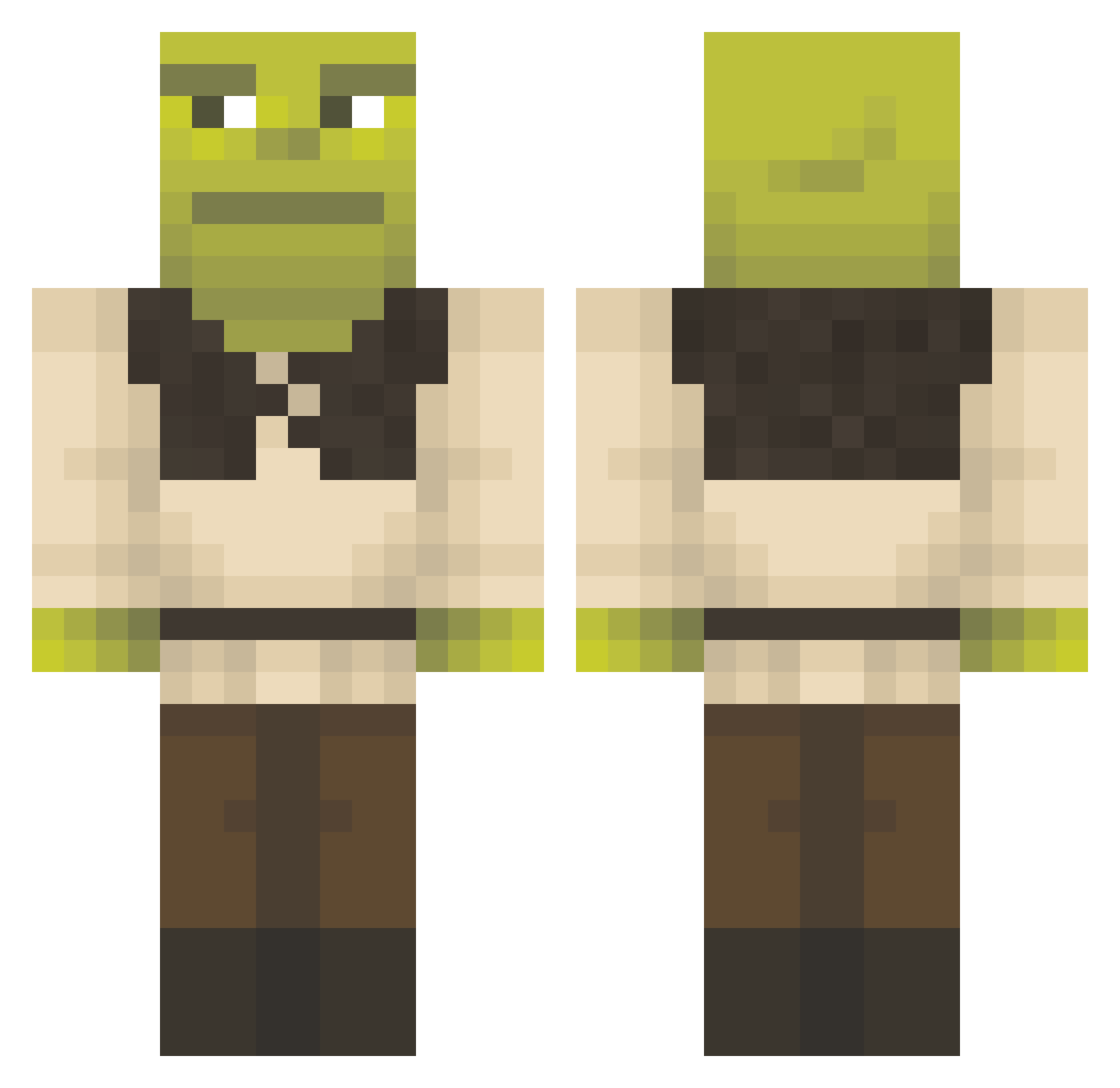
Other players with this skin (1155)
emicat62 was the 163rd player we have seen with this skin, first spotted on 07.08.2026. The same skin was seen on these players. Open a nickname to see their current skin and skin history.
 D0goBeanSs mukki14 PeaXinFN69 Gamer_207 Enfroy SmokedPack420 lukejosh
 hoopi6502 zayaaaa1 massibert _markyboy_ DmitryMem Mikaxxxx IsaacMontalvo YoAryy LadyBugNuts shadowsoul5338 Manuseado UnabatedLemming hbizzy joao46_ JO_lci xXhardcorenoobXx NielsDeAardappel
 poortrisha Maccalppaca Muvl1s 0nusa Brenock ThibJu SultanStulejman coopik trandavi HamSandwich_00 m2theorpheus MGT0130 kjr_lol wave510 YaBoyAdam7 Pepiko36 DoodleNew Yingpeng Linnin7 anoumzeco sonic_thehotdog
 onphilly Ich_rast_aus08 C0REZZZ Tobiasmax11 Fisk1_ Jokeyrge Kin9Julian EnderWattage
 CJX9_B Mo_uf klasavchik AFKael MrAvil sadsl1 OnderDe11
More Shrek Minecraft skins
How to install the emicat62 skin
- Press the Download button above to save the skin as a PNG file.
- Minecraft: Bedrock Edition (PE): open the Dressing Room from the main menu (or tap your character → Edit Character), go to Classic Skins → Owned, press the + (new skin) button, choose the downloaded PNG and pick the Classic (Steve) model. Works on PC and mobile; consoles cannot import custom skins.
- Minecraft: Java Edition: open the Minecraft Launcher, go to the Skins tab, click New Skin, load the PNG, pick the Classic (Steve) model and press Save & Use. You can also upload it at minecraft.net → Profile → Change Skin.
The skin does not show up after import - what should I do?
Restart Minecraft and open the Dressing Room again - imported skins sometimes appear only after a restart. Also make sure you selected the imported skin and picked the Classic (Steve) model.
Which model should I choose, Classic or Slim?
This skin is designed for the Classic (Steve) model. If you pick the wrong model, the arms of the skin will look stretched or squeezed.
Is the skin of emicat62 free to download?
Yes. Press Download, save the PNG file and use it in Minecraft: Bedrock Edition or Java Edition - no payment or registration needed. The skin also works on multiplayer servers and Realms.
More skins
Looking for more? Go back to all Minecraft skins and check the top skins of the week, month and all time, or find any player's skin by nickname.