
emiadd - Minecraft Skins & Skin History
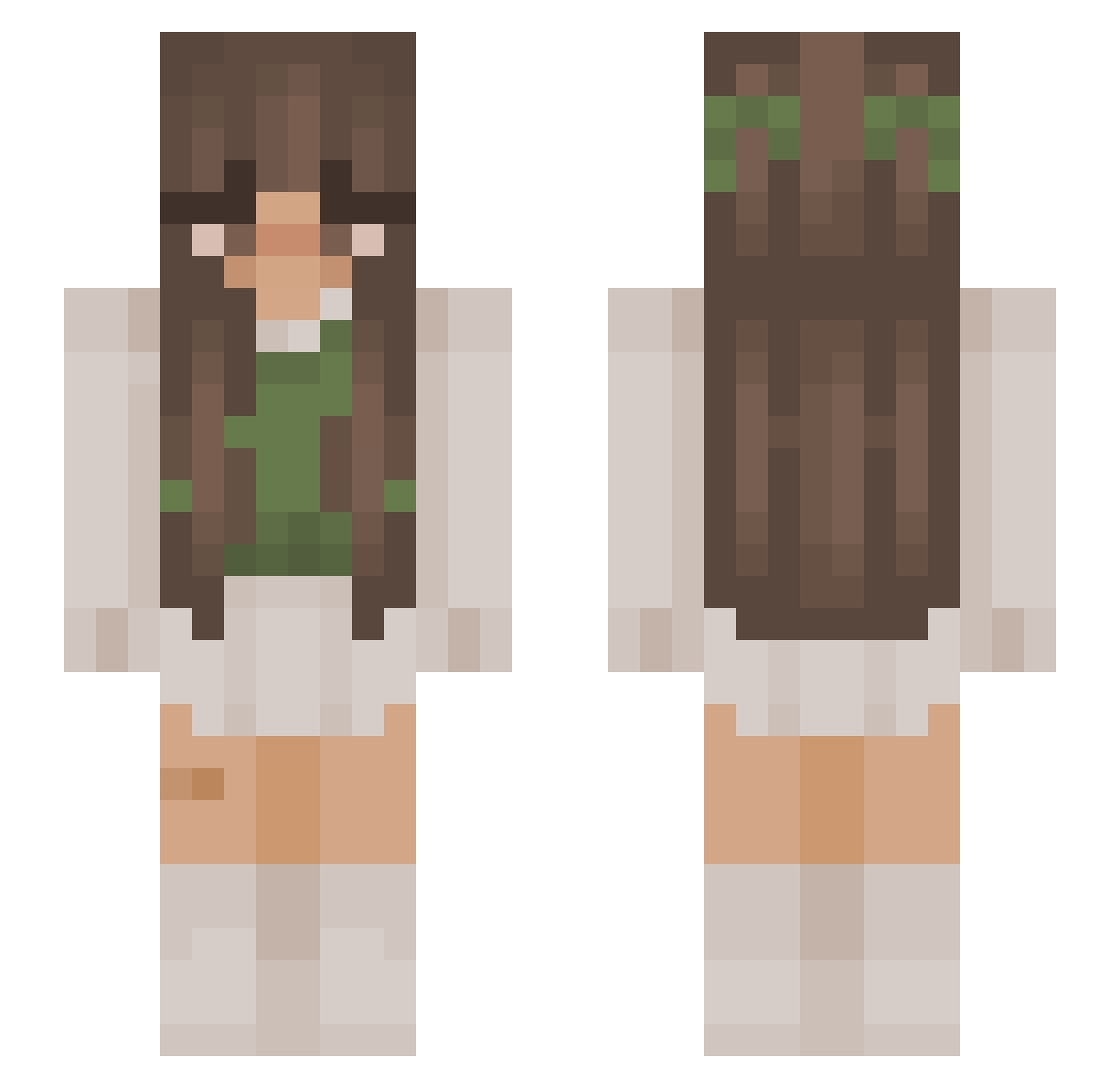
Current Minecraft skin of the player emiadd, loaded from the official Mojang API. Rotate the 3D model with your mouse or finger, then download the skin as a PNG file and use it in Minecraft: Bedrock Edition or Java Edition for free. When emiadd changes their skin, this page updates automatically and the old skin stays in the history below.
Other players with this skin (878)
emiadd was the 158th player we have seen with this skin, first spotted on 09.08.2026. The same skin was seen on these players. Open a nickname to see their current skin and skin history.
 katmauss elyssasmom lipton4444 ifleya JENNIFER_banana nysiad meperdonasdavil i2sunoo alonebear331348 axotoxic Alana17 Soapz JulaR13 TinyTitan21 Captain75 hshrike psykiexo Mahihohi12 Demiger04 mamas11 xvsosik blqzee0 tckyobear Swcnn SnugMusician488 Moonpox hbuix Quara_ soccerstarcam7 sav1qh deluuge k1ttyfoll bubblyyyy sehsehhh ZbyszekYT Bubba724 polasxafa Moo_sh00 ToxicHannah Rileygal213 KIRUUWU Monchinka GubdaRebjorn mei1ing oksourire Jaademire Raitty
 MarieStar05 k0docha
 Zurig6 cybercottagegirl viviowski pinkes03 walkingplant x_Luna_Lu_x Pauliine_ neliii123 MagicalDemon0193 Nany95 astra2cute
More Cottagecore Minecraft skins
See all 5814 Cottagecore skins
How to install the emiadd skin
- Press the Download button above to save the skin as a PNG file.
- Minecraft: Bedrock Edition (PE): open the Dressing Room from the main menu (or tap your character → Edit Character), go to Classic Skins → Owned, press the + (new skin) button, choose the downloaded PNG and pick the Slim (Alex) model. Works on PC and mobile; consoles cannot import custom skins.
- Minecraft: Java Edition: open the Minecraft Launcher, go to the Skins tab, click New Skin, load the PNG, pick the Slim (Alex) model and press Save & Use. You can also upload it at minecraft.net → Profile → Change Skin.
The skin does not show up after import - what should I do?
Restart Minecraft and open the Dressing Room again - imported skins sometimes appear only after a restart. Also make sure you selected the imported skin and picked the Slim (Alex) model.
Which model should I choose, Classic or Slim?
This skin is designed for the Slim (Alex) model. If you pick the wrong model, the arms of the skin will look stretched or squeezed.
Is the skin of emiadd free to download?
Yes. Press Download, save the PNG file and use it in Minecraft: Bedrock Edition or Java Edition - no payment or registration needed. The skin also works on multiplayer servers and Realms.
More skins
Looking for more? Go back to all Minecraft skins and check the top skins of the week, month and all time, or find any player's skin by nickname.