
elonmusk001 - Minecraft Skins & Skin History
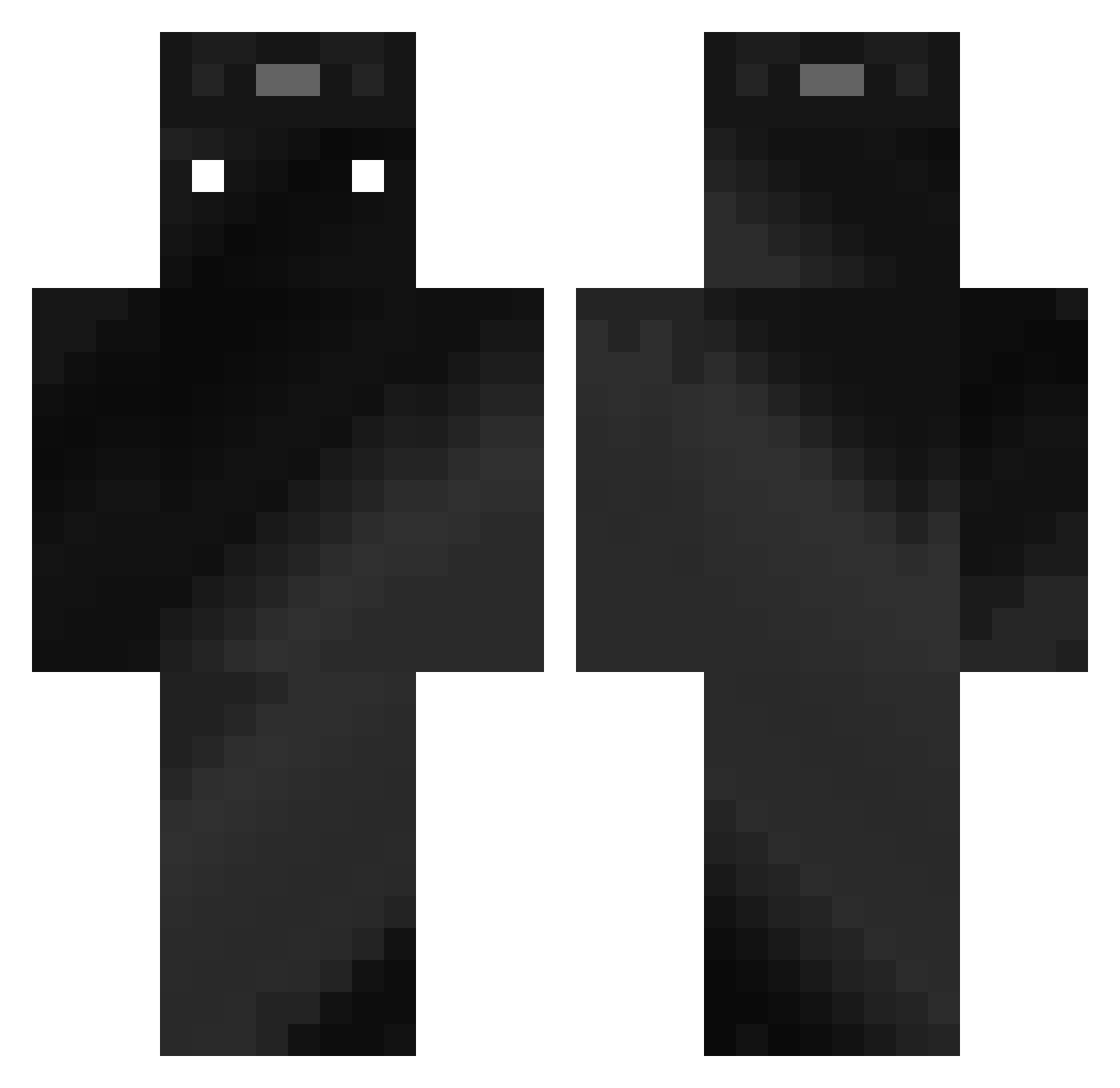
Current Minecraft skin of the player elonmusk001, loaded from the official Mojang API. Rotate the 3D model with your mouse or finger, then download the skin as a PNG file and use it in Minecraft: Bedrock Edition or Java Edition for free. When elonmusk001 changes their skin, this page updates automatically and the old skin stays in the history below.
Other players with this skin (357)
elonmusk001 was the 222nd player we have seen with this skin, first spotted on 27.09.2026. The same skin was seen on these players. Open a nickname to see their current skin and skin history.
 lcj1818 CrisPBac0n1 P4RZIIVAl NAOSSSU TheBolide Zairon1991 yvy89ev qarns TheMcMike Acidulation aldrobert ravocr AlxxPH L0VNI mikiki199 VFlog ILikePhoALot kqix0 Haio_77 Mathys60 xrummer noinsir Kitsunestunt ZoominZack Erreeip orelproziv Chilly_Willy1 wArRiSsSs JVictor1555 PunRPC cooldoc77 kgmi0507 xoxka TDMfanCT votion_ Goitommm SHANE_05222 Rosco1011 halo7719 goyslopper21 iLewis20 SteezyMisk StarryFoil44751 shXyn711 arm6088 MiroX333 Kyuubi2505 dodolfs Sv2_Void_jwc kingston1221 Einluca32 munseong4100 URLOCALHYPERINON Alsoanapple IIlIllII DrafT_PhunK cjcjcjcjcj11 javs83 flomirr faoth
How to install the elonmusk001 skin
- Press the Download button above to save the skin as a PNG file.
- Minecraft: Bedrock Edition (PE): open the Dressing Room from the main menu (or tap your character → Edit Character), go to Classic Skins → Owned, press the + (new skin) button, choose the downloaded PNG and pick the Classic (Steve) model. Works on PC and mobile; consoles cannot import custom skins.
- Minecraft: Java Edition: open the Minecraft Launcher, go to the Skins tab, click New Skin, load the PNG, pick the Classic (Steve) model and press Save & Use. You can also upload it at minecraft.net → Profile → Change Skin.
The skin does not show up after import - what should I do?
Restart Minecraft and open the Dressing Room again - imported skins sometimes appear only after a restart. Also make sure you selected the imported skin and picked the Classic (Steve) model.
Which model should I choose, Classic or Slim?
This skin is designed for the Classic (Steve) model. If you pick the wrong model, the arms of the skin will look stretched or squeezed.
Is the skin of elonmusk001 free to download?
Yes. Press Download, save the PNG file and use it in Minecraft: Bedrock Edition or Java Edition - no payment or registration needed. The skin also works on multiplayer servers and Realms.
More skins
Looking for more? Go back to all Minecraft skins and check the top skins of the week, month and all time, or find any player's skin by nickname.