
elmo44_90 - Minecraft Skins & Skin History
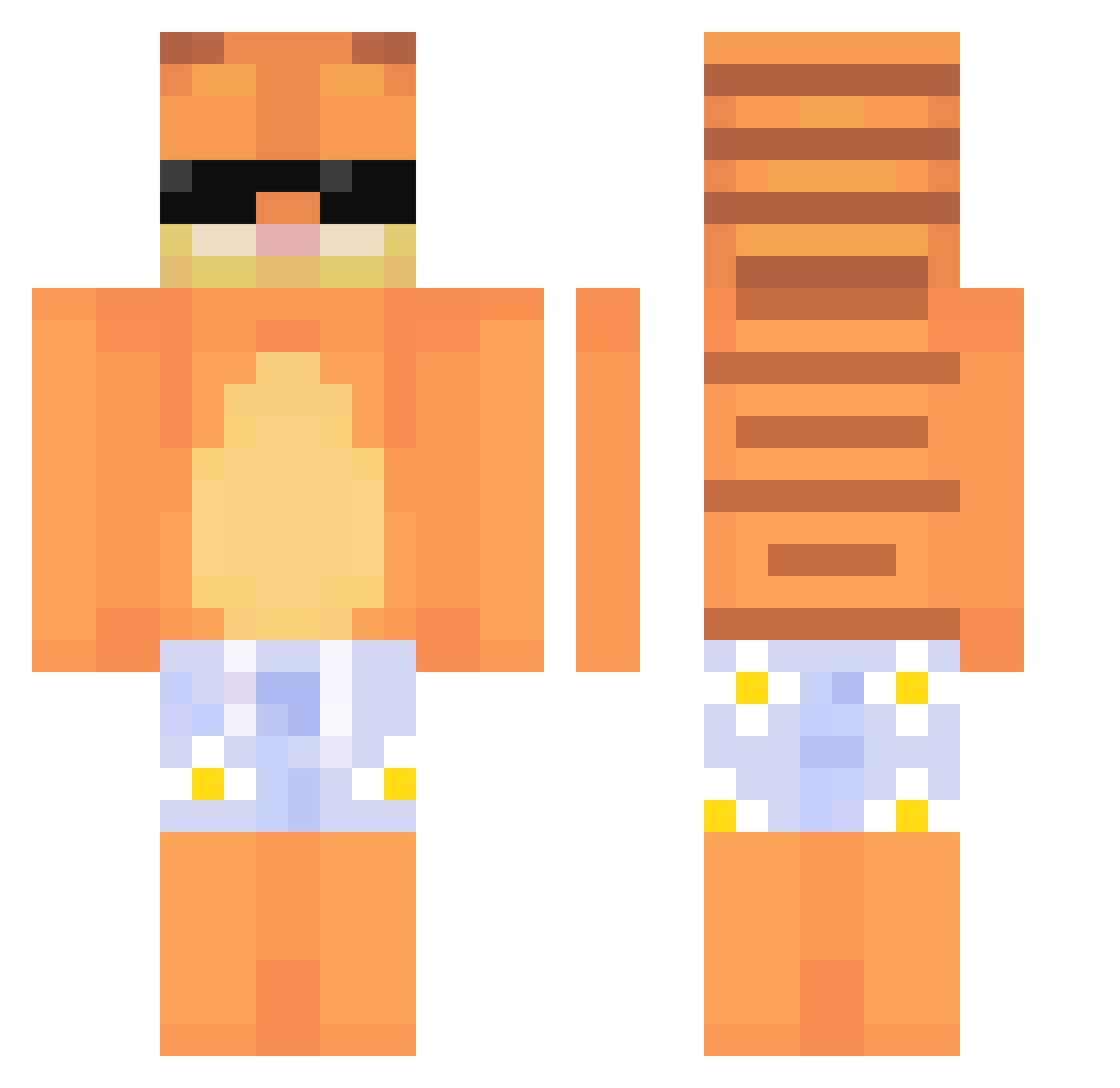
Current Minecraft skin of the player elmo44_90, loaded from the official Mojang API. Rotate the 3D model with your mouse or finger, then download the skin as a PNG file and use it in Minecraft: Bedrock Edition or Java Edition for free. When elmo44_90 changes their skin, this page updates automatically and the old skin stays in the history below.
Other players with this skin (635)
elmo44_90 was the 67th player we have seen with this skin, first spotted on 03.08.2026. The same skin was seen on these players. Open a nickname to see their current skin and skin history.
 OllieRuinsLife SovietVKR oli24234 mada530 Rimayz DE_happy433 ChinoForeva Fikany End135 yoohyuk_ Schmerlo123 Rokenzijus Terrymochy Chemoo3 heehee0221 device121 graciemoose VnzxI CanSir009 squirrelgurll MinecraftTH eating_cardboard GARFIELD777 MisaPrd3lka69
 cxtrlrocknn ljw1129 Ant_Y12 Mhmmmmmmmm7421 JOONKING731 flowy01
 zicxc nasqueak sjy0121 DaRomanNight LoganRagnar gabelchik bajablastr1 joshualys yellowdaez kaiBaam alaxgamer43 H6V gigigig ItsDMK_ oisindarb22 Kuba_to_pros4231 FurReal yopex222 Ticking670 ANDR3TTA stambo Arthur_Eidi Woeful13 SoloMuho Shorlecks Wli0612 Doomssday aliviah_lol BIKONEKS Xoromario
More Garfield Minecraft skins
How to install the elmo44_90 skin
- Press the Download button above to save the skin as a PNG file.
- Minecraft: Bedrock Edition (PE): open the Dressing Room from the main menu (or tap your character → Edit Character), go to Classic Skins → Owned, press the + (new skin) button, choose the downloaded PNG and pick the Classic (Steve) model. Works on PC and mobile; consoles cannot import custom skins.
- Minecraft: Java Edition: open the Minecraft Launcher, go to the Skins tab, click New Skin, load the PNG, pick the Classic (Steve) model and press Save & Use. You can also upload it at minecraft.net → Profile → Change Skin.
The skin does not show up after import - what should I do?
Restart Minecraft and open the Dressing Room again - imported skins sometimes appear only after a restart. Also make sure you selected the imported skin and picked the Classic (Steve) model.
Which model should I choose, Classic or Slim?
This skin is designed for the Classic (Steve) model. If you pick the wrong model, the arms of the skin will look stretched or squeezed.
Is the skin of elmo44_90 free to download?
Yes. Press Download, save the PNG file and use it in Minecraft: Bedrock Edition or Java Edition - no payment or registration needed. The skin also works on multiplayer servers and Realms.
More skins
Looking for more? Go back to all Minecraft skins and check the top skins of the week, month and all time, or find any player's skin by nickname.