
elinpelin01 - Minecraft Skins & Skin History
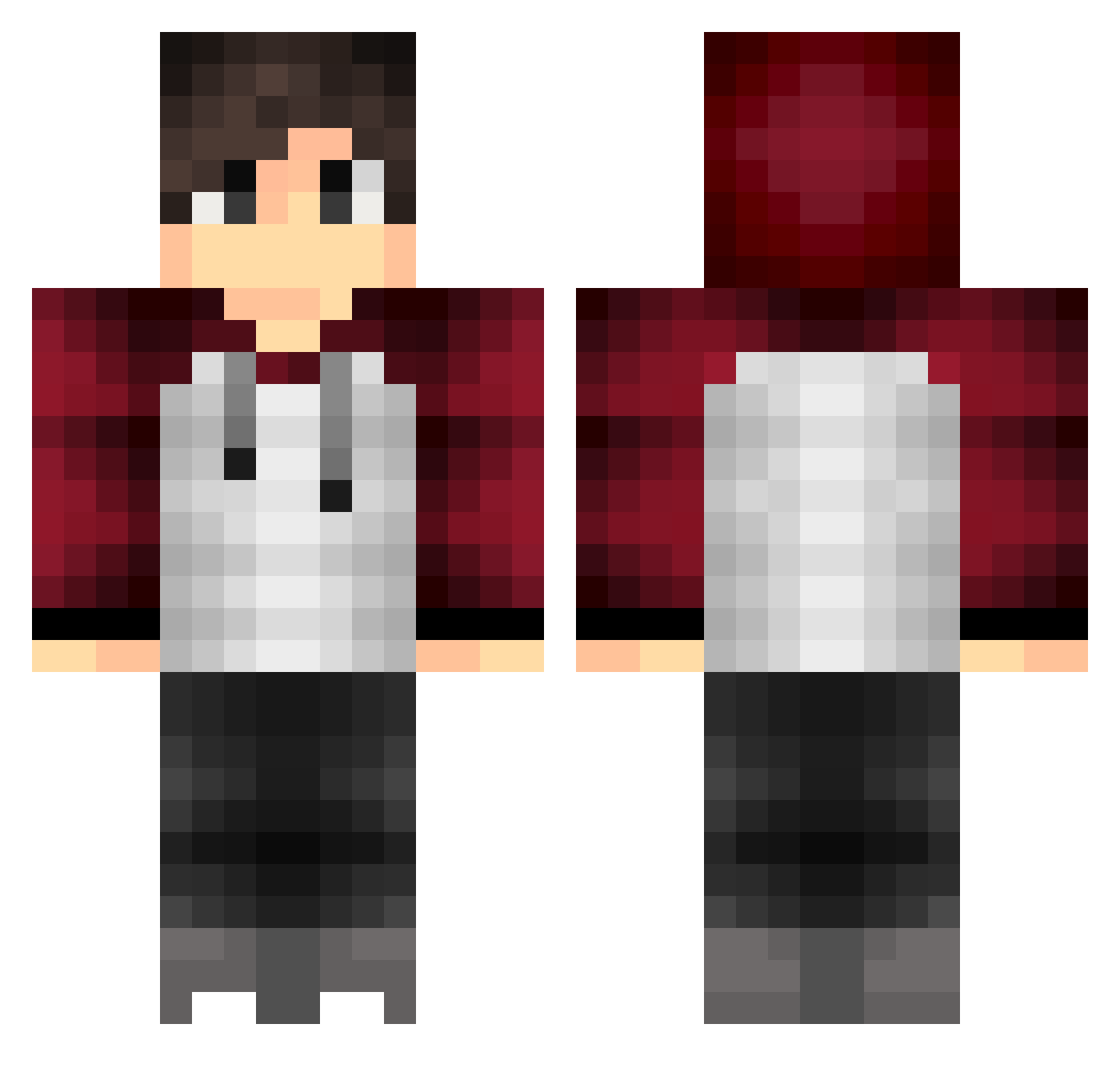
Current Minecraft skin of the player elinpelin01, loaded from the official Mojang API. Rotate the 3D model with your mouse or finger, then download the skin as a PNG file and use it in Minecraft: Bedrock Edition or Java Edition for free. When elinpelin01 changes their skin, this page updates automatically and the old skin stays in the history below.
Other players with this skin (318)
elinpelin01 was the 35th player we have seen with this skin, first spotted on 01.08.2026. The same skin was seen on these players. Open a nickname to see their current skin and skin history.
 ScykohXX Malwit_ magarathi AppleIsNotAFruit euxfcygurifteuyt ForceHacked MurilloBS Toytz__ shiro_kujira SoDamSalty pvpbattle dumii Senjuu_x Toyxtaverso Steefstar Dima888 marvinsge14 MiniTheWin DaSuperSquid TGC_Massacre aceeeeeeeeeeee DawsonRaye xavier3030 DokkaBean Salit0z _ItzNoah_ Turtleboy113 Heej06 vFr0styyy MRPronkje007 pitta_is_lekker CD11redipod PsychoZombi3 Mattvin03 MiziMom7 hjkim24 Teratorn Wekehh Olearne chroogmo Bjorn_0252 SammyDoDa Benwimot yojo_31 duchgamer mercurianx TheMertArslan _Kxle MrklotzYT QMS_ Florian_xp treeckotime7 imyou09 andrewp413 Its_Cyrax BoxiestMinotaur EzRest welt101 Nunchuncks Bellplayer1
How to install the elinpelin01 skin
- Press the Download button above to save the skin as a PNG file.
- Minecraft: Bedrock Edition (PE): open the Dressing Room from the main menu (or tap your character → Edit Character), go to Classic Skins → Owned, press the + (new skin) button, choose the downloaded PNG and pick the Classic (Steve) model. Works on PC and mobile; consoles cannot import custom skins.
- Minecraft: Java Edition: open the Minecraft Launcher, go to the Skins tab, click New Skin, load the PNG, pick the Classic (Steve) model and press Save & Use. You can also upload it at minecraft.net → Profile → Change Skin.
The skin does not show up after import - what should I do?
Restart Minecraft and open the Dressing Room again - imported skins sometimes appear only after a restart. Also make sure you selected the imported skin and picked the Classic (Steve) model.
Which model should I choose, Classic or Slim?
This skin is designed for the Classic (Steve) model. If you pick the wrong model, the arms of the skin will look stretched or squeezed.
Is the skin of elinpelin01 free to download?
Yes. Press Download, save the PNG file and use it in Minecraft: Bedrock Edition or Java Edition - no payment or registration needed. The skin also works on multiplayer servers and Realms.
More skins
Looking for more? Go back to all Minecraft skins and check the top skins of the week, month and all time, or find any player's skin by nickname.