
el3ctr1c_ - Minecraft Skins & Skin History
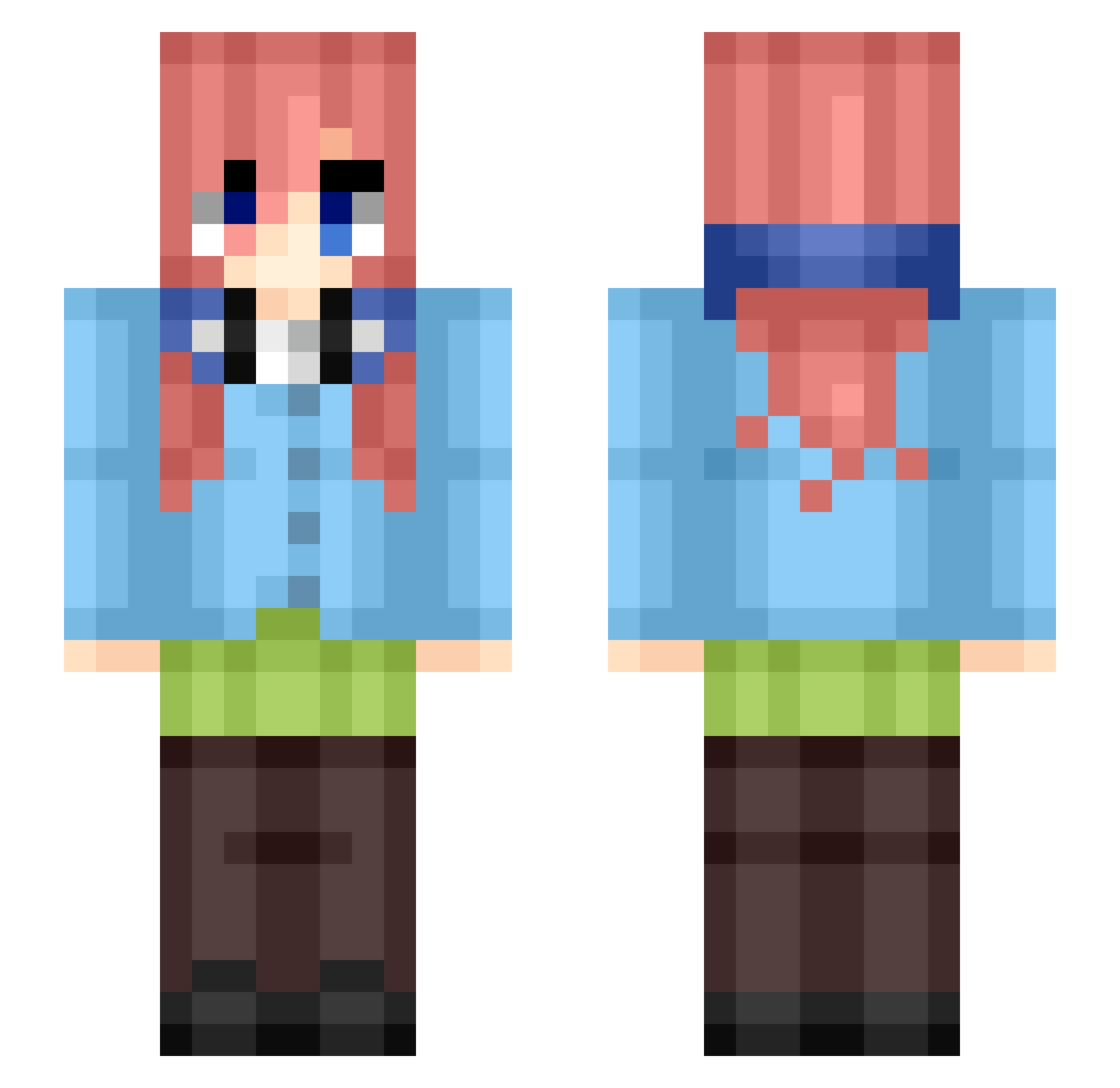
Current Minecraft skin of the player el3ctr1c_, loaded from the official Mojang API. Rotate the 3D model with your mouse or finger, then download the skin as a PNG file and use it in Minecraft: Bedrock Edition or Java Edition for free. When el3ctr1c_ changes their skin, this page updates automatically and the old skin stays in the history below.
Other players with this skin (386)
el3ctr1c_ was the 92nd player we have seen with this skin, first spotted on 16.08.2026. The same skin was seen on these players. Open a nickname to see their current skin and skin history.
 AdairXYZ DressierZoo9451 LAF_Phantom Wasd14 dantecsb Nakan0Miku_ AliceTheZamB ba11er_god xGatitush tomato_pro taptunyt BUNS4LIFE99 wilberkuo MikuNakanoL0ver_ randomguy___3725 Zack0514 unversedwig300 TheMar1606 israpapusho
 srami50 Yanis3105 Semmieboy5305 NebNebNeb
 Teunemans2011
 Tuptakk Kimblyy_ Hmonk chenyvex GR6123 Nakano_39 Blazito64 FreshieDestroyer EpicPieManYT Humidpurse6445 P4ULKILL J_Mack_ Rufach777 __dR1__ Vsdvvvse
 FEIN1312 kitar865 Charlieisez mosino1 Linkhd07 UMJAGXR Alafonzo
 VoidTerminal bebekson
 ItsJsGio Flintsteel_5
 starbursttttt adamdunbar H3Y_ADA
 Merixy Lher_dx iMiku_Nakano Alkhwarizmi1234 MashedPotato_UmU NakanoMiku8763 Al3xF4ilZ0ne
More Miku Nakano Minecraft skins
How to install the el3ctr1c_ skin
- Press the Download button above to save the skin as a PNG file.
- Minecraft: Bedrock Edition (PE): open the Dressing Room from the main menu (or tap your character → Edit Character), go to Classic Skins → Owned, press the + (new skin) button, choose the downloaded PNG and pick the Slim (Alex) model. Works on PC and mobile; consoles cannot import custom skins.
- Minecraft: Java Edition: open the Minecraft Launcher, go to the Skins tab, click New Skin, load the PNG, pick the Slim (Alex) model and press Save & Use. You can also upload it at minecraft.net → Profile → Change Skin.
The skin does not show up after import - what should I do?
Restart Minecraft and open the Dressing Room again - imported skins sometimes appear only after a restart. Also make sure you selected the imported skin and picked the Slim (Alex) model.
Which model should I choose, Classic or Slim?
This skin is designed for the Slim (Alex) model. If you pick the wrong model, the arms of the skin will look stretched or squeezed.
Is the skin of el3ctr1c_ free to download?
Yes. Press Download, save the PNG file and use it in Minecraft: Bedrock Edition or Java Edition - no payment or registration needed. The skin also works on multiplayer servers and Realms.
More skins
Looking for more? Go back to all Minecraft skins and check the top skins of the week, month and all time, or find any player's skin by nickname.