
eis_panda - Minecraft Skins & Skin History
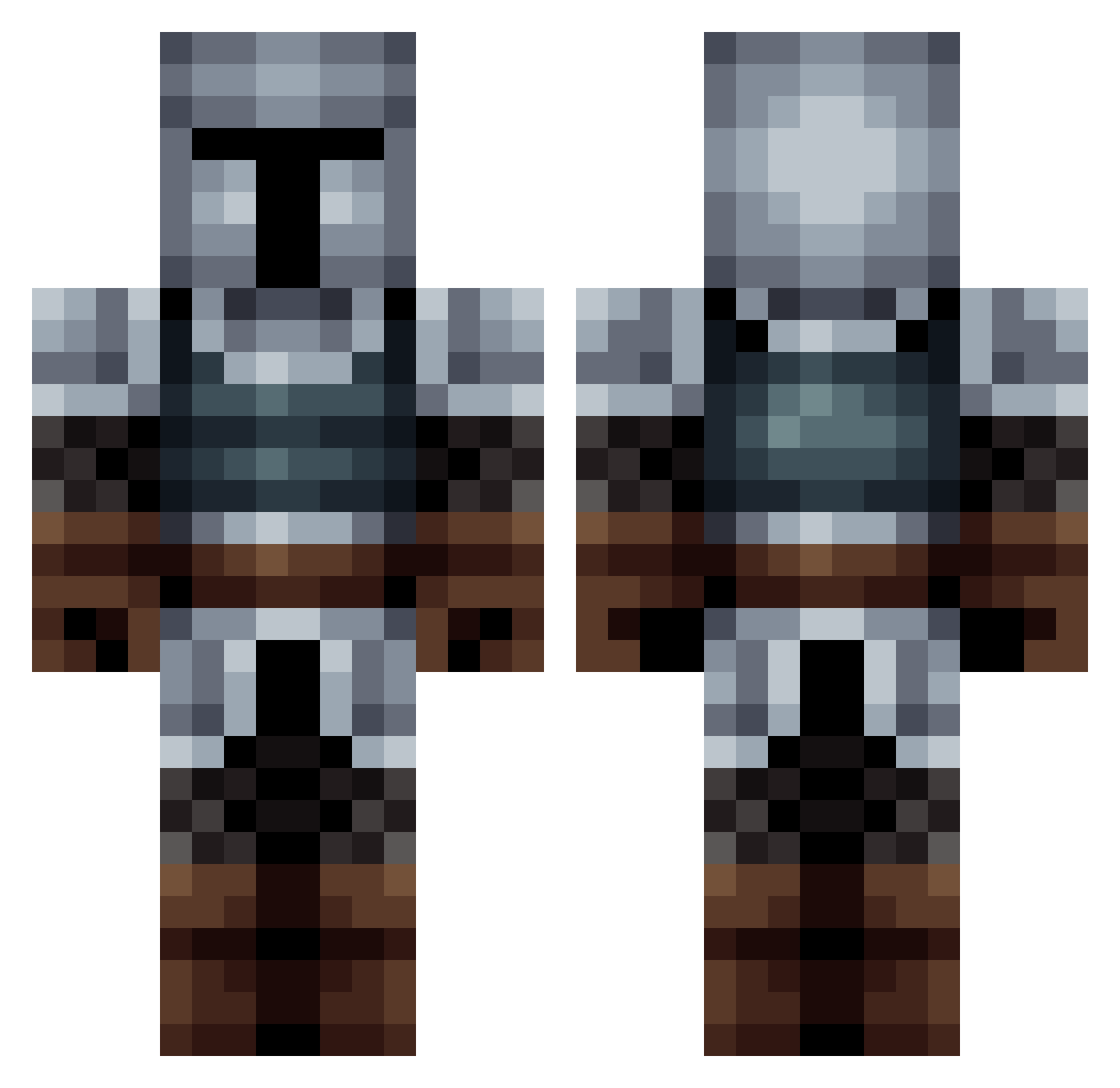
Current Minecraft skin of the player eis_panda, loaded from the official Mojang API. Rotate the 3D model with your mouse or finger, then download the skin as a PNG file and use it in Minecraft: Bedrock Edition or Java Edition for free. When eis_panda changes their skin, this page updates automatically and the old skin stays in the history below.
Other players with this skin (563)
eis_panda was the 515th player we have seen with this skin, first spotted on 30.10.2026. The same skin was seen on these players. Open a nickname to see their current skin and skin history.
 CrazyCake777 NicolasMahieu SwiftySmithy cansat UhSebastian Kordixon MrBambino7 adriancookie DokuNoku Beast15712 Cylvyr Timurlaine Yulmar_Vorlod Hesteen FitcherA Deano_exe EddyAbreu spegyNmerblz WuujekTajfun LordHungerr Eloward PaperAirplane123 Ahmazaku Jeroeth Gravity7108 DateBase00 Mirosa79 Gorilla4k GSM311209 SH_1_Sur_Infinie EO96_ CoTPyDHuK Tangless JobyOneKenobi Lanman116 Stickman9751 BingooDev that_white_boy96 DJack3 HardCarryGary Pochemu13 Jalvia KacperosGOAT Valentin3459 CasualCats doyeong13 Ragekid59 SuperEpicSyntax SrMoustacho Primalsalt CastleShort Probable_Human Aranic coolNG2010 Demonal89 Penmen01 Cant_Sir LilSmooth B4LLSOHARD Raziiid
More Medieval Minecraft skins
How to install the eis_panda skin
- Press the Download button above to save the skin as a PNG file.
- Minecraft: Bedrock Edition (PE): open the Dressing Room from the main menu (or tap your character → Edit Character), go to Classic Skins → Owned, press the + (new skin) button, choose the downloaded PNG and pick the Classic (Steve) model. Works on PC and mobile; consoles cannot import custom skins.
- Minecraft: Java Edition: open the Minecraft Launcher, go to the Skins tab, click New Skin, load the PNG, pick the Classic (Steve) model and press Save & Use. You can also upload it at minecraft.net → Profile → Change Skin.
The skin does not show up after import - what should I do?
Restart Minecraft and open the Dressing Room again - imported skins sometimes appear only after a restart. Also make sure you selected the imported skin and picked the Classic (Steve) model.
Which model should I choose, Classic or Slim?
This skin is designed for the Classic (Steve) model. If you pick the wrong model, the arms of the skin will look stretched or squeezed.
Is the skin of eis_panda free to download?
Yes. Press Download, save the PNG file and use it in Minecraft: Bedrock Edition or Java Edition - no payment or registration needed. The skin also works on multiplayer servers and Realms.
More skins
Looking for more? Go back to all Minecraft skins and check the top skins of the week, month and all time, or find any player's skin by nickname.