
einfach_johannaa - Minecraft Skins & Skin History
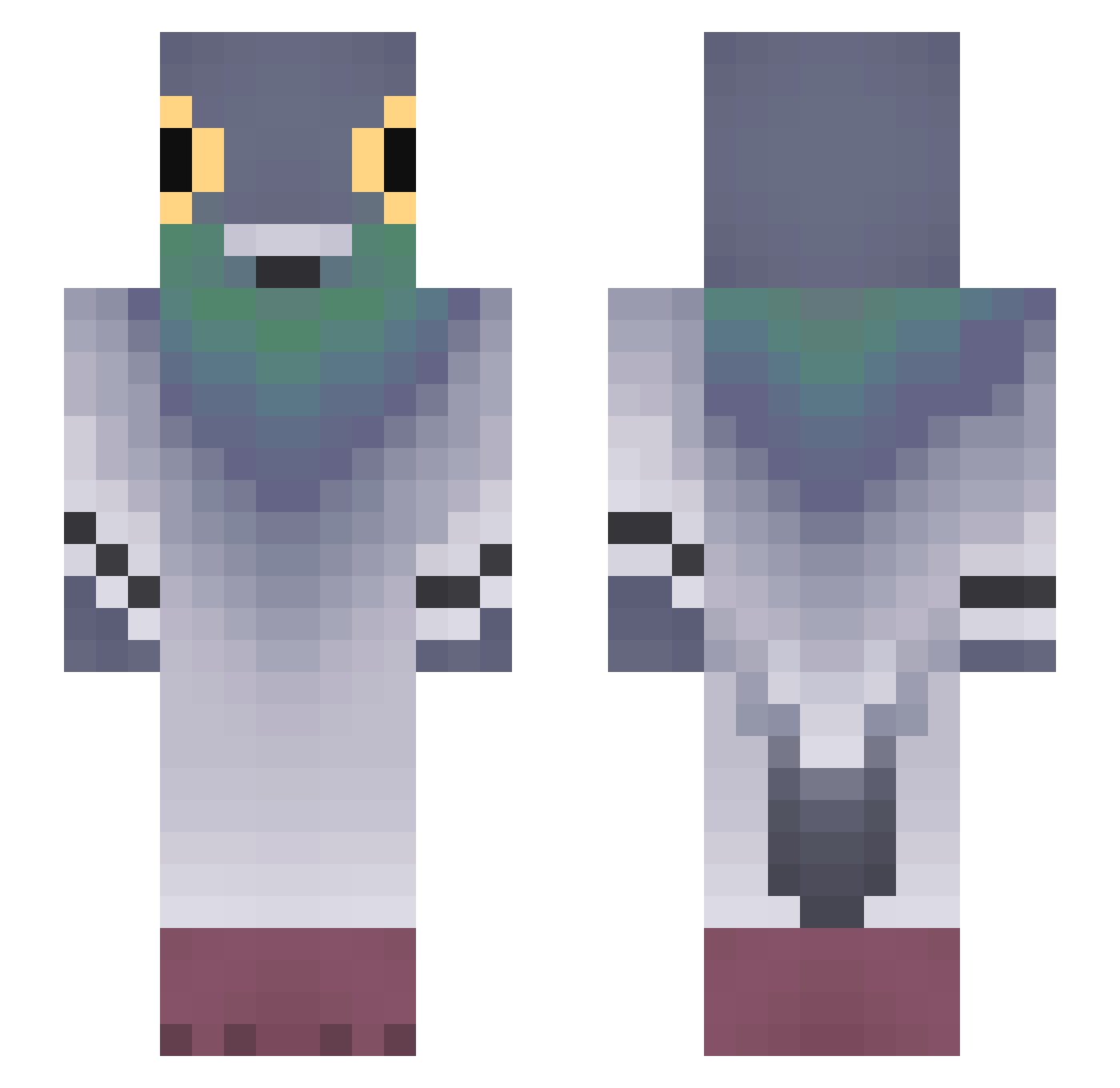
Current Minecraft skin of the player einfach_johannaa, loaded from the official Mojang API. Rotate the 3D model with your mouse or finger, then download the skin as a PNG file and use it in Minecraft: Bedrock Edition or Java Edition for free. When einfach_johannaa changes their skin, this page updates automatically and the old skin stays in the history below.
Other players with this skin (831)
einfach_johannaa was the 807th player we have seen with this skin, first spotted on 07.11.2026. The same skin was seen on these players. Open a nickname to see their current skin and skin history.
 MaxDraker human_KR Tygrysdave oretykotlety00 CreepyCrys __HiNKa__ harryTVcool Deadics Onxgen dino12387 dkslwgns lolovb4 Lukash22 zegemata katherynistrying mercury_1203 gorusica luisillo300 MartiDeLarti stienstar sakatim senate22 Mc_WarCriminal Luchito_gaa Hsham0227 Bruno_Cheese Chicken_Eli toucan0866 Majki_mp3 jaqisbaq pigeon_rage vinicapa67 ZumSito Rubuskus D3rr_L0rd Fr_aer3454 KaoriIkki Jawm04 iolandi Plinfar Nicoocha nanaskunk cabbagecake4 SigonPex677 germanptero JOAOHORUS rbo3 wvzxrt GodlyPolo _ddx DonJulio4 ItXero_ Uluntrak16 YUE025459 Montyou Sadysta1015 Ciconiidae ProperKeet ymoioo karlitos505
More Pigeon Minecraft skins
How to install the einfach_johannaa skin
- Press the Download button above to save the skin as a PNG file.
- Minecraft: Bedrock Edition (PE): open the Dressing Room from the main menu (or tap your character → Edit Character), go to Classic Skins → Owned, press the + (new skin) button, choose the downloaded PNG and pick the Slim (Alex) model. Works on PC and mobile; consoles cannot import custom skins.
- Minecraft: Java Edition: open the Minecraft Launcher, go to the Skins tab, click New Skin, load the PNG, pick the Slim (Alex) model and press Save & Use. You can also upload it at minecraft.net → Profile → Change Skin.
The skin does not show up after import - what should I do?
Restart Minecraft and open the Dressing Room again - imported skins sometimes appear only after a restart. Also make sure you selected the imported skin and picked the Slim (Alex) model.
Which model should I choose, Classic or Slim?
This skin is designed for the Slim (Alex) model. If you pick the wrong model, the arms of the skin will look stretched or squeezed.
Is the skin of einfach_johannaa free to download?
Yes. Press Download, save the PNG file and use it in Minecraft: Bedrock Edition or Java Edition - no payment or registration needed. The skin also works on multiplayer servers and Realms.
More skins
Looking for more? Go back to all Minecraft skins and check the top skins of the week, month and all time, or find any player's skin by nickname.