
egirl49 - Minecraft Skins & Skin History
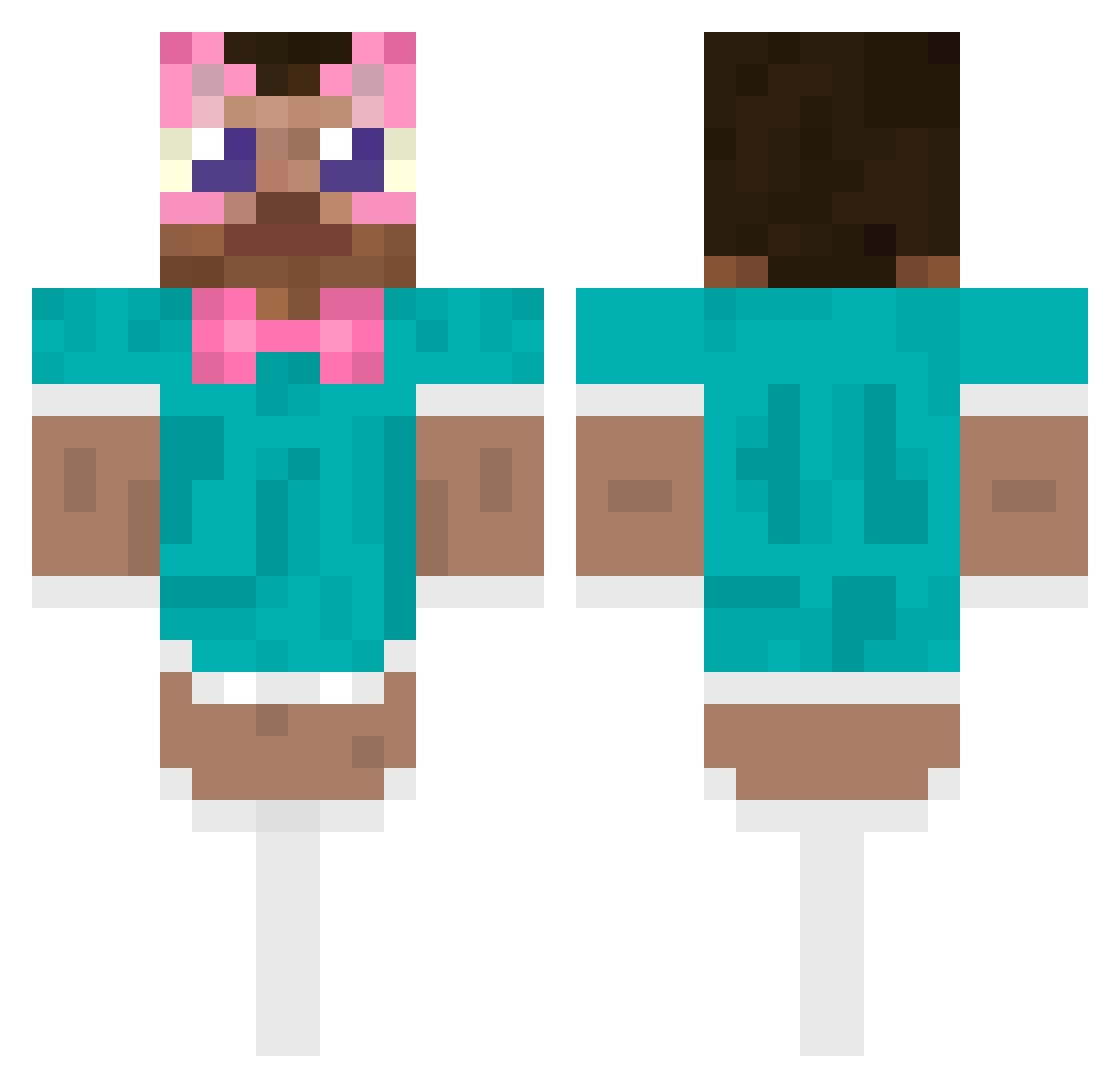
Current Minecraft skin of the player egirl49, loaded from the official Mojang API. Rotate the 3D model with your mouse or finger, then download the skin as a PNG file and use it in Minecraft: Bedrock Edition or Java Edition for free. When egirl49 changes their skin, this page updates automatically and the old skin stays in the history below.
Other players with this skin (583)
egirl49 was the 559th player we have seen with this skin, first spotted on 13.11.2026. The same skin was seen on these players. Open a nickname to see their current skin and skin history.
 MAIATOOTIE anitaaaaaaaa bigdidix _Dr1eam_ Alkuhul kalleballe3 SirMaggie Erikonin tezjestesgejem tetraaaa exxzbrxxa KANCIARZ213769 LOWKIRKENUILEY nkboi Ne_Oladushek Anderwkm nobgrease kai96854 OPYaOPYa SzlHQ Neon3831 _Rponn Sayco21 JannCoke SuperUkin CaioDoCorsa Kullbutnotcool spicycheese2469 Timartelo Chyraux zestyzepda theystolemygame TuittyFruitty gabadee NicseChavalin777 yJessc KleinBeidlIsmet osuwu JorgeElCurioso_ lize__ tpgns0927 Apusang MonoBlitz JustPrismm raidframe I_am_AkoKambe Artoria_Kawaii Akim1124 Krzaczek_ agurk123 Oaschwasrig_UwU fatbald VenomlyToxic laurafurtunato REMOVERUSSIANS Bona2728 EchoSummer _Ryuzen TiredChild _707_
More Maid Outfit Minecraft skins
How to install the egirl49 skin
- Press the Download button above to save the skin as a PNG file.
- Minecraft: Bedrock Edition (PE): open the Dressing Room from the main menu (or tap your character → Edit Character), go to Classic Skins → Owned, press the + (new skin) button, choose the downloaded PNG and pick the Classic (Steve) model. Works on PC and mobile; consoles cannot import custom skins.
- Minecraft: Java Edition: open the Minecraft Launcher, go to the Skins tab, click New Skin, load the PNG, pick the Classic (Steve) model and press Save & Use. You can also upload it at minecraft.net → Profile → Change Skin.
The skin does not show up after import - what should I do?
Restart Minecraft and open the Dressing Room again - imported skins sometimes appear only after a restart. Also make sure you selected the imported skin and picked the Classic (Steve) model.
Which model should I choose, Classic or Slim?
This skin is designed for the Classic (Steve) model. If you pick the wrong model, the arms of the skin will look stretched or squeezed.
Is the skin of egirl49 free to download?
Yes. Press Download, save the PNG file and use it in Minecraft: Bedrock Edition or Java Edition - no payment or registration needed. The skin also works on multiplayer servers and Realms.
More skins
Looking for more? Go back to all Minecraft skins and check the top skins of the week, month and all time, or find any player's skin by nickname.