
eggiwuggi - Minecraft Skins & Skin History
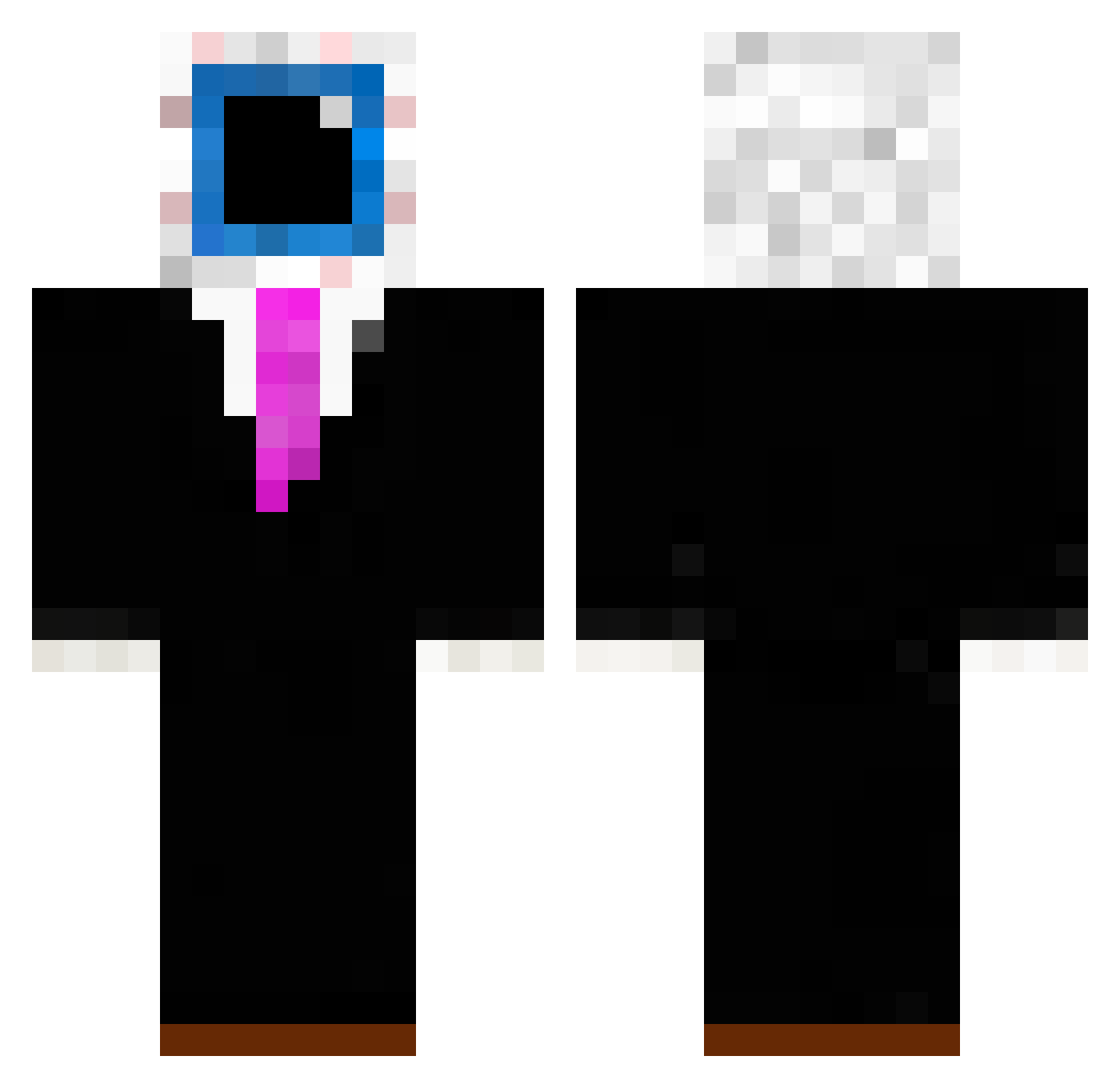
Current Minecraft skin of the player eggiwuggi, loaded from the official Mojang API. Rotate the 3D model with your mouse or finger, then download the skin as a PNG file and use it in Minecraft: Bedrock Edition or Java Edition for free. When eggiwuggi changes their skin, this page updates automatically and the old skin stays in the history below.
Other players with this skin (195)
eggiwuggi was the 183rd player we have seen with this skin, first spotted on 24.10.2026. The same skin was seen on these players. Open a nickname to see their current skin and skin history.
 Filoriz FilX2Raptor Omarhiscool gangsixia riksu_300 Dodo_M11 thrii xAcidRain6480 Lxg0 Darth_Maul1907 kokocool14 Zalaminon TungTungTev Idefixsuperheld DefconOne Vissario Dylan1900 BIGGIECHEEZE__69 MalaMiner15 LavenderFl0wer eggchan aaliuh ElCueito ledgic99 Raqz7 DEMON_GHG Eli_xD Karsten_Wolter OutPlay876 Disco_Bees LIME3482 patrysulek king_cl_6 Javagamer12321 Slapu208 Eldeih NONVORTEX wemmbbuu Ccrunchy DuckyDugg Sven___ IceFraggs0 astropetra W7xh NinjaShark4010 Terrinn Nava0 JUSTAGUY568 SamsNation i_love_eggchan _xiel wemloo bosaifff Lucalaurentiu1 freedash_1 minehuntassassin raynerzzz Djole99 bigbadbushy tumasdc
More Eyeball Minecraft skins
How to install the eggiwuggi skin
- Press the Download button above to save the skin as a PNG file.
- Minecraft: Bedrock Edition (PE): open the Dressing Room from the main menu (or tap your character → Edit Character), go to Classic Skins → Owned, press the + (new skin) button, choose the downloaded PNG and pick the Classic (Steve) model. Works on PC and mobile; consoles cannot import custom skins.
- Minecraft: Java Edition: open the Minecraft Launcher, go to the Skins tab, click New Skin, load the PNG, pick the Classic (Steve) model and press Save & Use. You can also upload it at minecraft.net → Profile → Change Skin.
The skin does not show up after import - what should I do?
Restart Minecraft and open the Dressing Room again - imported skins sometimes appear only after a restart. Also make sure you selected the imported skin and picked the Classic (Steve) model.
Which model should I choose, Classic or Slim?
This skin is designed for the Classic (Steve) model. If you pick the wrong model, the arms of the skin will look stretched or squeezed.
Is the skin of eggiwuggi free to download?
Yes. Press Download, save the PNG file and use it in Minecraft: Bedrock Edition or Java Edition - no payment or registration needed. The skin also works on multiplayer servers and Realms.
More skins
Looking for more? Go back to all Minecraft skins and check the top skins of the week, month and all time, or find any player's skin by nickname.