
egematur123 - Minecraft Skins & Skin History
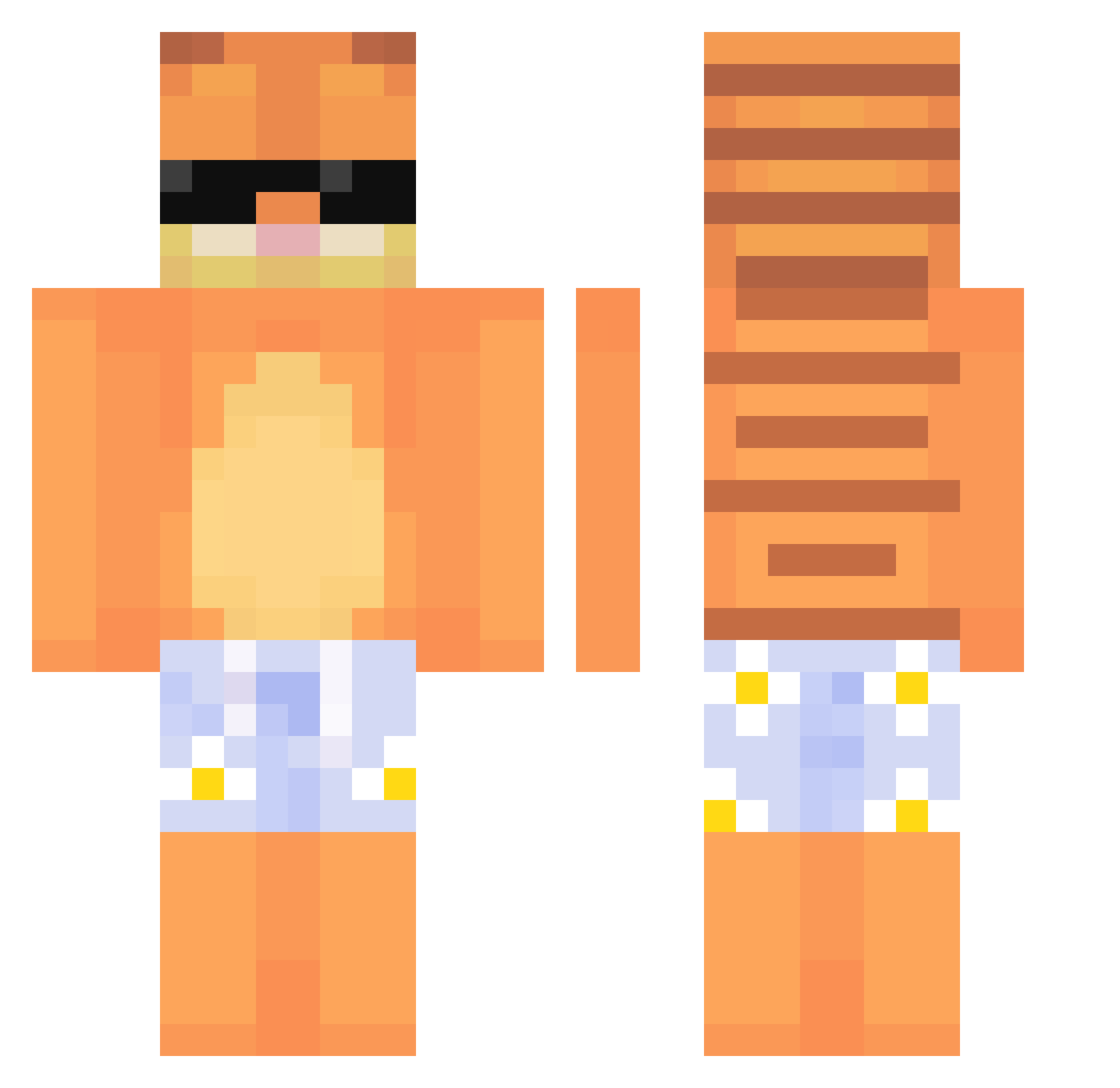
Current Minecraft skin of the player egematur123, loaded from the official Mojang API. Rotate the 3D model with your mouse or finger, then download the skin as a PNG file and use it in Minecraft: Bedrock Edition or Java Edition for free. When egematur123 changes their skin, this page updates automatically and the old skin stays in the history below.
Other players with this skin (770)
egematur123 was the 691st player we have seen with this skin, first spotted on 09.11.2026. The same skin was seen on these players. Open a nickname to see their current skin and skin history.
 NamrA_ frezlol hamsternobeast beebooba_ ScaliTR1 DenGaw Bones0_0 007711 Xythosn WziyunY Chris_SR zchino07 gabrelrech Ryfishh joacoop_ zoemicky MechaMonkey101 sonooleo Teto9184 bluntconsumer cl0udnik oUNOo Slyzee_ neogulman1 KqrlN nocoled JamJelly1122 viovellyy Gdog627 dos30103 ronniwr Kyytsuu fakekino hiRokoyyy piotrek3240 Eotak goyaun08 Spaceynzh longv xx_Dkzin surethingbuddy Luxembuao Gore_Hound joo_2 ImMondayz Exilic_ DAVEHAUTAFFEN kitkat_040569 Coubes HoneyMeister300 whua666 shabi0403 BigFatLasagnaCat Animo321 jinsub22 xodbs00 mn6a7 BIGNEVO Reiarty Big_Funkle
More Garfield Minecraft skins
How to install the egematur123 skin
- Press the Download button above to save the skin as a PNG file.
- Minecraft: Bedrock Edition (PE): open the Dressing Room from the main menu (or tap your character → Edit Character), go to Classic Skins → Owned, press the + (new skin) button, choose the downloaded PNG and pick the Classic (Steve) model. Works on PC and mobile; consoles cannot import custom skins.
- Minecraft: Java Edition: open the Minecraft Launcher, go to the Skins tab, click New Skin, load the PNG, pick the Classic (Steve) model and press Save & Use. You can also upload it at minecraft.net → Profile → Change Skin.
The skin does not show up after import - what should I do?
Restart Minecraft and open the Dressing Room again - imported skins sometimes appear only after a restart. Also make sure you selected the imported skin and picked the Classic (Steve) model.
Which model should I choose, Classic or Slim?
This skin is designed for the Classic (Steve) model. If you pick the wrong model, the arms of the skin will look stretched or squeezed.
Is the skin of egematur123 free to download?
Yes. Press Download, save the PNG file and use it in Minecraft: Bedrock Edition or Java Edition - no payment or registration needed. The skin also works on multiplayer servers and Realms.
More skins
Looking for more? Go back to all Minecraft skins and check the top skins of the week, month and all time, or find any player's skin by nickname.