
eduminecraftola - Minecraft Skins & Skin History
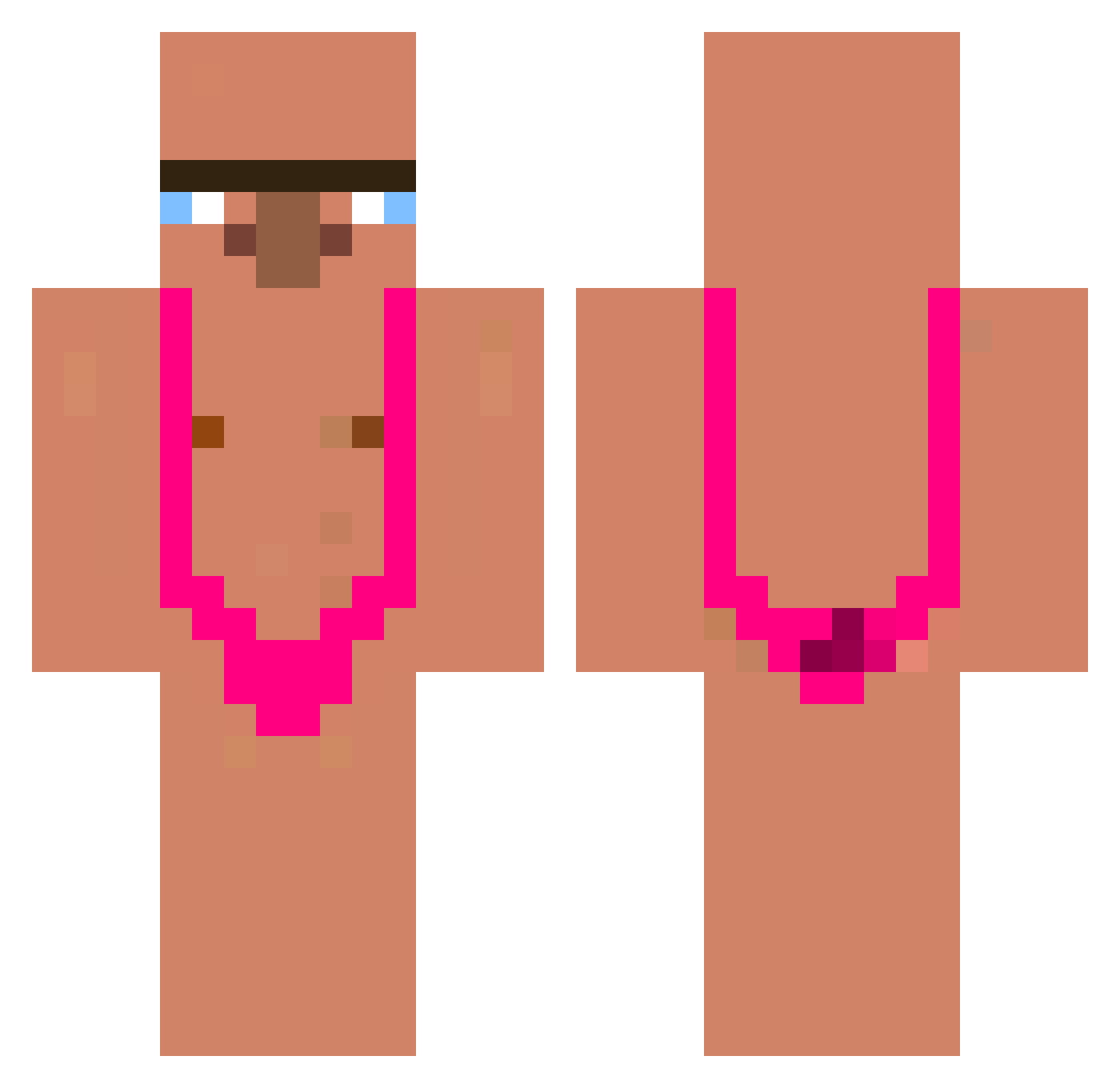
Current Minecraft skin of the player eduminecraftola, loaded from the official Mojang API. Rotate the 3D model with your mouse or finger, then download the skin as a PNG file and use it in Minecraft: Bedrock Edition or Java Edition for free. When eduminecraftola changes their skin, this page updates automatically and the old skin stays in the history below.
Other players with this skin (338)
eduminecraftola was the 23rd player we have seen with this skin, first spotted on 02.08.2026. The same skin was seen on these players. Open a nickname to see their current skin and skin history.
 Merisek davito117403__ FadedKing99 nuruto2008 Nyanko22222 paki3012 1yr0 SABAMU seochik Hyp3dTurtle joski_riskovi grucha20 ACPDC44 vinsjepro sebpc1 shina_Lin _NK_Potato Marinee2001 DoGyeon Intoxikai Draaxys ugdung PICHULANDIA Myungjin123 thegonass khj0202 JINWON98 danielll00 LucasJashnani3 Canelosaurio Promaly DomeCano93 biscottino_ wooyoung1123456 fibisss junhapra Gariekprogamer Kacuya zolw_olbrzymi island18 ShinyMinny GlobusMega missbhv KevinDjacob Thdwnsgh Zeinflo faraek biGmaC_0909 youtan769 dokumaci SigmaElraenn fuyuchen19 kosuke1129 xyxurrascu SIUM000 3381999 SloppyToppy726 marumaru_kun Felann2010 C4z0rla
More Mankini Minecraft skins
How to install the eduminecraftola skin
- Press the Download button above to save the skin as a PNG file.
- Minecraft: Bedrock Edition (PE): open the Dressing Room from the main menu (or tap your character → Edit Character), go to Classic Skins → Owned, press the + (new skin) button, choose the downloaded PNG and pick the Classic (Steve) model. Works on PC and mobile; consoles cannot import custom skins.
- Minecraft: Java Edition: open the Minecraft Launcher, go to the Skins tab, click New Skin, load the PNG, pick the Classic (Steve) model and press Save & Use. You can also upload it at minecraft.net → Profile → Change Skin.
The skin does not show up after import - what should I do?
Restart Minecraft and open the Dressing Room again - imported skins sometimes appear only after a restart. Also make sure you selected the imported skin and picked the Classic (Steve) model.
Which model should I choose, Classic or Slim?
This skin is designed for the Classic (Steve) model. If you pick the wrong model, the arms of the skin will look stretched or squeezed.
Is the skin of eduminecraftola free to download?
Yes. Press Download, save the PNG file and use it in Minecraft: Bedrock Edition or Java Edition - no payment or registration needed. The skin also works on multiplayer servers and Realms.
More skins
Looking for more? Go back to all Minecraft skins and check the top skins of the week, month and all time, or find any player's skin by nickname.