
echosann - Minecraft Skins & Skin History
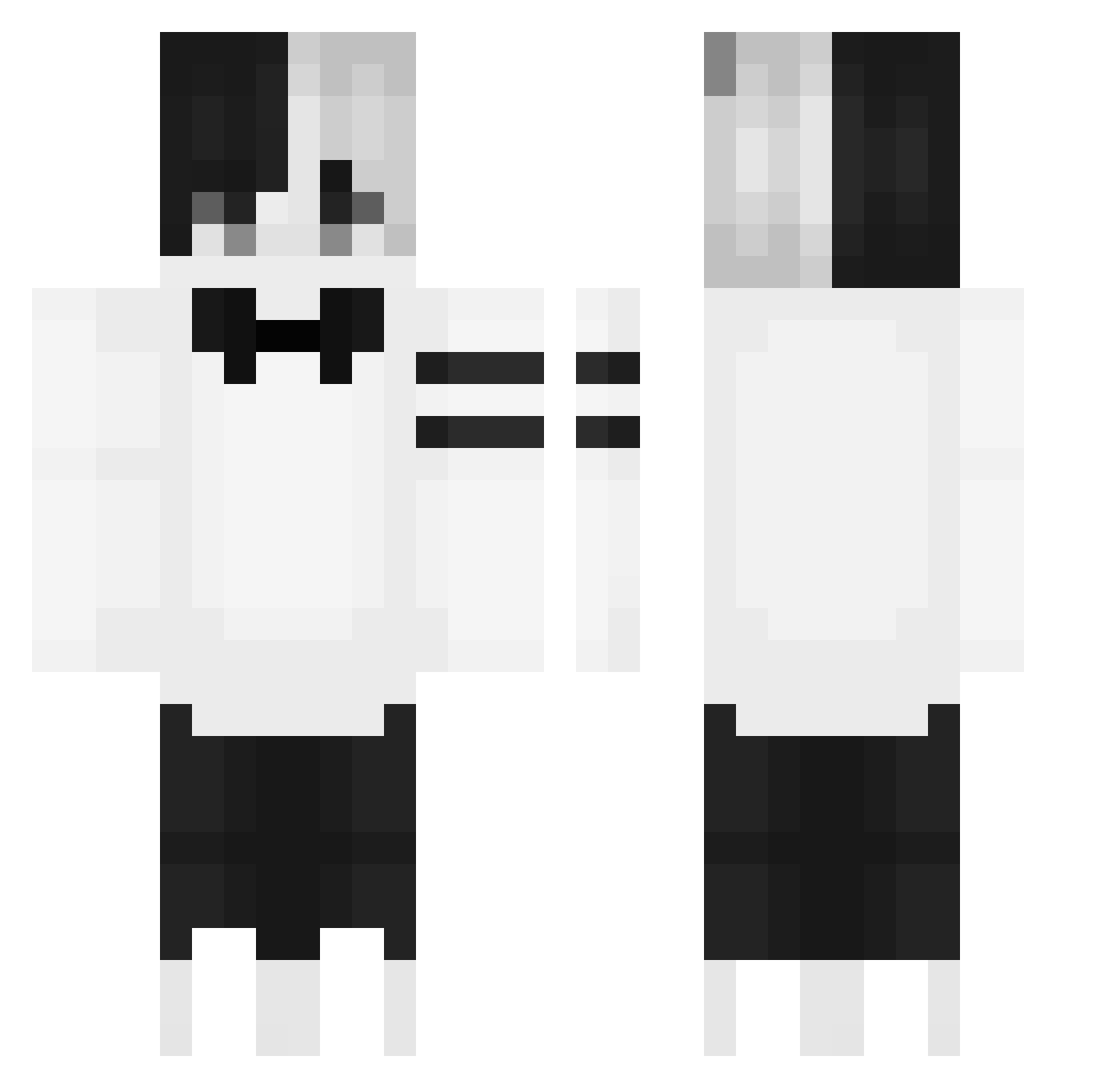
Current Minecraft skin of the player echosann, loaded from the official Mojang API. Rotate the 3D model with your mouse or finger, then download the skin as a PNG file and use it in Minecraft: Bedrock Edition or Java Edition for free. When echosann changes their skin, this page updates automatically and the old skin stays in the history below.
Other players with this skin (149)
echosann was the 32nd player we have seen with this skin, first spotted on 15.08.2026. The same skin was seen on these players. Open a nickname to see their current skin and skin history.
 _GottseinVadda_ _479 Valbrach2000 iSm32QnImKRK y055h1zz kalameet135 Jerry_GY THEDOLOON Jaloux520 weather2019 WaterBlazeYT YNZG1 _SkeIIy_ kun_kun_6261 vepexi Ezragon miku_mei PsychicUni Newt_79 Vievga59 sleeplack Atrocious_Deco joriteXx Violius BEAMX2x cherry_88 TraianLG yigit07712 yYa_sJ3Ih7_06_17 crystal_golem TheBlue_Sky Manugehl YouSsef_KU Shiro1_ Manchao Sashouw cswxcv Vepexx_Lebbyy firebreatherone
 oks_ BinGeSaved freedom2439 KaTrek07 ml2sr Ladonya42RU DreamingNoob KDF_LashK rees0302 vepexz Fuffengi teinas erruqie SteinVonRouge ANegativeCan yuyu2021 Demons_soul ThatRealHighGuy Rifrein Milleees Lon3rZzz
More Half And Half Minecraft skins
See all 100 Half And Half skins
How to install the echosann skin
- Press the Download button above to save the skin as a PNG file.
- Minecraft: Bedrock Edition (PE): open the Dressing Room from the main menu (or tap your character → Edit Character), go to Classic Skins → Owned, press the + (new skin) button, choose the downloaded PNG and pick the Classic (Steve) model. Works on PC and mobile; consoles cannot import custom skins.
- Minecraft: Java Edition: open the Minecraft Launcher, go to the Skins tab, click New Skin, load the PNG, pick the Classic (Steve) model and press Save & Use. You can also upload it at minecraft.net → Profile → Change Skin.
The skin does not show up after import - what should I do?
Restart Minecraft and open the Dressing Room again - imported skins sometimes appear only after a restart. Also make sure you selected the imported skin and picked the Classic (Steve) model.
Which model should I choose, Classic or Slim?
This skin is designed for the Classic (Steve) model. If you pick the wrong model, the arms of the skin will look stretched or squeezed.
Is the skin of echosann free to download?
Yes. Press Download, save the PNG file and use it in Minecraft: Bedrock Edition or Java Edition - no payment or registration needed. The skin also works on multiplayer servers and Realms.
More skins
Looking for more? Go back to all Minecraft skins and check the top skins of the week, month and all time, or find any player's skin by nickname.