
e__sbabciamarysi - Minecraft Skins & Skin History
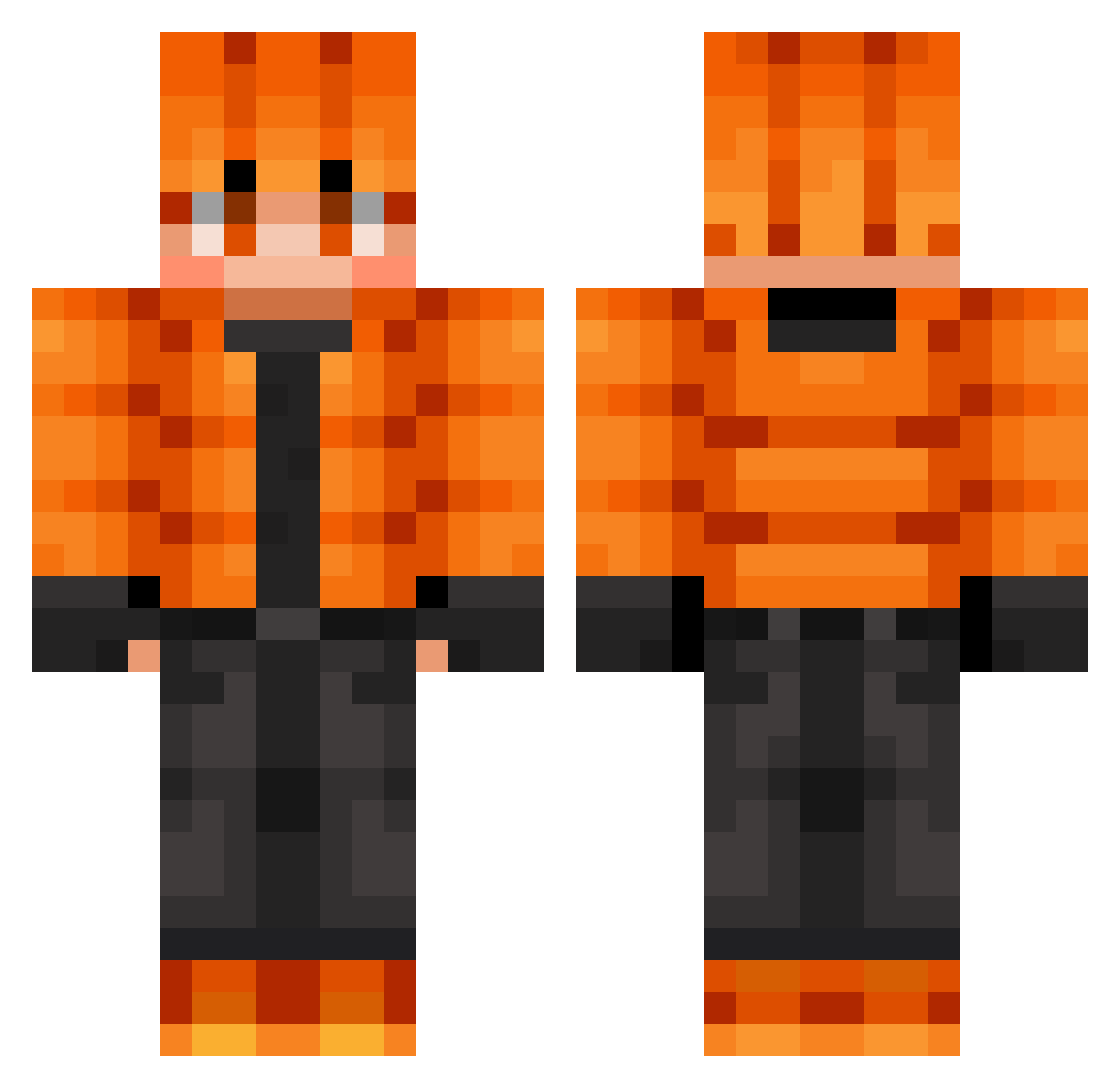
Current Minecraft skin of the player e__sbabciamarysi, loaded from the official Mojang API. Rotate the 3D model with your mouse or finger, then download the skin as a PNG file and use it in Minecraft: Bedrock Edition or Java Edition for free. When e__sbabciamarysi changes their skin, this page updates automatically and the old skin stays in the history below.
Other players with this skin (643)
e__sbabciamarysi was the 613th player we have seen with this skin, first spotted on 18.10.2026. The same skin was seen on these players. Open a nickname to see their current skin and skin history.
 PeanutLoki2016 inwook0681 ash1875 BigTGaming93 LiverAcne Sam37_ Kenzo_013 ThermalInk schepp8 Elliot543221 manicpixiepotato themasterad2 leophone Person_hehe CedricDiggory4 LeoDesmond WolvesNS Einfach_Icrimax Ws_Ghost011 LostFrosT1711 Branamal08 MasterChiefUSA Raivels Activecarnate Hunter_Gatherer7 Rokanaa Teddo_SGH Dizowned Nirboc Spillbert200 monolike135 andrex1309 Ven0meX Dashi_2000 eliteplatypusv7 OlxLegend Lyzix5 TMoney9014 DreamyFourMe Dnochi toelicker300 Morezx_ JoseDayvid UltraWY Hallo975 lovechanhi nerdmann86 McLano Larzic Atlas_Dono mj120 kuionisu064 ParrotX2W bunnybunnny Zaiitt OffPiggy2560 sonic3517 OCN1 Coopcoopx ConsoleCliente93
How to install the e__sbabciamarysi skin
- Press the Download button above to save the skin as a PNG file.
- Minecraft: Bedrock Edition (PE): open the Dressing Room from the main menu (or tap your character → Edit Character), go to Classic Skins → Owned, press the + (new skin) button, choose the downloaded PNG and pick the Classic (Steve) model. Works on PC and mobile; consoles cannot import custom skins.
- Minecraft: Java Edition: open the Minecraft Launcher, go to the Skins tab, click New Skin, load the PNG, pick the Classic (Steve) model and press Save & Use. You can also upload it at minecraft.net → Profile → Change Skin.
The skin does not show up after import - what should I do?
Restart Minecraft and open the Dressing Room again - imported skins sometimes appear only after a restart. Also make sure you selected the imported skin and picked the Classic (Steve) model.
Which model should I choose, Classic or Slim?
This skin is designed for the Classic (Steve) model. If you pick the wrong model, the arms of the skin will look stretched or squeezed.
Is the skin of e__sbabciamarysi free to download?
Yes. Press Download, save the PNG file and use it in Minecraft: Bedrock Edition or Java Edition - no payment or registration needed. The skin also works on multiplayer servers and Realms.
More skins
Looking for more? Go back to all Minecraft skins and check the top skins of the week, month and all time, or find any player's skin by nickname.