
eLLonz - Minecraft Skins & Skin History
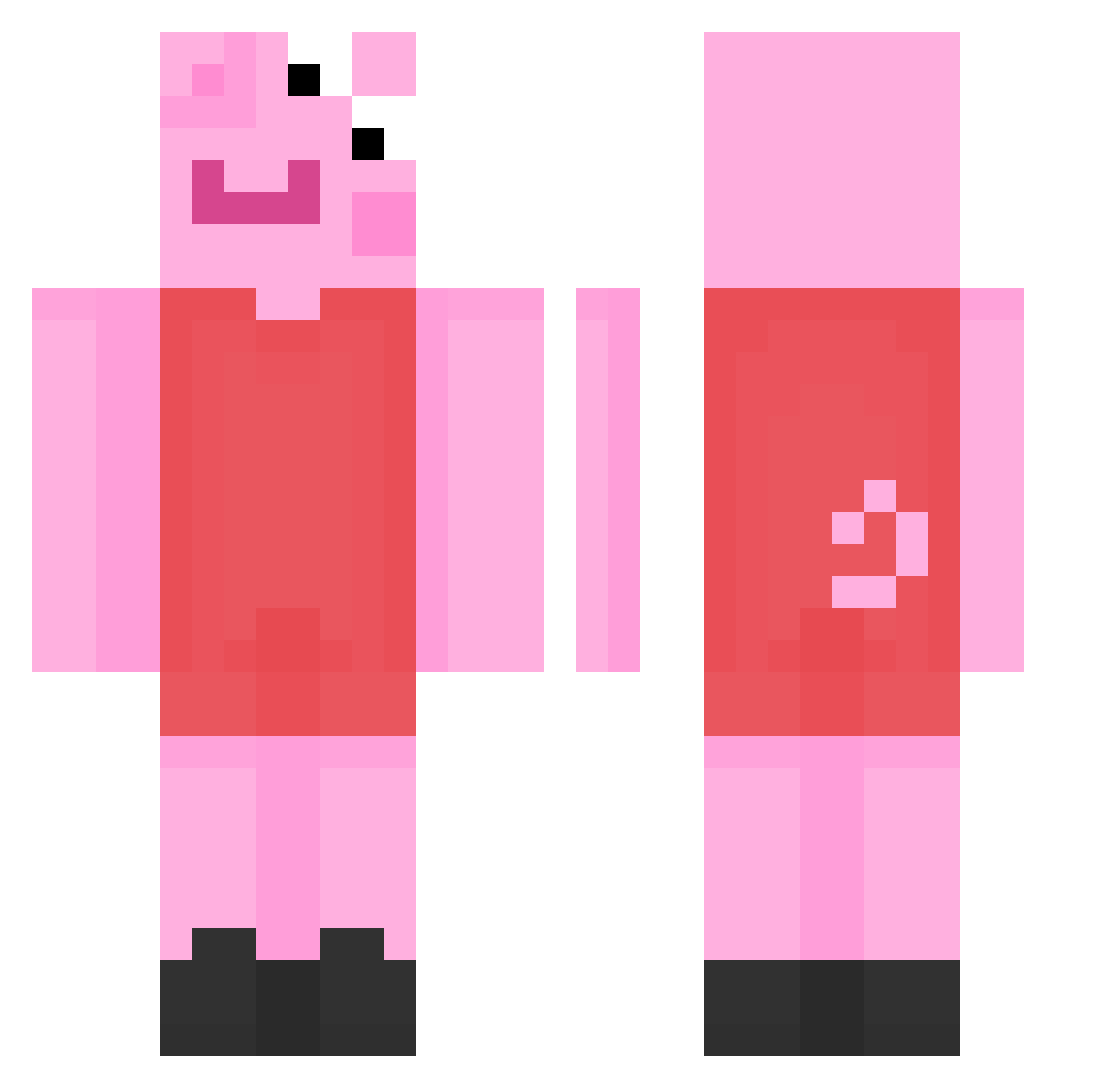
Current Minecraft skin of the player eLLonz, loaded from the official Mojang API. Rotate the 3D model with your mouse or finger, then download the skin as a PNG file and use it in Minecraft: Bedrock Edition or Java Edition for free. When eLLonz changes their skin, this page updates automatically and the old skin stays in the history below.
Other players with this skin (193)
eLLonz was the 135th player we have seen with this skin, first spotted on 06.10.2026. The same skin was seen on these players. Open a nickname to see their current skin and skin history.
 torsteinn05 PIPSAPOSSU333 Mxxxgoddeary AFKFlawless5 Tsant s0jaboon J_N42 _emyy abcdeer AwareEel666 RobloxPrincess Dhymi sledgeman pennyay MRlollypop1 BilibalaboX Katiedrew02 eripoop Vettel89 hotgamergirl546 PeppaDrew Xgi78 hikki_vv Fauny88 StMorrey GigaNut snorlax17600 TryGexx BeaplayMC JumboSchreinerJR JRouleEnPorsche mnxt clinohumite01 Madorion LXAZ MadLadSull ibxxxx AvestruzQT_Ceduz RaddestRadish Reddyl bigfatcheetos titEEZ123 oykuvergon osqkk MagicApple79169 Kanel44 Iswana Lukeals _watermxeloxn_ oliviabs2424 Iswytch AgeDoesntMatter MydRuss Ebobolal488 uselessexistence hahahaheyhey lindsay69 ArnieTheSeal b1eader Smilla_Gorilla
More Peppa Pig Minecraft skins
How to install the eLLonz skin
- Press the Download button above to save the skin as a PNG file.
- Minecraft: Bedrock Edition (PE): open the Dressing Room from the main menu (or tap your character → Edit Character), go to Classic Skins → Owned, press the + (new skin) button, choose the downloaded PNG and pick the Classic (Steve) model. Works on PC and mobile; consoles cannot import custom skins.
- Minecraft: Java Edition: open the Minecraft Launcher, go to the Skins tab, click New Skin, load the PNG, pick the Classic (Steve) model and press Save & Use. You can also upload it at minecraft.net → Profile → Change Skin.
The skin does not show up after import - what should I do?
Restart Minecraft and open the Dressing Room again - imported skins sometimes appear only after a restart. Also make sure you selected the imported skin and picked the Classic (Steve) model.
Which model should I choose, Classic or Slim?
This skin is designed for the Classic (Steve) model. If you pick the wrong model, the arms of the skin will look stretched or squeezed.
Is the skin of eLLonz free to download?
Yes. Press Download, save the PNG file and use it in Minecraft: Bedrock Edition or Java Edition - no payment or registration needed. The skin also works on multiplayer servers and Realms.
More skins
Looking for more? Go back to all Minecraft skins and check the top skins of the week, month and all time, or find any player's skin by nickname.