
dwd88 - Minecraft Skins & Skin History
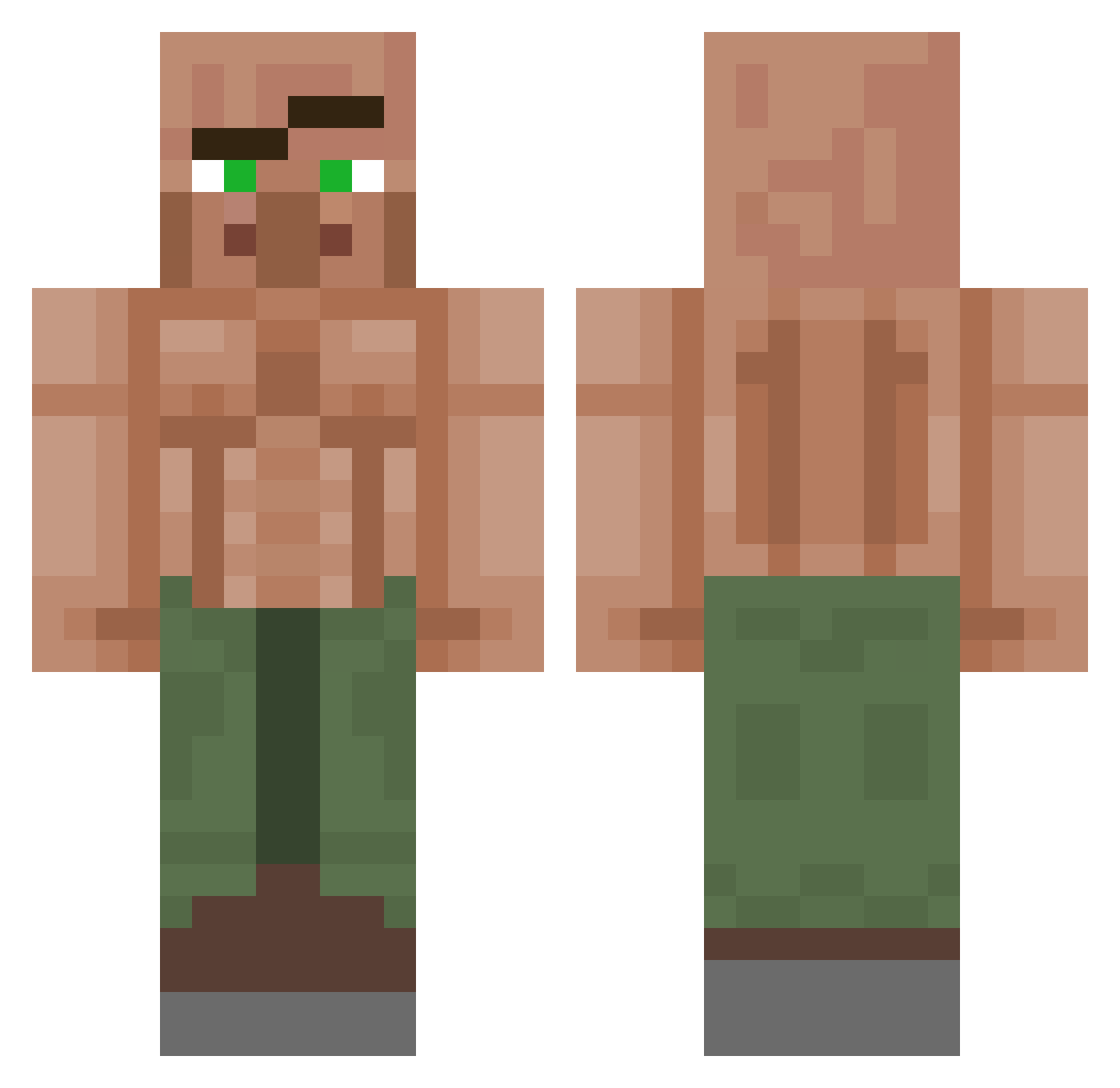
Current Minecraft skin of the player dwd88, loaded from the official Mojang API. Rotate the 3D model with your mouse or finger, then download the skin as a PNG file and use it in Minecraft: Bedrock Edition or Java Edition for free. When dwd88 changes their skin, this page updates automatically and the old skin stays in the history below.
Other players with this skin (1151)
dwd88 was the 151st player we have seen with this skin, first spotted on 09.08.2026. The same skin was seen on these players. Open a nickname to see their current skin and skin history.
 aatantrum Bilbowbagins dvall CORAZON621 NiclasGamerIkke BornSwag YEboi0 Schn1xel XM_egatron AsthenicStorm KiliJenkins jzeb341 ethereal_20 Rolex698 5505 zmandoo aksel_v2 Til1998 EconomyDawn1246 Sennagamer12 dlwnscjf Chukwueze69 CallMeKacho WildCharles19 Ardaka19 _immortally Cry_Vigor Tangent404 lespy87 THICKOLAS Kaynezz meatoballz augenijus123 Schnulli45 Tysermusic
 hlmmJ shermmano RundholzAllergie VeemerOk m_y690 ThompsMines msarttu REIGENx lonnemeyer Uzi_11 SwiffyDK fillexgaming123 ketaboii BLIZZZE MarkusTheRuhler Esox666Lucius LunchMoney1 Nanoqud123 Nihillus_ Arminator45 Irishcloud tivitorok Bimmz Bovine1471 Farrro
More Buff Villager Minecraft skins
See all 40 Buff Villager skins
How to install the dwd88 skin
- Press the Download button above to save the skin as a PNG file.
- Minecraft: Bedrock Edition (PE): open the Dressing Room from the main menu (or tap your character → Edit Character), go to Classic Skins → Owned, press the + (new skin) button, choose the downloaded PNG and pick the Classic (Steve) model. Works on PC and mobile; consoles cannot import custom skins.
- Minecraft: Java Edition: open the Minecraft Launcher, go to the Skins tab, click New Skin, load the PNG, pick the Classic (Steve) model and press Save & Use. You can also upload it at minecraft.net → Profile → Change Skin.
The skin does not show up after import - what should I do?
Restart Minecraft and open the Dressing Room again - imported skins sometimes appear only after a restart. Also make sure you selected the imported skin and picked the Classic (Steve) model.
Which model should I choose, Classic or Slim?
This skin is designed for the Classic (Steve) model. If you pick the wrong model, the arms of the skin will look stretched or squeezed.
Is the skin of dwd88 free to download?
Yes. Press Download, save the PNG file and use it in Minecraft: Bedrock Edition or Java Edition - no payment or registration needed. The skin also works on multiplayer servers and Realms.
More skins
Looking for more? Go back to all Minecraft skins and check the top skins of the week, month and all time, or find any player's skin by nickname.