
dwaidd - Minecraft Skins & Skin History
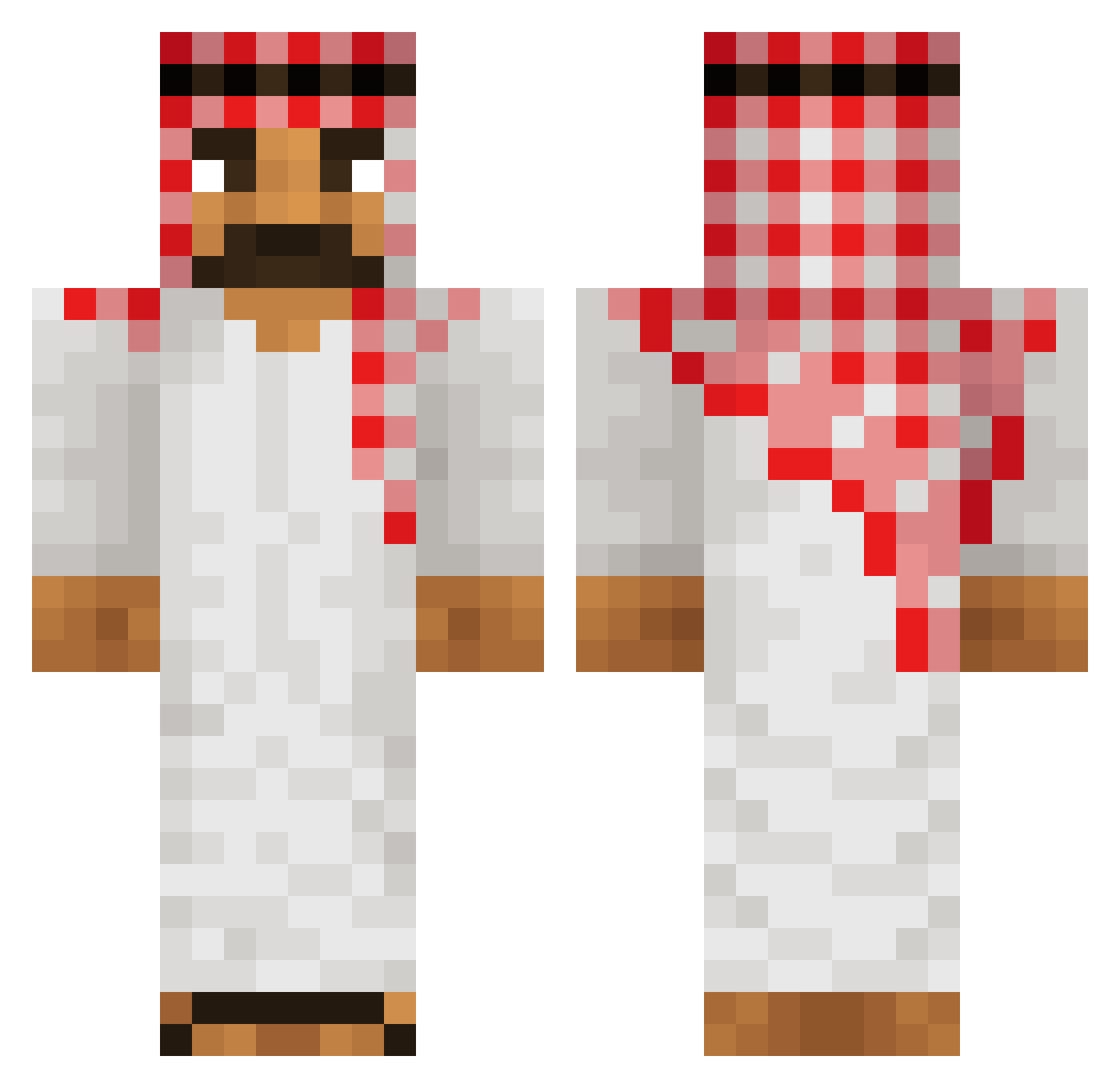
Current Minecraft skin of the player dwaidd, loaded from the official Mojang API. Rotate the 3D model with your mouse or finger, then download the skin as a PNG file and use it in Minecraft: Bedrock Edition or Java Edition for free. When dwaidd changes their skin, this page updates automatically and the old skin stays in the history below.
Other players with this skin (677)
dwaidd was the 568th player we have seen with this skin, first spotted on 03.11.2026. The same skin was seen on these players. Open a nickname to see their current skin and skin history.
 x_BRAT Yru_Ama macqueen1111 SimasTheking Adams_playz Scherzberg _wkgn1209__ MrKoBa GnomeManSteve zlRequu matrix4707 IMGNRY NotFD MrLOKIETO NathanVizoto TheRealTcup Ryujing_ LoganSurvivor_21 xablau66 tuzzxd Nardo66 Muxof derghall DrGodinho mr_ignite_ Captain__Pickle Tharzen TiazMonster HazeLeonYt 6VJ9 jeh00 MaZuruSs Formula_Momo Incorrect_Nick capimuitas 9JS AbdulDeStrijder ladn gubblet breznak_ Bulzo taniamra Thatotherguy706 Wrubz_YT AKSELIB kebab_mastaren Dawave daBossOfEpicness XxSkullNinjaxX magnusopus666 AnthonyBraun cr5f s8df imboscare Neutrondotcom demetriusde184 jovan__68 kuba0901 Ottar1985 DocaJr
More Traditional Minecraft skins
How to install the dwaidd skin
- Press the Download button above to save the skin as a PNG file.
- Minecraft: Bedrock Edition (PE): open the Dressing Room from the main menu (or tap your character → Edit Character), go to Classic Skins → Owned, press the + (new skin) button, choose the downloaded PNG and pick the Classic (Steve) model. Works on PC and mobile; consoles cannot import custom skins.
- Minecraft: Java Edition: open the Minecraft Launcher, go to the Skins tab, click New Skin, load the PNG, pick the Classic (Steve) model and press Save & Use. You can also upload it at minecraft.net → Profile → Change Skin.
The skin does not show up after import - what should I do?
Restart Minecraft and open the Dressing Room again - imported skins sometimes appear only after a restart. Also make sure you selected the imported skin and picked the Classic (Steve) model.
Which model should I choose, Classic or Slim?
This skin is designed for the Classic (Steve) model. If you pick the wrong model, the arms of the skin will look stretched or squeezed.
Is the skin of dwaidd free to download?
Yes. Press Download, save the PNG file and use it in Minecraft: Bedrock Edition or Java Edition - no payment or registration needed. The skin also works on multiplayer servers and Realms.
More skins
Looking for more? Go back to all Minecraft skins and check the top skins of the week, month and all time, or find any player's skin by nickname.