
dude325 - Minecraft Skins & Skin History
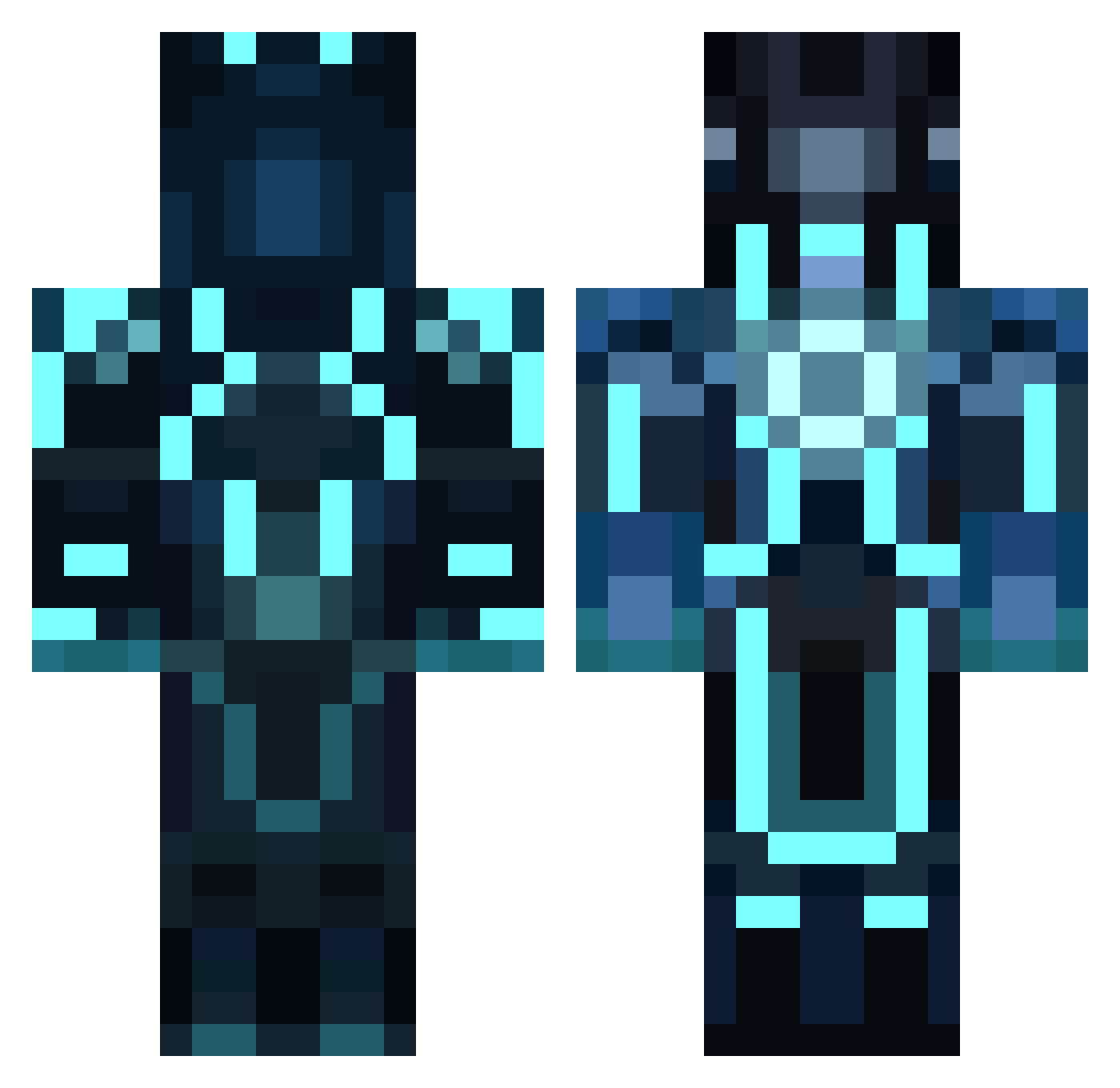
Current Minecraft skin of the player dude325, loaded from the official Mojang API. Rotate the 3D model with your mouse or finger, then download the skin as a PNG file and use it in Minecraft: Bedrock Edition or Java Edition for free. When dude325 changes their skin, this page updates automatically and the old skin stays in the history below.
Other players with this skin (1041)
dude325 was the 951st player we have seen with this skin, first spotted on 09.11.2026. The same skin was seen on these players. Open a nickname to see their current skin and skin history.
 gmf1995 boy41222 rubenberk patrickmolz12 ramira1 Mildaddy CleverClover95 nohacksjustaboss BassBuilder13 xoss12x maxamillion5000 blackhawk2000000 llake_ethur xkhaotic bmaynard8 duckbokki sercepdel Jokerm7 Shadow2010kn bazzaNZ Zorbas0420 maltus24 Al3x56 tob01 FeelsBadMan123 SpRanX DanielBuckner25 Mingwoo minemaniac1932 ParagonZx Alexander2002ac Cartmonster Eliroso gustav2005dk shinji1606 Jon_Kelly ezralarryjr smaug377 aaronellington JMarc_11Six ikemaster6106 Cjkeenan IzzyBeth Saltzmanx3 jmo322 AriM2 NastyxD forrestswain Master_Ninja5 Icanthas remixedboss Thebadcoco mematt23 kalani2312 stoodge1 darkdomo1456 BetaCakes Flappeh osc1123 baseballnickel13
More Glowing Armor Minecraft skins
See all 71 Glowing Armor skins
How to install the dude325 skin
- Press the Download button above to save the skin as a PNG file.
- Minecraft: Bedrock Edition (PE): open the Dressing Room from the main menu (or tap your character → Edit Character), go to Classic Skins → Owned, press the + (new skin) button, choose the downloaded PNG and pick the Classic (Steve) model. Works on PC and mobile; consoles cannot import custom skins.
- Minecraft: Java Edition: open the Minecraft Launcher, go to the Skins tab, click New Skin, load the PNG, pick the Classic (Steve) model and press Save & Use. You can also upload it at minecraft.net → Profile → Change Skin.
The skin does not show up after import - what should I do?
Restart Minecraft and open the Dressing Room again - imported skins sometimes appear only after a restart. Also make sure you selected the imported skin and picked the Classic (Steve) model.
Which model should I choose, Classic or Slim?
This skin is designed for the Classic (Steve) model. If you pick the wrong model, the arms of the skin will look stretched or squeezed.
Is the skin of dude325 free to download?
Yes. Press Download, save the PNG file and use it in Minecraft: Bedrock Edition or Java Edition - no payment or registration needed. The skin also works on multiplayer servers and Realms.
More skins
Looking for more? Go back to all Minecraft skins and check the top skins of the week, month and all time, or find any player's skin by nickname.