
duck_master002 - Minecraft Skins & Skin History
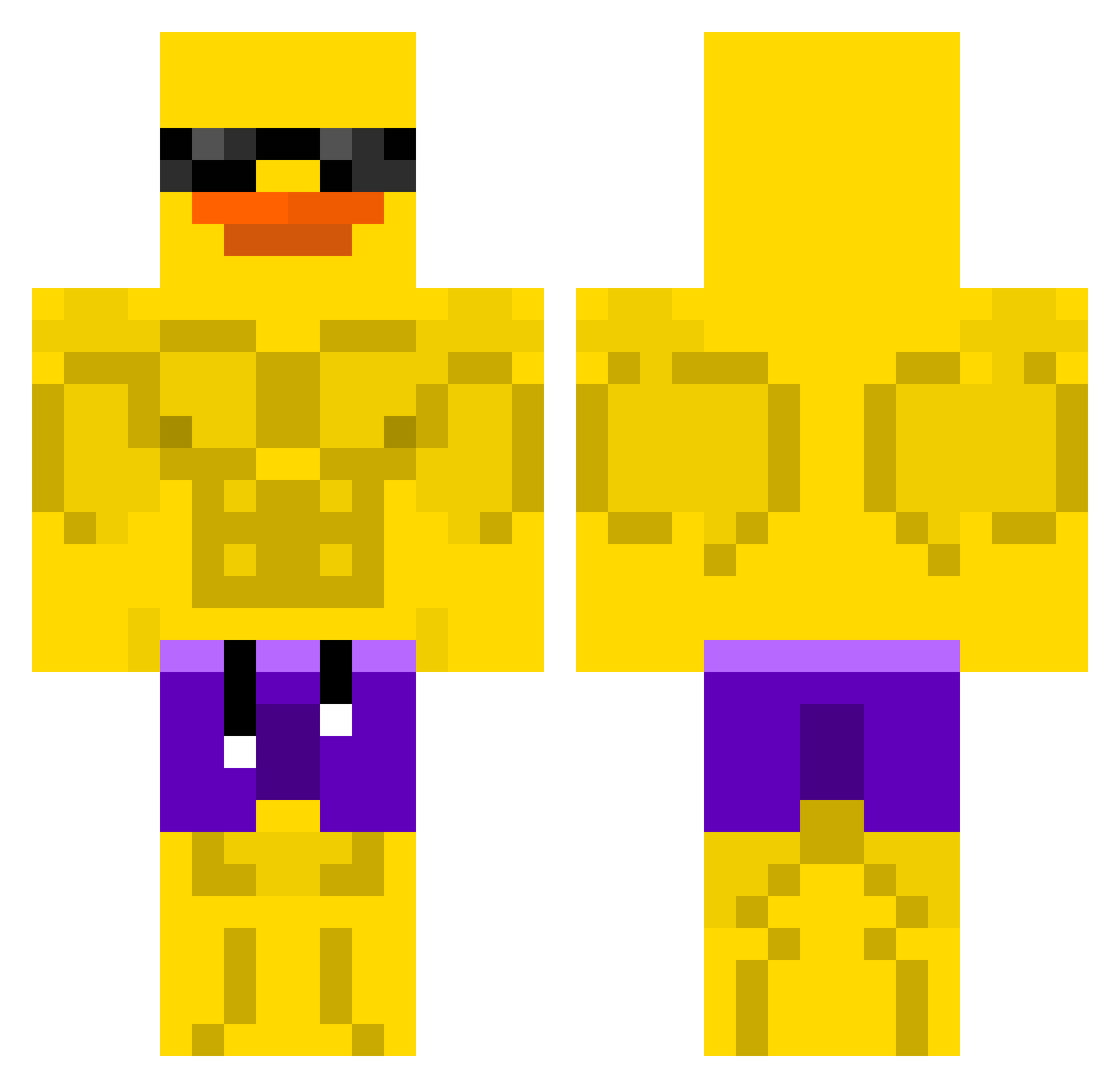
Current Minecraft skin of the player duck_master002, loaded from the official Mojang API. Rotate the 3D model with your mouse or finger, then download the skin as a PNG file and use it in Minecraft: Bedrock Edition or Java Edition for free. When duck_master002 changes their skin, this page updates automatically and the old skin stays in the history below.
Other players with this skin (508)
duck_master002 was the 319th player we have seen with this skin, first spotted on 23.09.2026. The same skin was seen on these players. Open a nickname to see their current skin and skin history.
 rewchi Braga01_ junkywhitesmurf Calippo12321 cejay_so_smooth1 ShoggyBoggy u3plm tobaldini JatFarah Platsypats Tiziu_03 surge2213 capybara84 Venompool01 Grombis_10 CaptainDanger8 Natefarm24 mcpirosu maaarkyz Escubyy ineptas michalAH64APACHE PuSuck EfeAbiniz doritos4454 derNarwal Blancharzard ChrisCai DivingCoala ImDaBiggest 0Xelo0 jeyeon123 PalinkaSpalinka twk1129 nic_ninja Rieger19 asdfazx marti003_ Karolidabo bboi35 prosang RNG_bubbles CallahanGaming fartsahoy Squackly IllegalRaptor3 joar22 Jaectg CanadianYet1 Dolkey Xanda0 zCreative eluwina3000pl TkTheGreat33 Rici7 samypetra JingundJan sakuyalz Nunow2 Moonity_
More Swim Trunks Minecraft skins
How to install the duck_master002 skin
- Press the Download button above to save the skin as a PNG file.
- Minecraft: Bedrock Edition (PE): open the Dressing Room from the main menu (or tap your character → Edit Character), go to Classic Skins → Owned, press the + (new skin) button, choose the downloaded PNG and pick the Classic (Steve) model. Works on PC and mobile; consoles cannot import custom skins.
- Minecraft: Java Edition: open the Minecraft Launcher, go to the Skins tab, click New Skin, load the PNG, pick the Classic (Steve) model and press Save & Use. You can also upload it at minecraft.net → Profile → Change Skin.
The skin does not show up after import - what should I do?
Restart Minecraft and open the Dressing Room again - imported skins sometimes appear only after a restart. Also make sure you selected the imported skin and picked the Classic (Steve) model.
Which model should I choose, Classic or Slim?
This skin is designed for the Classic (Steve) model. If you pick the wrong model, the arms of the skin will look stretched or squeezed.
Is the skin of duck_master002 free to download?
Yes. Press Download, save the PNG file and use it in Minecraft: Bedrock Edition or Java Edition - no payment or registration needed. The skin also works on multiplayer servers and Realms.
More skins
Looking for more? Go back to all Minecraft skins and check the top skins of the week, month and all time, or find any player's skin by nickname.