
duanqingtang - Minecraft Skins & Skin History
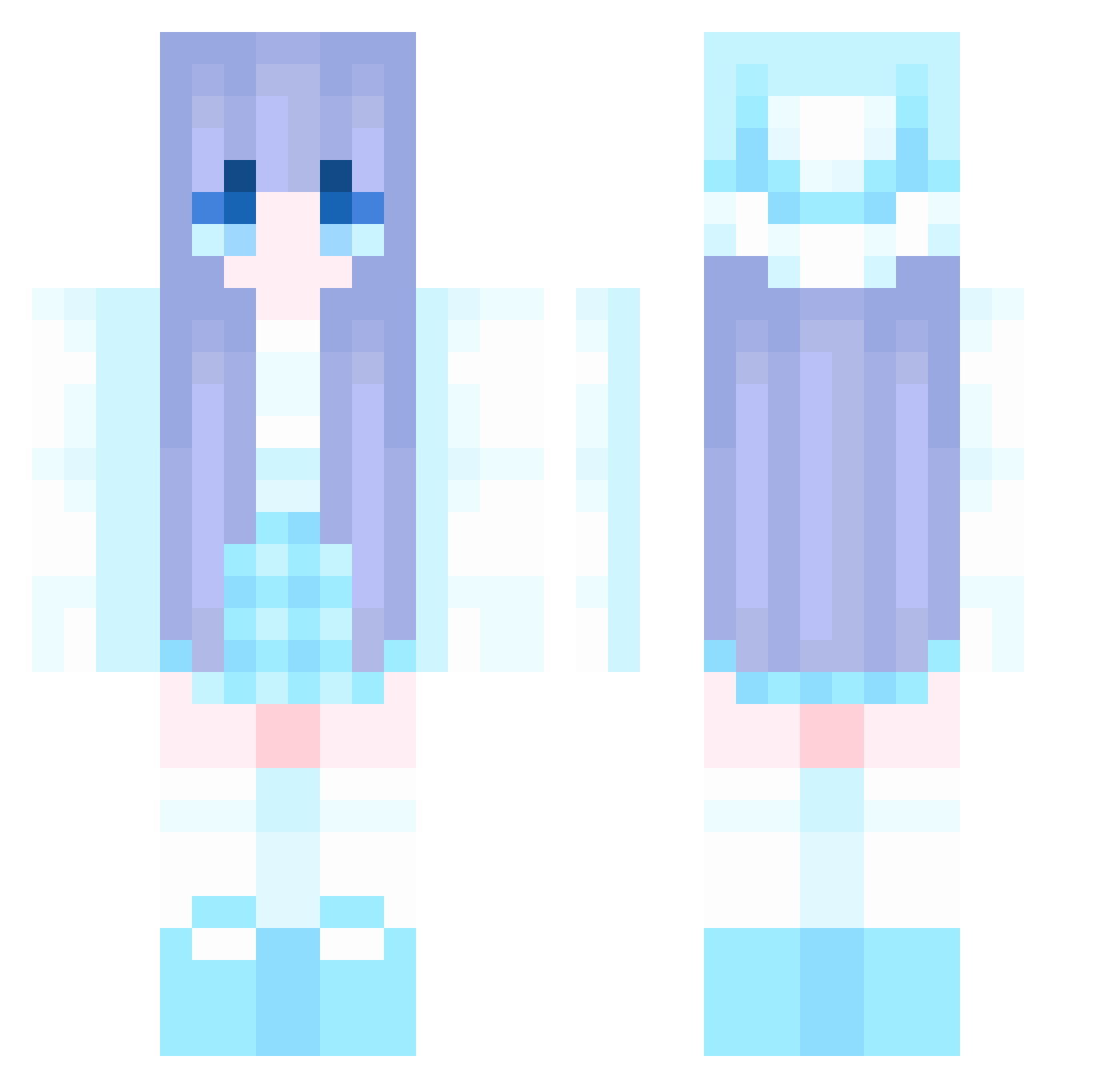
Current Minecraft skin of the player duanqingtang, loaded from the official Mojang API. Rotate the 3D model with your mouse or finger, then download the skin as a PNG file and use it in Minecraft: Bedrock Edition or Java Edition for free. When duanqingtang changes their skin, this page updates automatically and the old skin stays in the history below.
Other players with this skin (1062)
duanqingtang was the 1001st player we have seen with this skin, first spotted on 28.10.2026. The same skin was seen on these players. Open a nickname to see their current skin and skin history.
 BTJUN ArchieChristie FF1027 Kailaee BuHuo yanluoge LiSeLoTtE1405 jaehyun1231 ikunll maciekgryc2009 ari0520 littlesun6 FDAJUj qcow2 longpaopao ZiQing1103 xxxxxiak Silaskong chuanchuan12 hcgg007 moyaoo levana543 LINA_SYF66666666 sorei06 NWR4 WOCGODA MochaParrot8033 HOOD173 Sunshineqz NxAshTRex SerendipityYMY ccczzzbbb ArtOgWtext60 GunLP0114 SM7726 szfj stfrostec xiaofei8484 elorrieetlilioie Xokye Xiaohua111 caosinm Bigyiman bendy1226 Xiaolei728 Abelia_11 Xiaoxi521 Kainhofer strain222 sz145 Niko_Neko_works GHMA Henry970421 truetaydreamrr TOTMH TedStar201 Rubiby sakuradd Zo_o2 laobanxian
More Winter Minecraft skins
How to install the duanqingtang skin
- Press the Download button above to save the skin as a PNG file.
- Minecraft: Bedrock Edition (PE): open the Dressing Room from the main menu (or tap your character → Edit Character), go to Classic Skins → Owned, press the + (new skin) button, choose the downloaded PNG and pick the Classic (Steve) model. Works on PC and mobile; consoles cannot import custom skins.
- Minecraft: Java Edition: open the Minecraft Launcher, go to the Skins tab, click New Skin, load the PNG, pick the Classic (Steve) model and press Save & Use. You can also upload it at minecraft.net → Profile → Change Skin.
The skin does not show up after import - what should I do?
Restart Minecraft and open the Dressing Room again - imported skins sometimes appear only after a restart. Also make sure you selected the imported skin and picked the Classic (Steve) model.
Which model should I choose, Classic or Slim?
This skin is designed for the Classic (Steve) model. If you pick the wrong model, the arms of the skin will look stretched or squeezed.
Is the skin of duanqingtang free to download?
Yes. Press Download, save the PNG file and use it in Minecraft: Bedrock Edition or Java Edition - no payment or registration needed. The skin also works on multiplayer servers and Realms.
More skins
Looking for more? Go back to all Minecraft skins and check the top skins of the week, month and all time, or find any player's skin by nickname.