
drunkenshinshoku - Minecraft Skins & Skin History
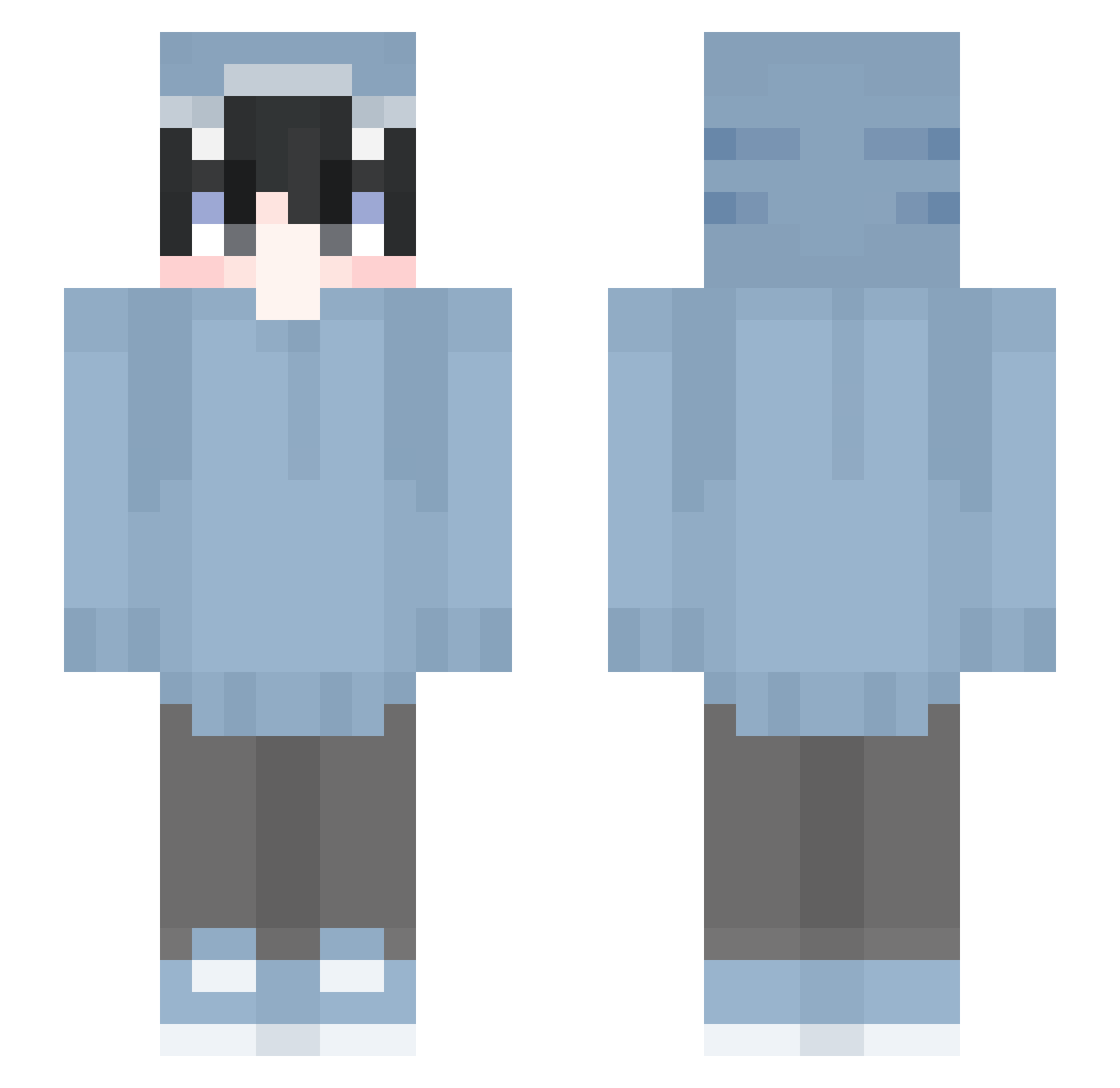
Current Minecraft skin of the player drunkenshinshoku, loaded from the official Mojang API. Rotate the 3D model with your mouse or finger, then download the skin as a PNG file and use it in Minecraft: Bedrock Edition or Java Edition for free. When drunkenshinshoku changes their skin, this page updates automatically and the old skin stays in the history below.
Other players with this skin (530)
drunkenshinshoku was the 277th player we have seen with this skin, first spotted on 11.09.2026. The same skin was seen on these players. Open a nickname to see their current skin and skin history.
 Znxbxbxb Narusi1234 Talal705 LaPrisa ShanePNGO Aid3n11 luis2403 PikachuLegend675 Ichinao benchoben Notshadow_vr Joshipoopi cricox8590 Eric1709 antyzinho kkieut JohnDarkling SirGuy_ ShieldSharkk WB_Yeatz jeandae tartaglia11th onddak Hexejager Rainb0wPanda708 yama104088 Rocketman413 GeeMeeuw i_like_pizza1 xsyex qhgyy Bbaxaji AssiSchalker1904 esteque WBYeatz TheoPikovic Akira_xoxo KleinerPudding Payid24 marumaru232 CassisTY abin5833 BigDFrosty puredefeijao200 deabv123 TENcyx checkermarco hakudayo_12 RyzenC34 beraaa blendoff99 _laaars Bissybassy cyberdura000 HIMEKAWA_MC SYOU414 GuoHaoyuOA Tsumugi0615 Peach012 nickjagger11
More Shark Onesie Minecraft skins
See all 163 Shark Onesie skins
How to install the drunkenshinshoku skin
- Press the Download button above to save the skin as a PNG file.
- Minecraft: Bedrock Edition (PE): open the Dressing Room from the main menu (or tap your character → Edit Character), go to Classic Skins → Owned, press the + (new skin) button, choose the downloaded PNG and pick the Slim (Alex) model. Works on PC and mobile; consoles cannot import custom skins.
- Minecraft: Java Edition: open the Minecraft Launcher, go to the Skins tab, click New Skin, load the PNG, pick the Slim (Alex) model and press Save & Use. You can also upload it at minecraft.net → Profile → Change Skin.
The skin does not show up after import - what should I do?
Restart Minecraft and open the Dressing Room again - imported skins sometimes appear only after a restart. Also make sure you selected the imported skin and picked the Slim (Alex) model.
Which model should I choose, Classic or Slim?
This skin is designed for the Slim (Alex) model. If you pick the wrong model, the arms of the skin will look stretched or squeezed.
Is the skin of drunkenshinshoku free to download?
Yes. Press Download, save the PNG file and use it in Minecraft: Bedrock Edition or Java Edition - no payment or registration needed. The skin also works on multiplayer servers and Realms.
More skins
Looking for more? Go back to all Minecraft skins and check the top skins of the week, month and all time, or find any player's skin by nickname.