
drpajero - Minecraft Skins & Skin History
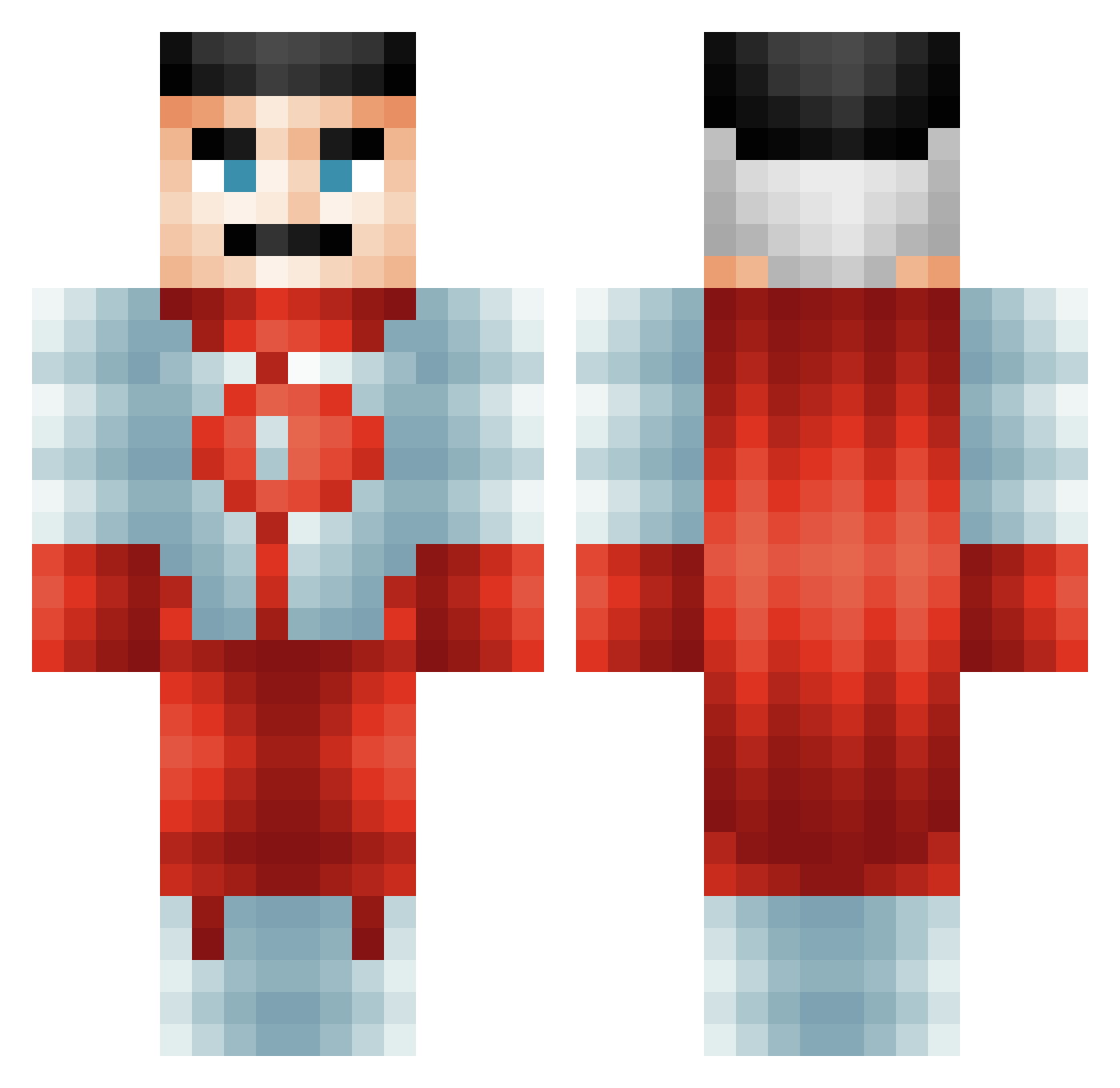
Current Minecraft skin of the player drpajero, loaded from the official Mojang API. Rotate the 3D model with your mouse or finger, then download the skin as a PNG file and use it in Minecraft: Bedrock Edition or Java Edition for free. When drpajero changes their skin, this page updates automatically and the old skin stays in the history below.
Other players with this skin (485)
drpajero was the 182nd player we have seen with this skin, first spotted on 23.08.2026. The same skin was seen on these players. Open a nickname to see their current skin and skin history.
 BeefSimmons PandaCop4822
 gLitcHeD_A Tedi_24 dank_pillow Arbuzowy_dzony superjae Suchmos808 ESTEBANANO69 NotFunnyGuy hexen221 JD187 pointbreak_12 Pichu24680 sansSOURCIL Frosty0455 NewGuyWhen KBP93
 Kozary5 CosmicLamb95505 Sertan_AL DaGamerGuy teddanduvet Drip_Ax FenrisDaWolf Dragon14sk hory_dev HardDaddy _Snikers_ esekkacakcisi313 adderblock Motoichi_Komats FrogsToes kimjoshun26 SOUOGUEL Ashirofu TonyPalmer999 TexeMex Rapid_Dlc rcnmason Uchiha_Lark McDani0s xMagicDogx waybe66
 AdriftX
 SpinneySix grug231 Huyard RilesRiles33 Asleepdeouf OperatorFlamingo bladeefan2007 EpocHunter LucardoNation zrr_msmc_hft knedlikosaurus
 Bab1o WoundedCreeper1 yourdamcousin Patit0juan05
More Omni Man Minecraft skins
How to install the drpajero skin
- Press the Download button above to save the skin as a PNG file.
- Minecraft: Bedrock Edition (PE): open the Dressing Room from the main menu (or tap your character → Edit Character), go to Classic Skins → Owned, press the + (new skin) button, choose the downloaded PNG and pick the Classic (Steve) model. Works on PC and mobile; consoles cannot import custom skins.
- Minecraft: Java Edition: open the Minecraft Launcher, go to the Skins tab, click New Skin, load the PNG, pick the Classic (Steve) model and press Save & Use. You can also upload it at minecraft.net → Profile → Change Skin.
The skin does not show up after import - what should I do?
Restart Minecraft and open the Dressing Room again - imported skins sometimes appear only after a restart. Also make sure you selected the imported skin and picked the Classic (Steve) model.
Which model should I choose, Classic or Slim?
This skin is designed for the Classic (Steve) model. If you pick the wrong model, the arms of the skin will look stretched or squeezed.
Is the skin of drpajero free to download?
Yes. Press Download, save the PNG file and use it in Minecraft: Bedrock Edition or Java Edition - no payment or registration needed. The skin also works on multiplayer servers and Realms.
More skins
Looking for more? Go back to all Minecraft skins and check the top skins of the week, month and all time, or find any player's skin by nickname.