
drewcuh - Minecraft Skins & Skin History
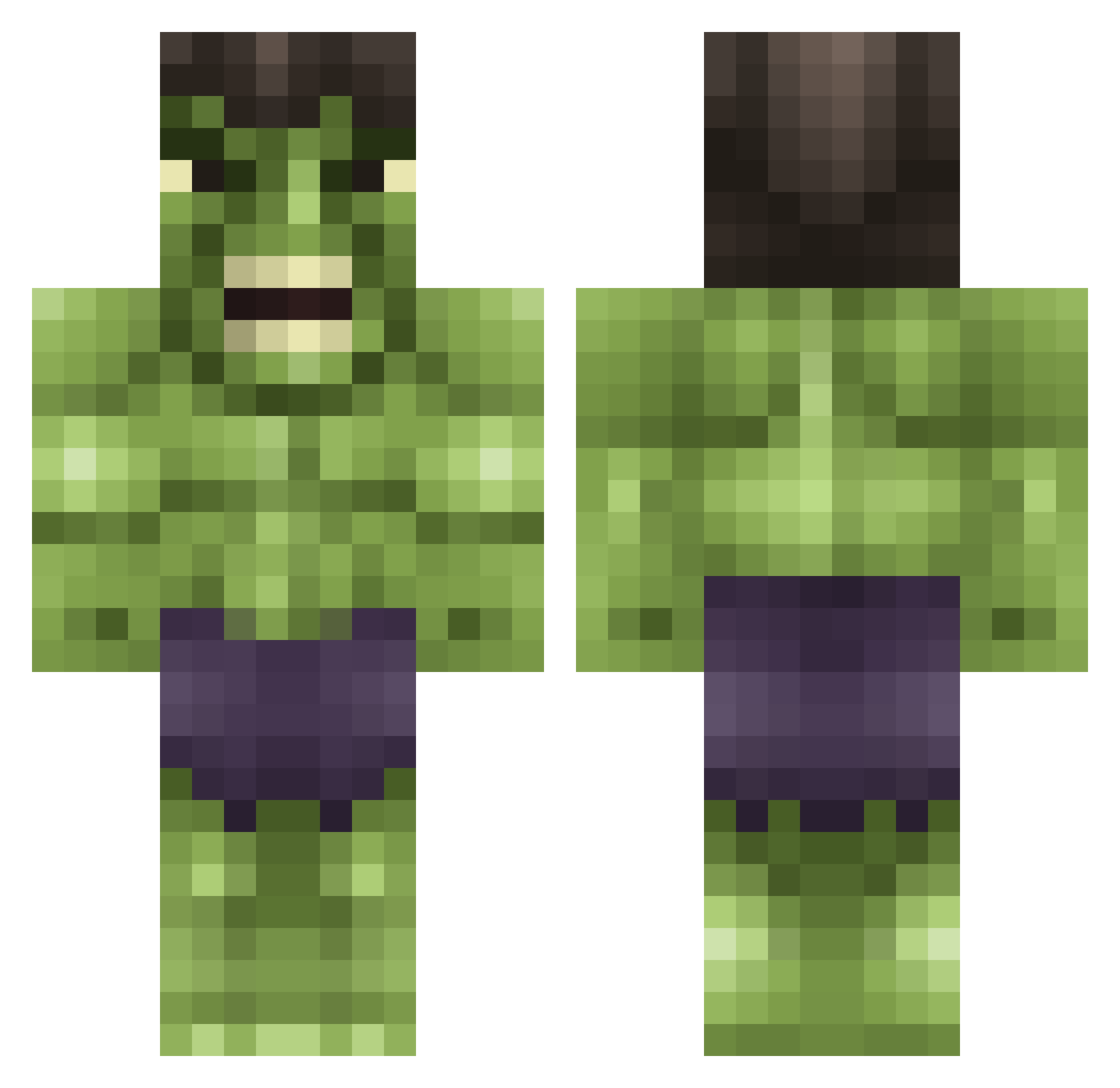
Current Minecraft skin of the player drewcuh, loaded from the official Mojang API. Rotate the 3D model with your mouse or finger, then download the skin as a PNG file and use it in Minecraft: Bedrock Edition or Java Edition for free. When drewcuh changes their skin, this page updates automatically and the old skin stays in the history below.
Other players with this skin (615)
drewcuh was the 276th player we have seen with this skin, first spotted on 10.09.2026. The same skin was seen on these players. Open a nickname to see their current skin and skin history.
 moneydude224 GeekForJesus ToothsomeBear Fistjenny SHAORONG Linud6 AlKriS Keiyor asinghy swiderek123 Markyboy88 a45amg hokiebuddy18 VINSEPRISE FR3EKELITE Hubsi11001 sj1378 reganboy1234 skebou88 gennie7 categg scheeet123 danielreite dusan88 beastman567 Inceale TGF138 SgtBroDiesel damobruhh4 klvaught anubix1991 JH172 mummysnugglez luca0204 findlaysquires olifortune Ishxn Bigballerjulio stan23 Callum_001 ShakaGeek KapteinJON DrKatuhstrofik Xrian_ Aloonitic alfadone 400000Henri khantmg WreckingBall_z peasantjack hollogodis s0149 BentehaugenAmund Bionichero94 BeeslyPam JTbaboon Grumpyness eubacterium oggster30 Angrylilman
More Hulk Minecraft skins
How to install the drewcuh skin
- Press the Download button above to save the skin as a PNG file.
- Minecraft: Bedrock Edition (PE): open the Dressing Room from the main menu (or tap your character → Edit Character), go to Classic Skins → Owned, press the + (new skin) button, choose the downloaded PNG and pick the Classic (Steve) model. Works on PC and mobile; consoles cannot import custom skins.
- Minecraft: Java Edition: open the Minecraft Launcher, go to the Skins tab, click New Skin, load the PNG, pick the Classic (Steve) model and press Save & Use. You can also upload it at minecraft.net → Profile → Change Skin.
The skin does not show up after import - what should I do?
Restart Minecraft and open the Dressing Room again - imported skins sometimes appear only after a restart. Also make sure you selected the imported skin and picked the Classic (Steve) model.
Which model should I choose, Classic or Slim?
This skin is designed for the Classic (Steve) model. If you pick the wrong model, the arms of the skin will look stretched or squeezed.
Is the skin of drewcuh free to download?
Yes. Press Download, save the PNG file and use it in Minecraft: Bedrock Edition or Java Edition - no payment or registration needed. The skin also works on multiplayer servers and Realms.
More skins
Looking for more? Go back to all Minecraft skins and check the top skins of the week, month and all time, or find any player's skin by nickname.