
dreta4 - Minecraft Skins & Skin History
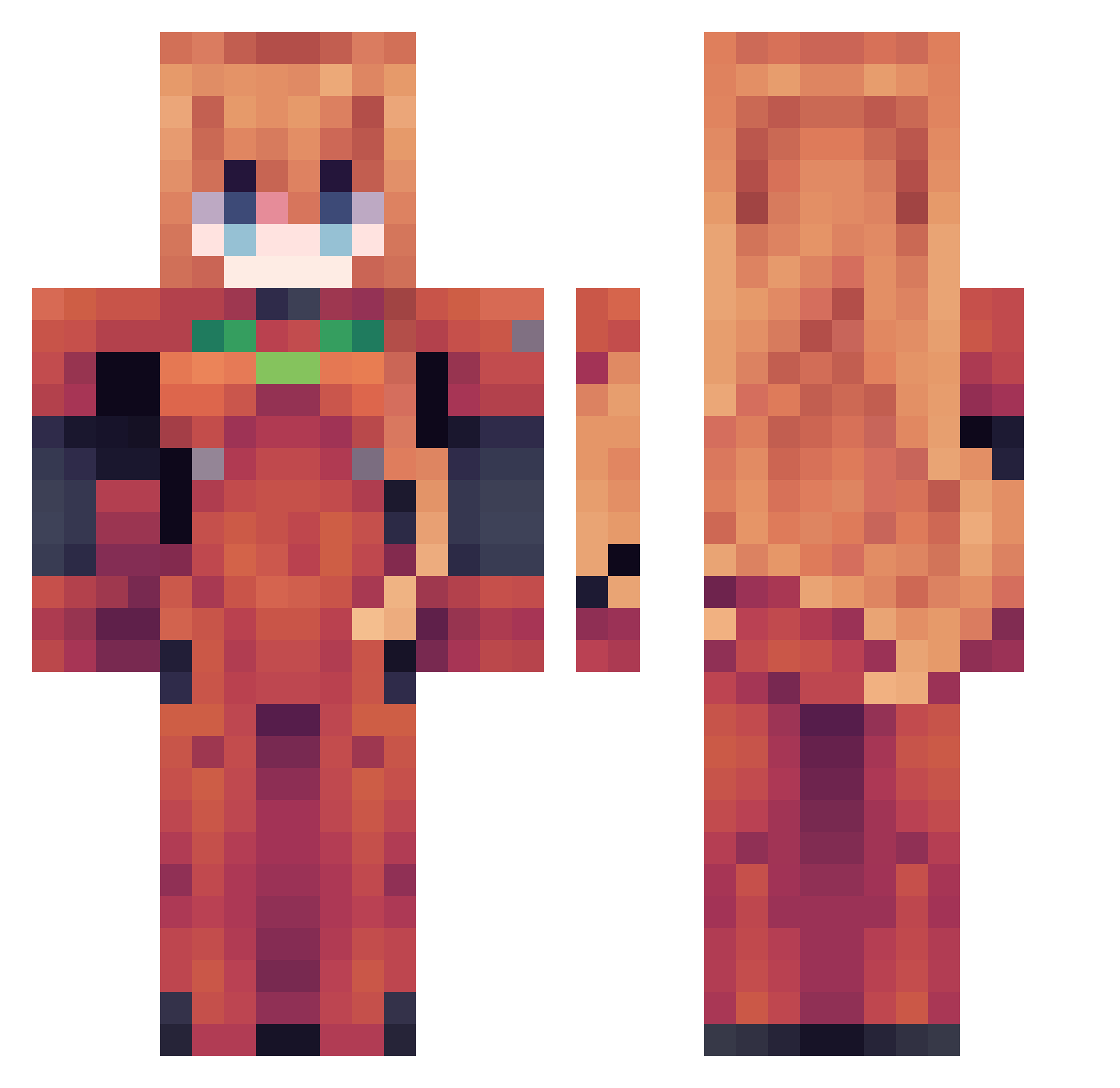
Current Minecraft skin of the player dreta4, loaded from the official Mojang API. Rotate the 3D model with your mouse or finger, then download the skin as a PNG file and use it in Minecraft: Bedrock Edition or Java Edition for free. When dreta4 changes their skin, this page updates automatically and the old skin stays in the history below.
Other players with this skin (62)
dreta4 was the 29th player we have seen with this skin, first spotted on 30.09.2026. The same skin was seen on these players. Open a nickname to see their current skin and skin history.
 jvzm_ auklov04 silly_billy29 Hittorii Astrobott_ jfelzs ItsNylad seasonhongsi127 DizzyK15 bigyoshii_ Lilium10 Brandonlrs Zenzicta Tabris7424 dolcenerw Asterikstar LilFatDragon PossiblyCreepy_ tankmaster_101 GraceF4 PearlingsHe Sheihu kikiballs LingYTian FrostyFlights MarcosZoa Duckered121 AntonPanton8 _V3ner_ LoryMerko lucytownrose96 WGicu9 Bizza_ Gueseppe Carcinko Alucard2108 KL1H0 R_Elene Monilia Spookysheep1 leilakelly13 igotafeeling brook1065 keigggg YamYamShimete R18_H Waterlsgood bisexualsatan Yasho1997 Xander_Blaze shadesonmc EdebiyatDusmani Noano Qian66 maefilms Pabelit0
 beanspls free3126 tsuki2704 fromagefondue
More Asuka Langley Minecraft skins
See all 177 Asuka Langley skins
How to install the dreta4 skin
- Press the Download button above to save the skin as a PNG file.
- Minecraft: Bedrock Edition (PE): open the Dressing Room from the main menu (or tap your character → Edit Character), go to Classic Skins → Owned, press the + (new skin) button, choose the downloaded PNG and pick the Classic (Steve) model. Works on PC and mobile; consoles cannot import custom skins.
- Minecraft: Java Edition: open the Minecraft Launcher, go to the Skins tab, click New Skin, load the PNG, pick the Classic (Steve) model and press Save & Use. You can also upload it at minecraft.net → Profile → Change Skin.
The skin does not show up after import - what should I do?
Restart Minecraft and open the Dressing Room again - imported skins sometimes appear only after a restart. Also make sure you selected the imported skin and picked the Classic (Steve) model.
Which model should I choose, Classic or Slim?
This skin is designed for the Classic (Steve) model. If you pick the wrong model, the arms of the skin will look stretched or squeezed.
Is the skin of dreta4 free to download?
Yes. Press Download, save the PNG file and use it in Minecraft: Bedrock Edition or Java Edition - no payment or registration needed. The skin also works on multiplayer servers and Realms.
More skins
Looking for more? Go back to all Minecraft skins and check the top skins of the week, month and all time, or find any player's skin by nickname.