
drbawb - Minecraft Skins & Skin History
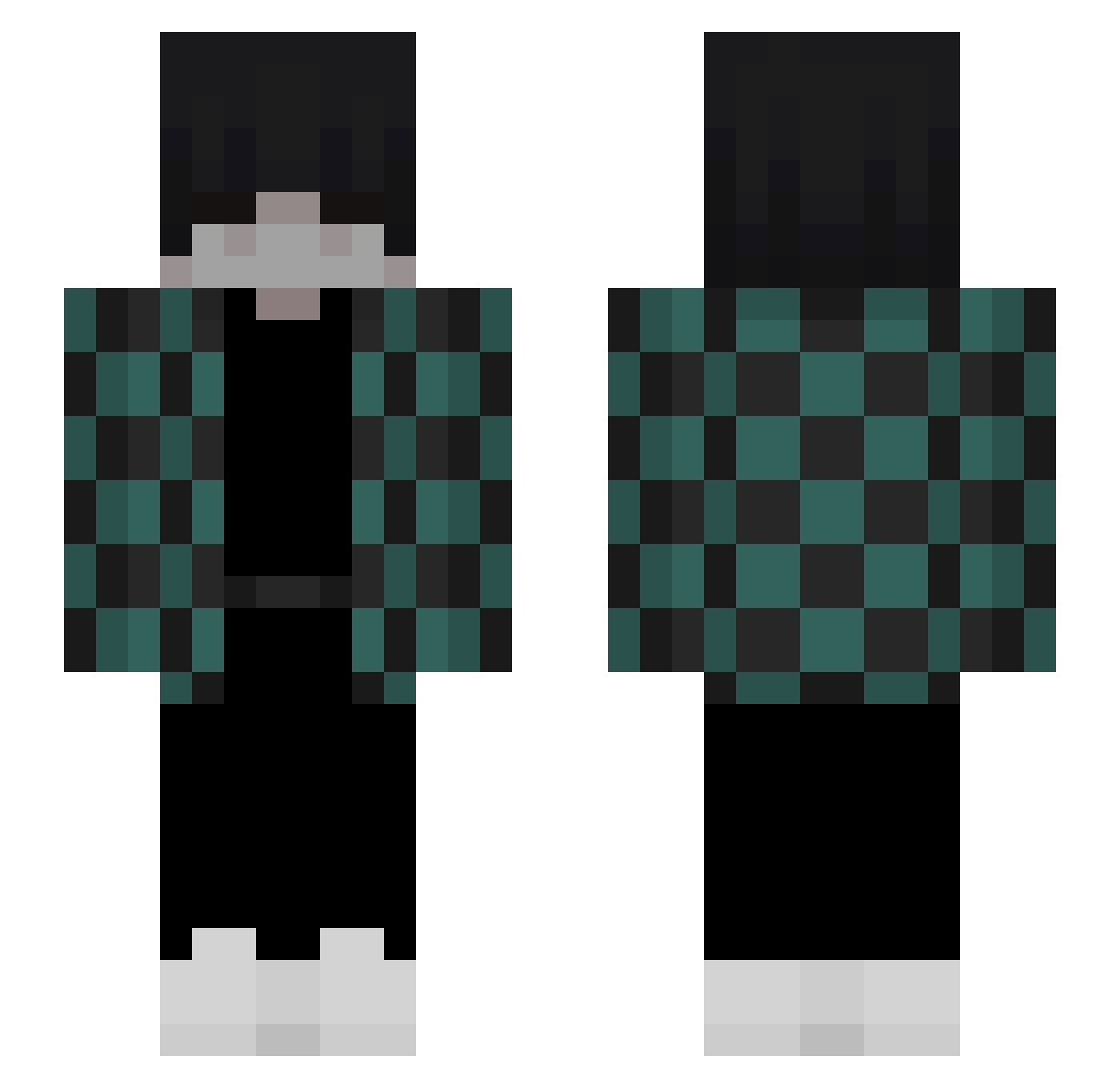
Current Minecraft skin of the player drbawb, loaded from the official Mojang API. Rotate the 3D model with your mouse or finger, then download the skin as a PNG file and use it in Minecraft: Bedrock Edition or Java Edition for free. When drbawb changes their skin, this page updates automatically and the old skin stays in the history below.
Other players with this skin (112)
drbawb was the 31st player we have seen with this skin, first spotted on 23.08.2026. The same skin was seen on these players. Open a nickname to see their current skin and skin history.
 KINGGURKE998 Jamezzzzzzzz cry_yaboku Cheerful_Phantom rykero Ace_Chaos Krimsic Svamitini byBlackBeatz Quilux Younea_ SwagPandaMC IamDino318 AsparagusTurtle Tealmun Scarlet_Embers NickScratch syrob69 junseo1421 DarkZin00 rizesvp sillyvibe Jsxsxv Vizzur ILOVEBACONXD snickersnake168 XiaoYuzi exquze___ Frrrosty HernanClan 3eLeNbIu WushTheGoat VortexPN lenny_08HD Gust61 ask0rb1nka zxc_inside 1010101010101101 YouPotMe Sv1mp Cheinchines mealst 8king_gamer8 killerdooger2005 funroger SASUKE098 dfrail09 Xasdde VegaGFX FaccSyall kmummy JerbearPood 5ASH5 DeineMuutti qecan renkaa se_oah Ttia0 Lukinhas09 IClory
More Tanjiro Kamado Minecraft skins
See all 436 Tanjiro Kamado skins
How to install the drbawb skin
- Press the Download button above to save the skin as a PNG file.
- Minecraft: Bedrock Edition (PE): open the Dressing Room from the main menu (or tap your character → Edit Character), go to Classic Skins → Owned, press the + (new skin) button, choose the downloaded PNG and pick the Slim (Alex) model. Works on PC and mobile; consoles cannot import custom skins.
- Minecraft: Java Edition: open the Minecraft Launcher, go to the Skins tab, click New Skin, load the PNG, pick the Slim (Alex) model and press Save & Use. You can also upload it at minecraft.net → Profile → Change Skin.
The skin does not show up after import - what should I do?
Restart Minecraft and open the Dressing Room again - imported skins sometimes appear only after a restart. Also make sure you selected the imported skin and picked the Slim (Alex) model.
Which model should I choose, Classic or Slim?
This skin is designed for the Slim (Alex) model. If you pick the wrong model, the arms of the skin will look stretched or squeezed.
Is the skin of drbawb free to download?
Yes. Press Download, save the PNG file and use it in Minecraft: Bedrock Edition or Java Edition - no payment or registration needed. The skin also works on multiplayer servers and Realms.
More skins
Looking for more? Go back to all Minecraft skins and check the top skins of the week, month and all time, or find any player's skin by nickname.