
drak1e - Minecraft Skins & Skin History
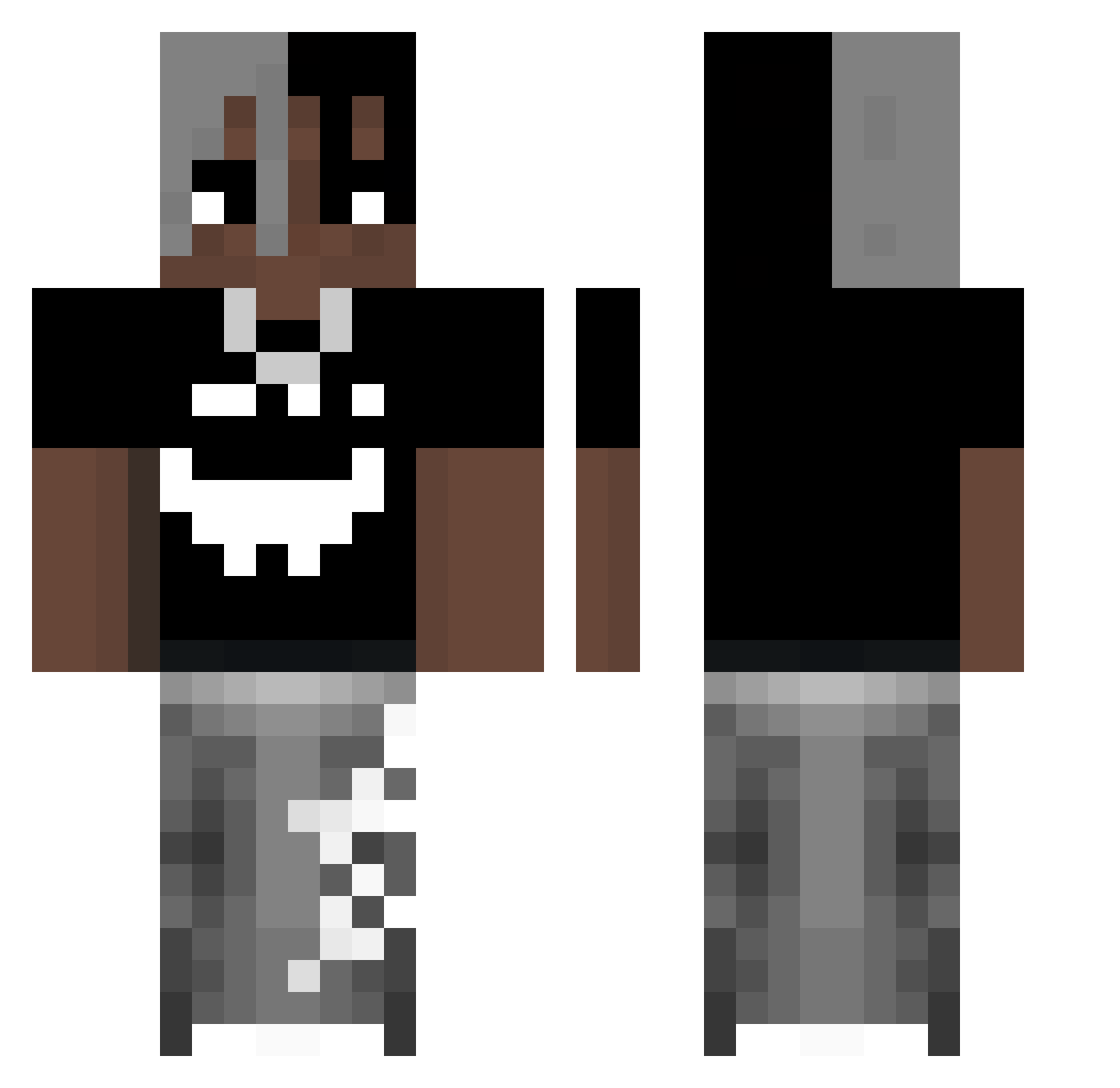
Current Minecraft skin of the player drak1e, loaded from the official Mojang API. Rotate the 3D model with your mouse or finger, then download the skin as a PNG file and use it in Minecraft: Bedrock Edition or Java Edition for free. When drak1e changes their skin, this page updates automatically and the old skin stays in the history below.
Other players with this skin (53)
drak1e was the 36th player we have seen with this skin, first spotted on 02.10.2026. The same skin was seen on these players. Open a nickname to see their current skin and skin history.
 SpagettiSimon KingTiwziol Agentsikora Orbit581 Kremuwkowic2137 Icespicelover44 anticosmo69 IovePizza matrixikoxik Phieesh vortex4824 OnkoFonko xJerome07 Kurumi_Chan1106 B3diiii lec__ x2bombi _Divad_07_ SPARID Lunarg_ OSeUu_ vnter vkiefann Jan_is tryskacz_zawijka tqxire sleepy79 Losesteak_ LoneSkibiJohn Panchito113 franioo__ SEWAAK julioliveira realopi0mmember imgrzybek Ken_CarsonJr superdud20 R2D2Rocks_ lesioo MisterKK triXXou Leizanpaahdin accomplishers wallxraider MultiStraight Tatuzayk BagettireyliZ dasket Basztal Srwfty nikosbimber
 SlinkHat Nikita_mel1
More Xxxtentacion Minecraft skins
See all 407 Xxxtentacion skins
How to install the drak1e skin
- Press the Download button above to save the skin as a PNG file.
- Minecraft: Bedrock Edition (PE): open the Dressing Room from the main menu (or tap your character → Edit Character), go to Classic Skins → Owned, press the + (new skin) button, choose the downloaded PNG and pick the Classic (Steve) model. Works on PC and mobile; consoles cannot import custom skins.
- Minecraft: Java Edition: open the Minecraft Launcher, go to the Skins tab, click New Skin, load the PNG, pick the Classic (Steve) model and press Save & Use. You can also upload it at minecraft.net → Profile → Change Skin.
The skin does not show up after import - what should I do?
Restart Minecraft and open the Dressing Room again - imported skins sometimes appear only after a restart. Also make sure you selected the imported skin and picked the Classic (Steve) model.
Which model should I choose, Classic or Slim?
This skin is designed for the Classic (Steve) model. If you pick the wrong model, the arms of the skin will look stretched or squeezed.
Is the skin of drak1e free to download?
Yes. Press Download, save the PNG file and use it in Minecraft: Bedrock Edition or Java Edition - no payment or registration needed. The skin also works on multiplayer servers and Realms.
More skins
Looking for more? Go back to all Minecraft skins and check the top skins of the week, month and all time, or find any player's skin by nickname.