
dooOuOb - Minecraft Skins & Skin History
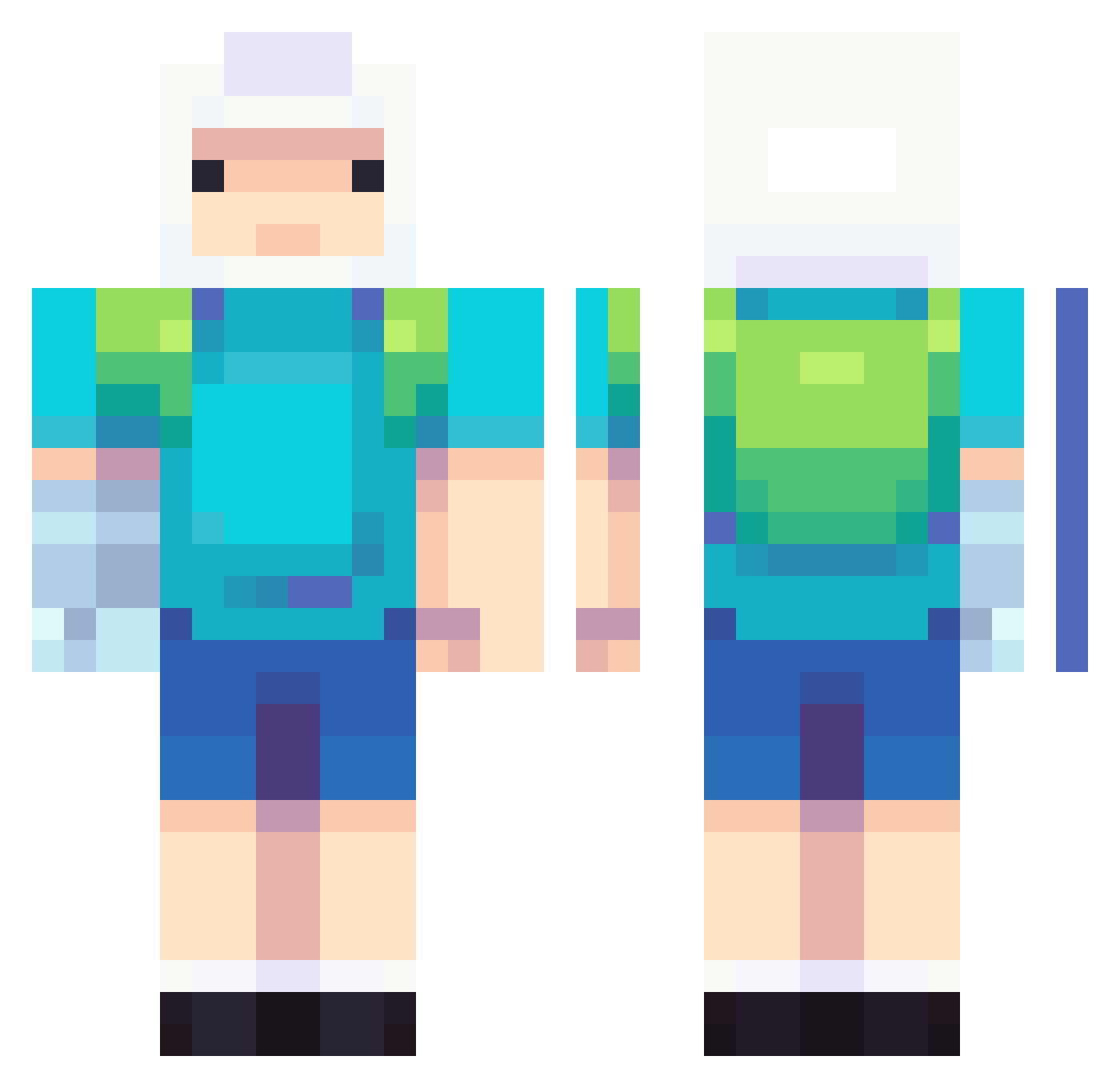
Current Minecraft skin of the player dooOuOb, loaded from the official Mojang API. Rotate the 3D model with your mouse or finger, then download the skin as a PNG file and use it in Minecraft: Bedrock Edition or Java Edition for free. When dooOuOb changes their skin, this page updates automatically and the old skin stays in the history below.
Other players with this skin (737)
dooOuOb was the 22nd player we have seen with this skin, first spotted on 26.07.2026. The same skin was seen on these players. Open a nickname to see their current skin and skin history.
 Nuggie00 5MID1 fumciaa Stk3867 SarishTKS Bingus82 ShogunAJ MisterDaniir rorozambra IPachii Nitwin WizTatsu Fordrid98 notjynxxx Lucianopro1 Sugar7204 Darkmei_ C0ULDNTL0AD BillyBatsonn Katnipnap MAXpalletta LuvMega epique78 TheRealBG1 bynoob13 Mr_Jay17 untouchedcoffee itsmeleii Prismo935 Anthodee aletoschi MrFred01 YuriLovesYou Dinoswore Chareliza8 RaffOF funnyderpy SuperWinter91 Calihand milly123456789 KWOLM mysticlard redditbasement Fraronk shalots Biffnug ARagedTaco anosyx9 cheifLittlefoot7 rockyo8s Renescent Stop_Nintendo FallenFlame_Bobo Maest24 Kayirab Drdaria05 LaustStrange cusivvv
 Emvns Japa027
More Finn The Human Minecraft skins
See all 444 Finn The Human skins
How to install the dooOuOb skin
- Press the Download button above to save the skin as a PNG file.
- Minecraft: Bedrock Edition (PE): open the Dressing Room from the main menu (or tap your character → Edit Character), go to Classic Skins → Owned, press the + (new skin) button, choose the downloaded PNG and pick the Classic (Steve) model. Works on PC and mobile; consoles cannot import custom skins.
- Minecraft: Java Edition: open the Minecraft Launcher, go to the Skins tab, click New Skin, load the PNG, pick the Classic (Steve) model and press Save & Use. You can also upload it at minecraft.net → Profile → Change Skin.
The skin does not show up after import - what should I do?
Restart Minecraft and open the Dressing Room again - imported skins sometimes appear only after a restart. Also make sure you selected the imported skin and picked the Classic (Steve) model.
Which model should I choose, Classic or Slim?
This skin is designed for the Classic (Steve) model. If you pick the wrong model, the arms of the skin will look stretched or squeezed.
Is the skin of dooOuOb free to download?
Yes. Press Download, save the PNG file and use it in Minecraft: Bedrock Edition or Java Edition - no payment or registration needed. The skin also works on multiplayer servers and Realms.
More skins
Looking for more? Go back to all Minecraft skins and check the top skins of the week, month and all time, or find any player's skin by nickname.