
dolledimmi - Minecraft Skins & Skin History
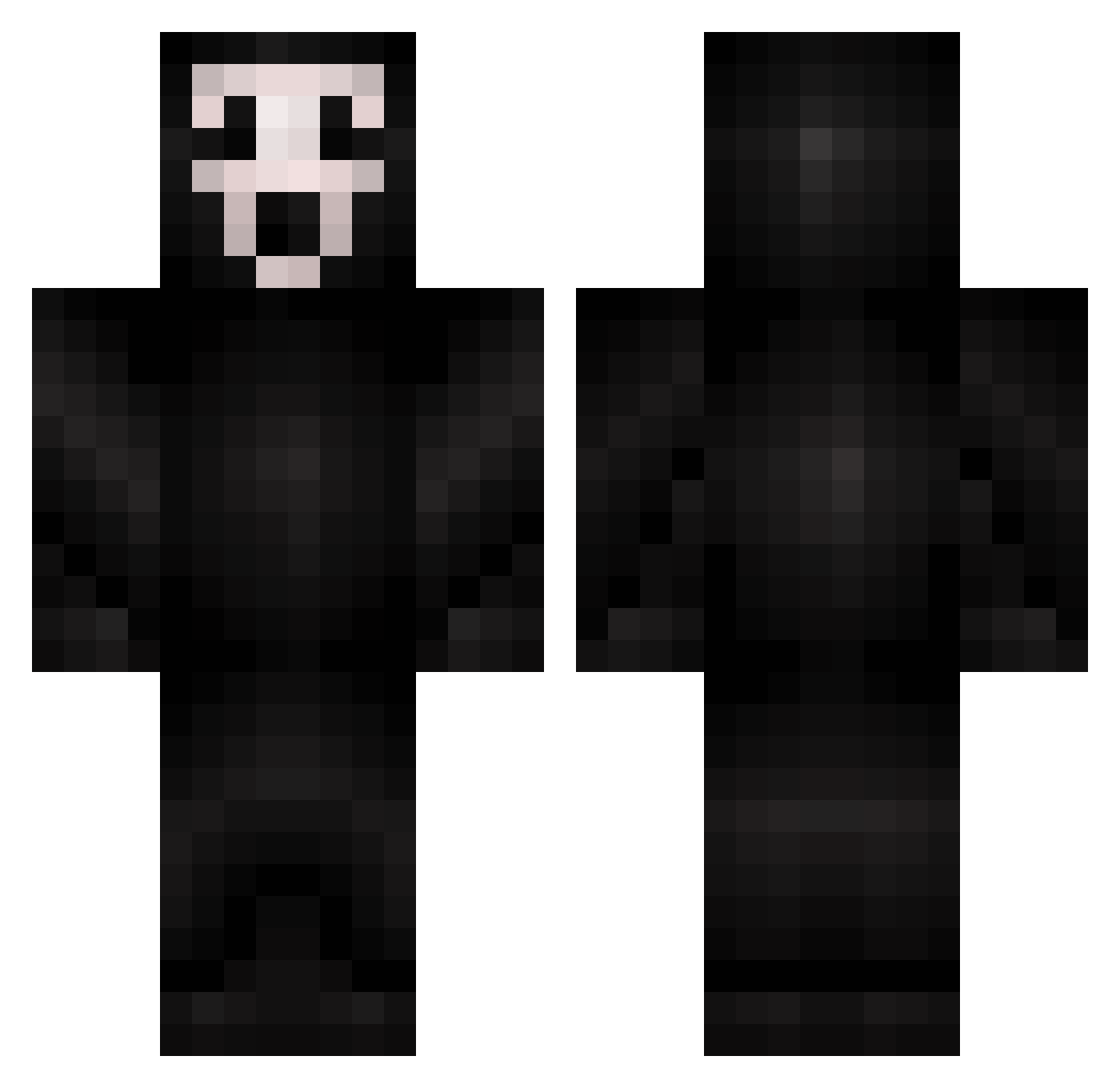
Current Minecraft skin of the player dolledimmi, loaded from the official Mojang API. Rotate the 3D model with your mouse or finger, then download the skin as a PNG file and use it in Minecraft: Bedrock Edition or Java Edition for free. When dolledimmi changes their skin, this page updates automatically and the old skin stays in the history below.
Other players with this skin (425)
dolledimmi was the 255th player we have seen with this skin, first spotted on 29.09.2026. The same skin was seen on these players. Open a nickname to see their current skin and skin history.
 flying_do T6S LFCWARNER Bambamcookie15 Docter_Mole Dk_Blu Timboo2oo8 Gustav_Bang Undead_Gamer2001 Fab_Luc Voltaic898 epicgaming0909 GRiiIVI vickealexander Steggi Joking mafflou01 Loquencio e7072 Mumu2207 MCosentino laxdude05 peekacog dynamic345 N3WTROLL Leadinjection JPKingrules5 SpaceSquirreI Genayy SG_Deathwish dannatmarisa Cannibal_monkey nickthehick LvXiaoYe ranierin mongooseamo Zombiesniper007 lbzchi Spaghetti5500 daddydan2 JEWMAGNET jjsafar LaveZz jaceli32 dayakes oldflame BryceQin laggeriaku 213miles Hypermetropia PulseOfZero cocobean666 Mr_Sloth786 briannn333 emmacat10 BOWSER9072 Duckyness auge1000 redbunny1955 CallMe_DK
More Scream Minecraft skins
How to install the dolledimmi skin
- Press the Download button above to save the skin as a PNG file.
- Minecraft: Bedrock Edition (PE): open the Dressing Room from the main menu (or tap your character → Edit Character), go to Classic Skins → Owned, press the + (new skin) button, choose the downloaded PNG and pick the Classic (Steve) model. Works on PC and mobile; consoles cannot import custom skins.
- Minecraft: Java Edition: open the Minecraft Launcher, go to the Skins tab, click New Skin, load the PNG, pick the Classic (Steve) model and press Save & Use. You can also upload it at minecraft.net → Profile → Change Skin.
The skin does not show up after import - what should I do?
Restart Minecraft and open the Dressing Room again - imported skins sometimes appear only after a restart. Also make sure you selected the imported skin and picked the Classic (Steve) model.
Which model should I choose, Classic or Slim?
This skin is designed for the Classic (Steve) model. If you pick the wrong model, the arms of the skin will look stretched or squeezed.
Is the skin of dolledimmi free to download?
Yes. Press Download, save the PNG file and use it in Minecraft: Bedrock Edition or Java Edition - no payment or registration needed. The skin also works on multiplayer servers and Realms.
More skins
Looking for more? Go back to all Minecraft skins and check the top skins of the week, month and all time, or find any player's skin by nickname.