
docgrezzyXD - Minecraft Skins & Skin History
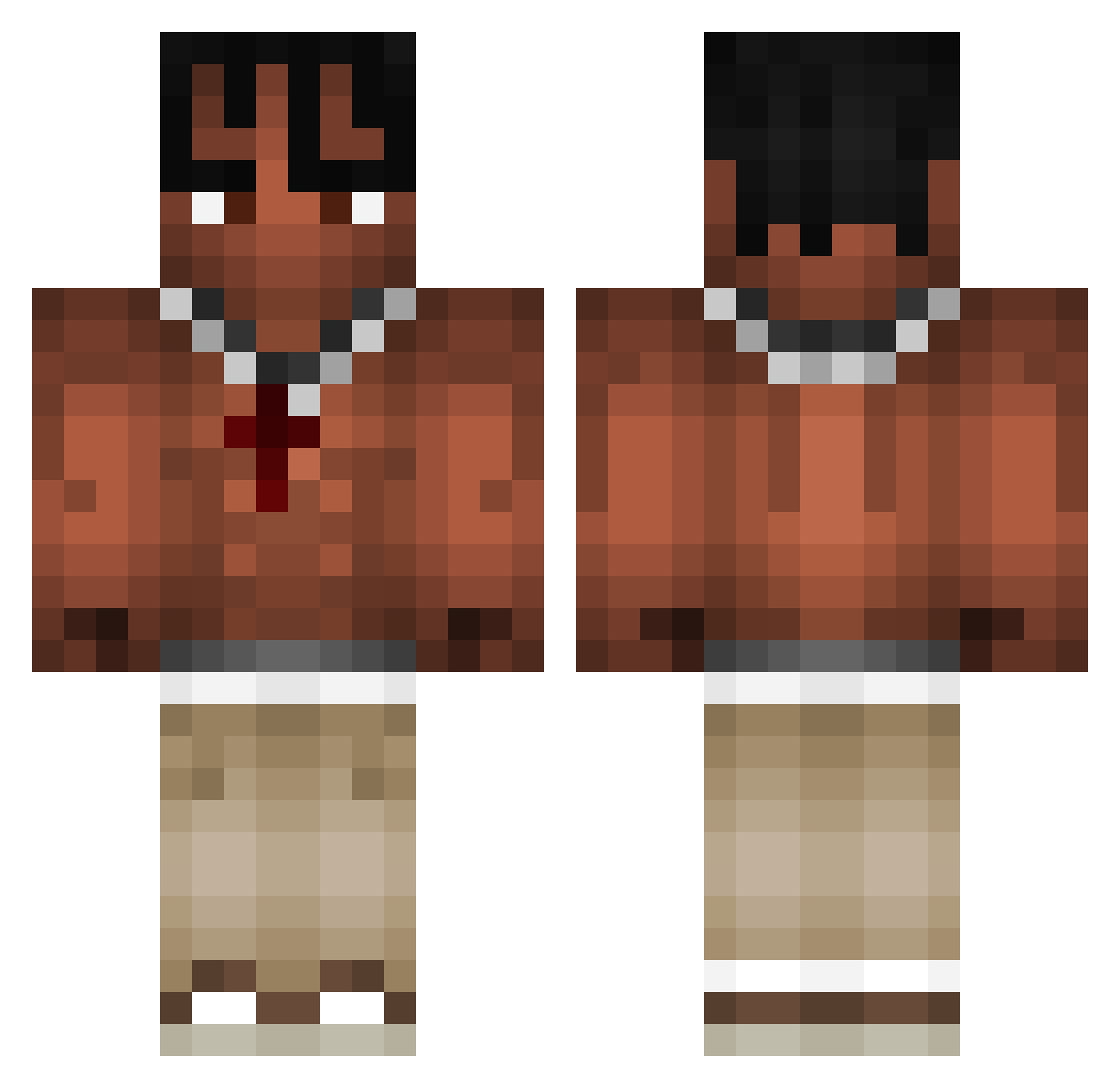
Current Minecraft skin of the player docgrezzyXD, loaded from the official Mojang API. Rotate the 3D model with your mouse or finger, then download the skin as a PNG file and use it in Minecraft: Bedrock Edition or Java Edition for free. When docgrezzyXD changes their skin, this page updates automatically and the old skin stays in the history below.
Other players with this skin (973)
docgrezzyXD was the 740th player we have seen with this skin, first spotted on 11.10.2026. The same skin was seen on these players. Open a nickname to see their current skin and skin history.
 skezx Remarr SfumazzingBoy 18__Ludo__18 3233333333333333 Bananek1337 elderathome R3apsMusic nauseaDevran Vortic420 sevcio_agent entelligent Rozlacz FitARTeMtiF GJHollings Astro00001 MlodyyMJ RafiTushar15 SloodV3 CrissCoolman KODEp Desmen47 Cobra_Tate4 derby12_ yumeyz AyAyron_no1 TomekSzkot BastosPleineTete Otsoa05 Mimosoo schoolplug Cepitaaa Backspaceq MINTYBBG LE0N4OKGG OAK2403 zHoniiz Albsss FixingPancake71 vlohv famer666 oskarscu Jacko_312 OYIYH CarryToto Cl4persWRLD S2YBKI_ FUSUKURA tukson5490 Pirat0815 Nevio1210 pblomrno ToJaKlonica paracadutepazzo B1GM0NK3Y mauriceroos ThugairKK Nick_Robbie Not_Norrmal mknzie
More Xxxtentacion Minecraft skins
See all 409 Xxxtentacion skins
How to install the docgrezzyXD skin
- Press the Download button above to save the skin as a PNG file.
- Minecraft: Bedrock Edition (PE): open the Dressing Room from the main menu (or tap your character → Edit Character), go to Classic Skins → Owned, press the + (new skin) button, choose the downloaded PNG and pick the Classic (Steve) model. Works on PC and mobile; consoles cannot import custom skins.
- Minecraft: Java Edition: open the Minecraft Launcher, go to the Skins tab, click New Skin, load the PNG, pick the Classic (Steve) model and press Save & Use. You can also upload it at minecraft.net → Profile → Change Skin.
The skin does not show up after import - what should I do?
Restart Minecraft and open the Dressing Room again - imported skins sometimes appear only after a restart. Also make sure you selected the imported skin and picked the Classic (Steve) model.
Which model should I choose, Classic or Slim?
This skin is designed for the Classic (Steve) model. If you pick the wrong model, the arms of the skin will look stretched or squeezed.
Is the skin of docgrezzyXD free to download?
Yes. Press Download, save the PNG file and use it in Minecraft: Bedrock Edition or Java Edition - no payment or registration needed. The skin also works on multiplayer servers and Realms.
More skins
Looking for more? Go back to all Minecraft skins and check the top skins of the week, month and all time, or find any player's skin by nickname.