
dnjstnddl - Minecraft Skins & Skin History
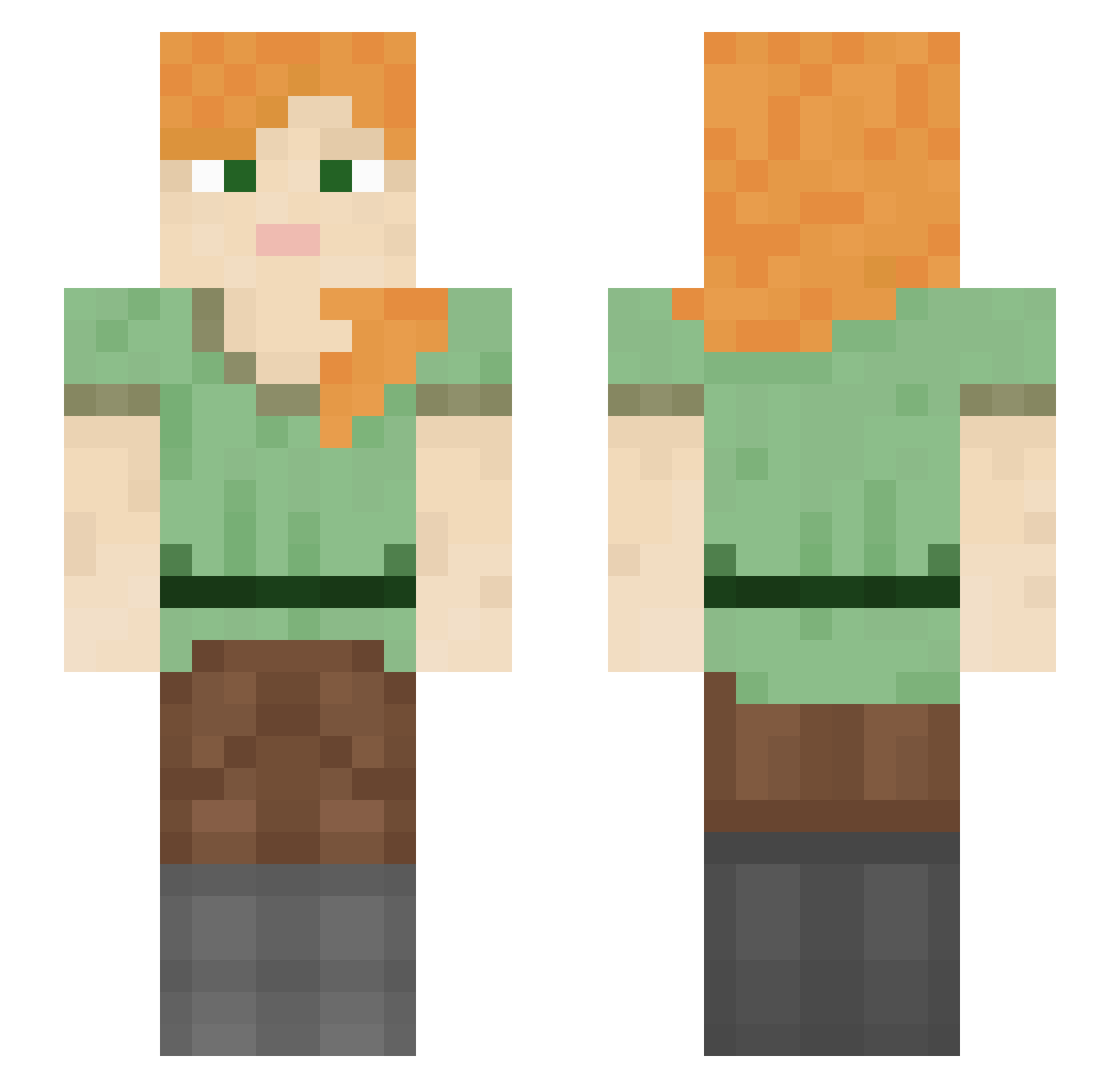
Current Minecraft skin of the player dnjstnddl, loaded from the official Mojang API. Rotate the 3D model with your mouse or finger, then download the skin as a PNG file and use it in Minecraft: Bedrock Edition or Java Edition for free. When dnjstnddl changes their skin, this page updates automatically and the old skin stays in the history below.
Other players with this skin (1009)
dnjstnddl was the 838th player we have seen with this skin, first spotted on 07.10.2026. The same skin was seen on these players. Open a nickname to see their current skin and skin history.
 Mar_kon ackawaii Highchair jdecota Fluffytuff RAW2013 wield YANKI_SONAT LT99 ziulek13 ShorishLion SnowflakeG JJoYess_ DonnyC183 Leylo_12 VaNNe7 Bradley favr CRAFTADO TheGoldenGirls Begall quadric Joscht itzFelicia XpoSniper Zipfeschwinga89 Aqlinator Throughput TheTaterMator Xiruss LoquaciousMime llll1l11i evybigbunda erk_els_ Stinkygank Jaemin_gangster zebrazach194857 Piquantly Indeterminist Campanula zaqaq q1MOh Canzy matildarae1 Dittany WellaWetBandit Nosma Aneesa_Ilyas 5ixth _NYUNYU melind4 Chiplet SaZoK1 _DdL RenerMarchenti tiggydoodles Sweet1y Autoklxcker Sinar0 dodhs
How to install the dnjstnddl skin
- Press the Download button above to save the skin as a PNG file.
- Minecraft: Bedrock Edition (PE): open the Dressing Room from the main menu (or tap your character → Edit Character), go to Classic Skins → Owned, press the + (new skin) button, choose the downloaded PNG and pick the Slim (Alex) model. Works on PC and mobile; consoles cannot import custom skins.
- Minecraft: Java Edition: open the Minecraft Launcher, go to the Skins tab, click New Skin, load the PNG, pick the Slim (Alex) model and press Save & Use. You can also upload it at minecraft.net → Profile → Change Skin.
The skin does not show up after import - what should I do?
Restart Minecraft and open the Dressing Room again - imported skins sometimes appear only after a restart. Also make sure you selected the imported skin and picked the Slim (Alex) model.
Which model should I choose, Classic or Slim?
This skin is designed for the Slim (Alex) model. If you pick the wrong model, the arms of the skin will look stretched or squeezed.
Is the skin of dnjstnddl free to download?
Yes. Press Download, save the PNG file and use it in Minecraft: Bedrock Edition or Java Edition - no payment or registration needed. The skin also works on multiplayer servers and Realms.
More skins
Looking for more? Go back to all Minecraft skins and check the top skins of the week, month and all time, or find any player's skin by nickname.