
djerfen - Minecraft Skins & Skin History
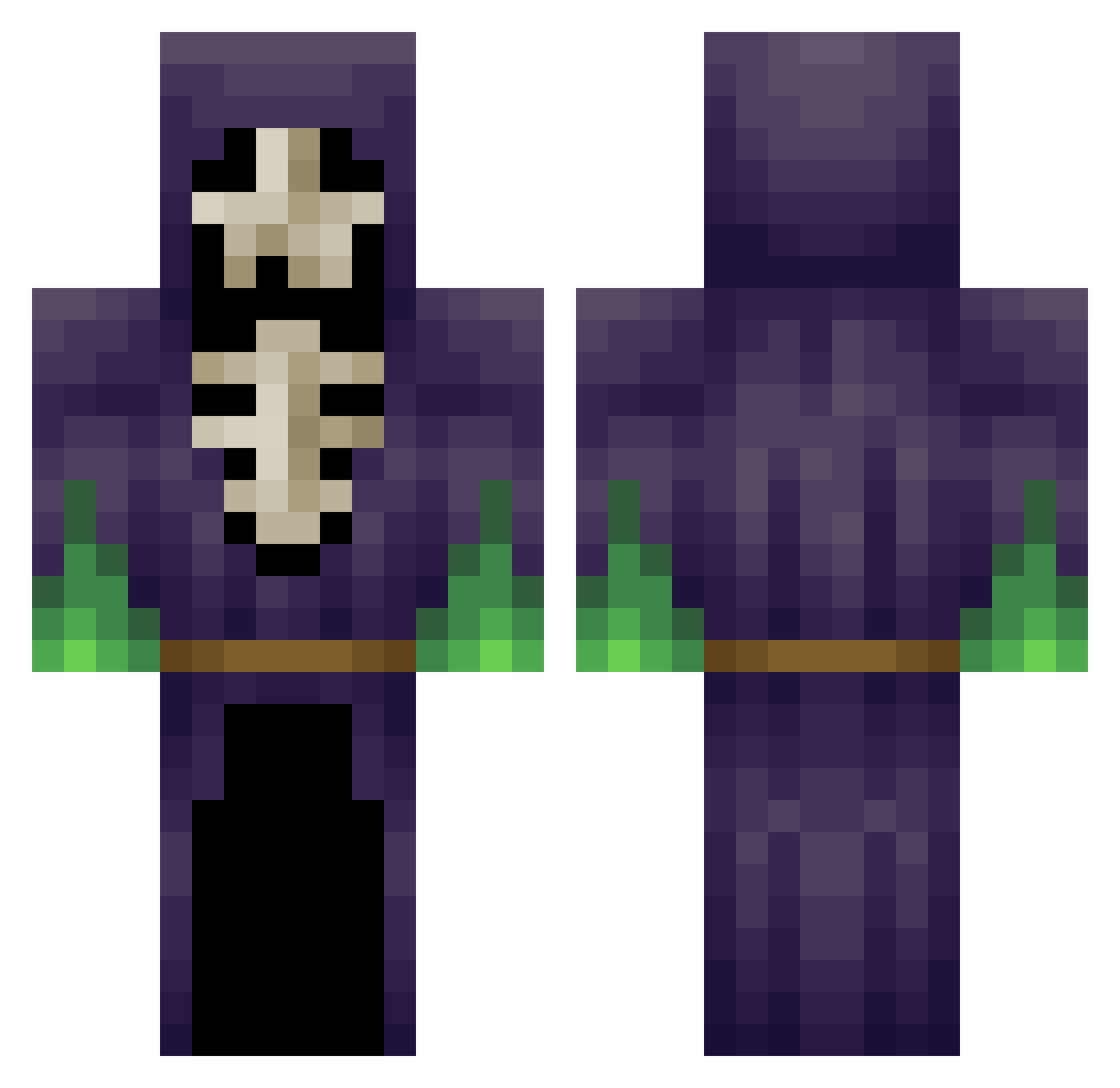
Current Minecraft skin of the player djerfen, loaded from the official Mojang API. Rotate the 3D model with your mouse or finger, then download the skin as a PNG file and use it in Minecraft: Bedrock Edition or Java Edition for free. When djerfen changes their skin, this page updates automatically and the old skin stays in the history below.
Other players with this skin (348)
djerfen was the 240th player we have seen with this skin, first spotted on 30.09.2026. The same skin was seen on these players. Open a nickname to see their current skin and skin history.
 clich3 LegendPvP Nirnaz Sticowish ematt2262 Gettactical J0hnBel skullkid1877 Mikey_49 Orange_Wizard NinjaBlade00 Fahad_999 Xiongge Night_ranger387 KingNitro Dav320K Teuwey dreadsled Thelonlykid _OptiCraft_ joeymcwild cjw1992714 Jack2368 Kris1004 RejectThruster grimlegion phil0804 xXEuphoriAXx alekseyjimenez Armagedn Lexxiilou Chambri LOST_CAUSE89 Xortex05 Yooyeee PoisonedPeace st0rm4g3dd0n Larihos Waves123 RavingSadist iamwalcott TheGreatShazuni BlueWings7 NuclearKitten4 Flap_jack28 xXQUACK_Xx RandomOldGuy joestar32 xTheAnimuS VulgarMessiah Hxadecimal Craster10 leonscape 5k3l370n Eddys_Teddy gamebot28 dhbl666 Simtah k4r4n SPROKET01
More Necromancer Minecraft skins
How to install the djerfen skin
- Press the Download button above to save the skin as a PNG file.
- Minecraft: Bedrock Edition (PE): open the Dressing Room from the main menu (or tap your character → Edit Character), go to Classic Skins → Owned, press the + (new skin) button, choose the downloaded PNG and pick the Classic (Steve) model. Works on PC and mobile; consoles cannot import custom skins.
- Minecraft: Java Edition: open the Minecraft Launcher, go to the Skins tab, click New Skin, load the PNG, pick the Classic (Steve) model and press Save & Use. You can also upload it at minecraft.net → Profile → Change Skin.
The skin does not show up after import - what should I do?
Restart Minecraft and open the Dressing Room again - imported skins sometimes appear only after a restart. Also make sure you selected the imported skin and picked the Classic (Steve) model.
Which model should I choose, Classic or Slim?
This skin is designed for the Classic (Steve) model. If you pick the wrong model, the arms of the skin will look stretched or squeezed.
Is the skin of djerfen free to download?
Yes. Press Download, save the PNG file and use it in Minecraft: Bedrock Edition or Java Edition - no payment or registration needed. The skin also works on multiplayer servers and Realms.
More skins
Looking for more? Go back to all Minecraft skins and check the top skins of the week, month and all time, or find any player's skin by nickname.