
djd0ub13d - Minecraft Skins & Skin History
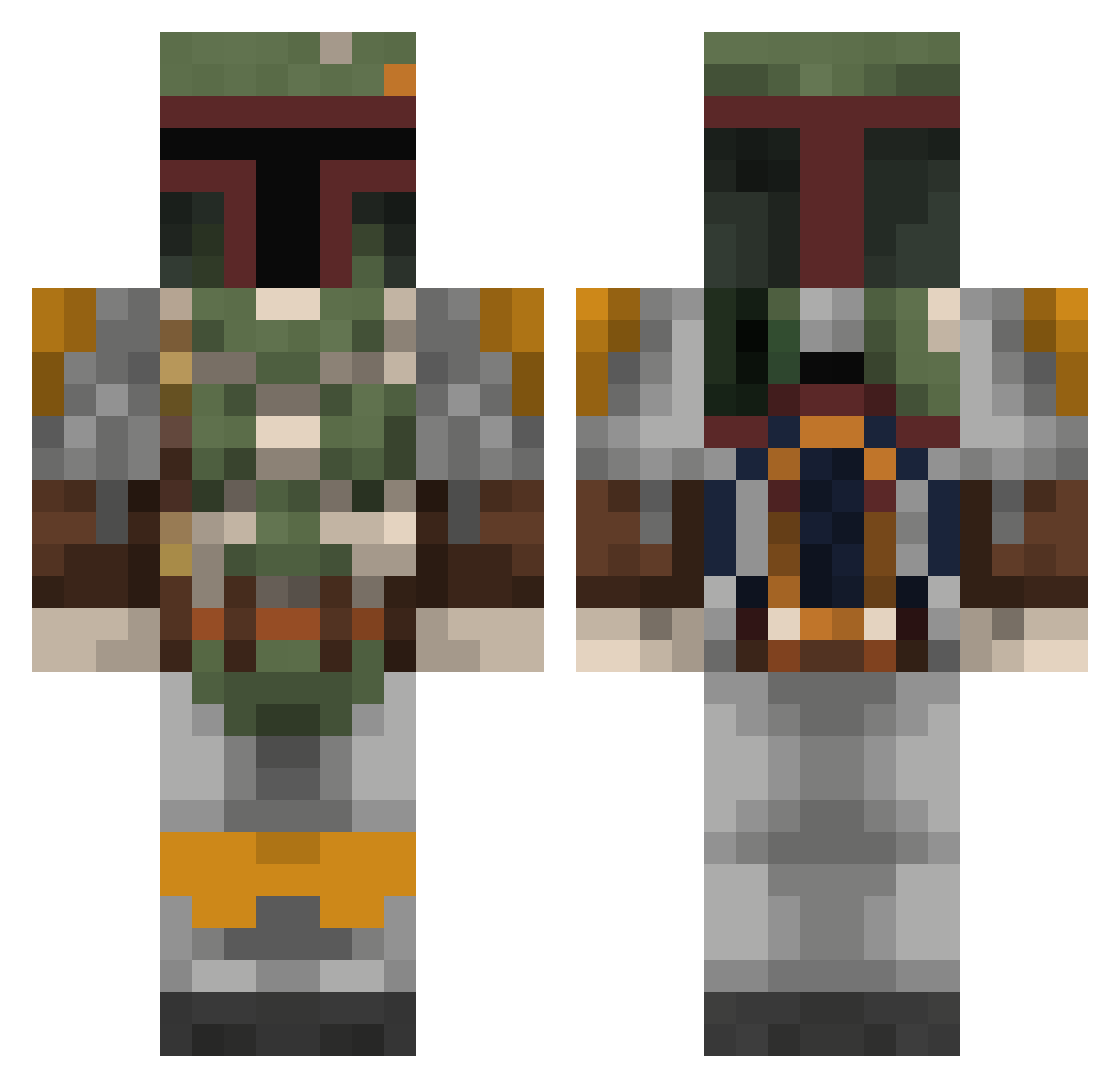
Current Minecraft skin of the player djd0ub13d, loaded from the official Mojang API. Rotate the 3D model with your mouse or finger, then download the skin as a PNG file and use it in Minecraft: Bedrock Edition or Java Edition for free. When djd0ub13d changes their skin, this page updates automatically and the old skin stays in the history below.
Other players with this skin (803)
djd0ub13d was the 650th player we have seen with this skin, first spotted on 18.10.2026. The same skin was seen on these players. Open a nickname to see their current skin and skin history.
 CommandrChaos96 venom_injectionz BarefacedPuma mdjedi Haagen_Dazs_ oetoet AnonUserAF07 mikael888 minechris07 DarkLordSquid GamingTaquito98 zavaro Daolive1 JoshBR98 destroyer1606 dro0p Bossist MATTHIASS_ Golden_Rulz Riot_Control66 NicenCrispy jfaustino13 VlosKillian Chicken_Tenders_ GenMaxTav esukiti LukeB187 BionicPenguin87 DeltaUnit EatsBooks Unjam Loggiboost halloei DRjungybrungus AsaCantCome Big_Johnson28 Fresherdata Aleoize Destroyer78587 deathwatch2 Inevitable610 EvanLauer Bleep__Bloop jackzeemil SavageNuke Salami_pro StudyHardBeEvil BleuAlt4 SOVIET_MAU5 L1nK0uS mrrsmiley Harry_Crafter007 zachstracks Eusey05 Essabobby DarkStar52 the_carpenter SWAT1067 DeadBySpider adato
More Boba Fett Minecraft skins
How to install the djd0ub13d skin
- Press the Download button above to save the skin as a PNG file.
- Minecraft: Bedrock Edition (PE): open the Dressing Room from the main menu (or tap your character → Edit Character), go to Classic Skins → Owned, press the + (new skin) button, choose the downloaded PNG and pick the Classic (Steve) model. Works on PC and mobile; consoles cannot import custom skins.
- Minecraft: Java Edition: open the Minecraft Launcher, go to the Skins tab, click New Skin, load the PNG, pick the Classic (Steve) model and press Save & Use. You can also upload it at minecraft.net → Profile → Change Skin.
The skin does not show up after import - what should I do?
Restart Minecraft and open the Dressing Room again - imported skins sometimes appear only after a restart. Also make sure you selected the imported skin and picked the Classic (Steve) model.
Which model should I choose, Classic or Slim?
This skin is designed for the Classic (Steve) model. If you pick the wrong model, the arms of the skin will look stretched or squeezed.
Is the skin of djd0ub13d free to download?
Yes. Press Download, save the PNG file and use it in Minecraft: Bedrock Edition or Java Edition - no payment or registration needed. The skin also works on multiplayer servers and Realms.
More skins
Looking for more? Go back to all Minecraft skins and check the top skins of the week, month and all time, or find any player's skin by nickname.