
dikke_toad_jongu - Minecraft Skins & Skin History
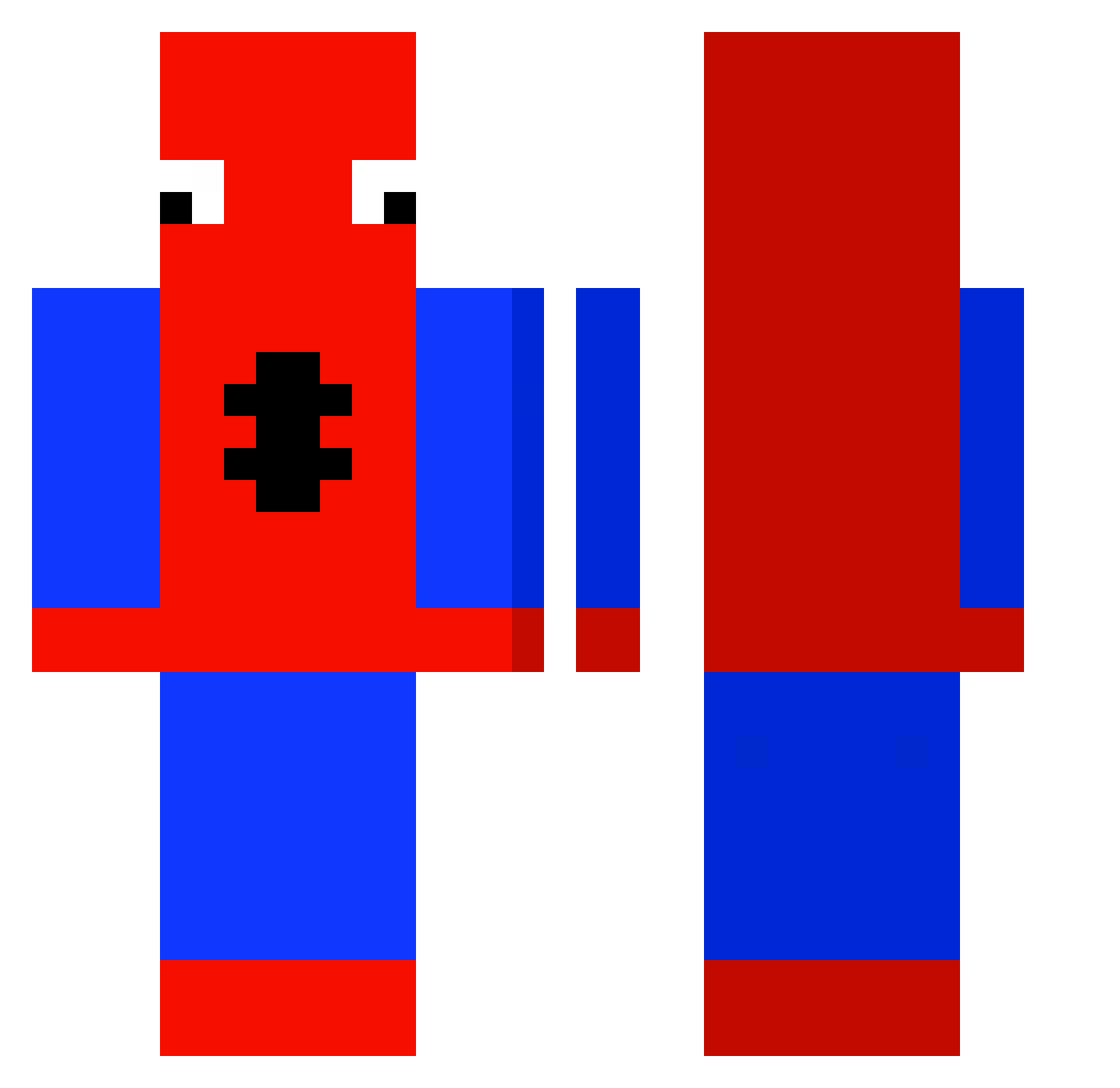
Current Minecraft skin of the player dikke_toad_jongu, loaded from the official Mojang API. Rotate the 3D model with your mouse or finger, then download the skin as a PNG file and use it in Minecraft: Bedrock Edition or Java Edition for free. When dikke_toad_jongu changes their skin, this page updates automatically and the old skin stays in the history below.
Other players with this skin (429)
dikke_toad_jongu was the 279th player we have seen with this skin, first spotted on 01.10.2026. The same skin was seen on these players. Open a nickname to see their current skin and skin history.
 Emil_dk399 papigoku ziggy_lvr Ivrig12 MARAO27 Kivancdgn2010 Ko2Lin SlidingOverCars AitchEffAy GritoBandito BennyAUMC majnysss LOS2R SHACOFF SourDoughSilvers Salsorias Spoderrman420 PAMGO S1CKBULL3T xryoz Mrspy5 Noriaki115 savfleur Apricottttt LordRaayy yurmomdotcom420 Slygambit88 Mongsiri0308 Enarp SumShady DiamondDylan69 WOOJOO12345 Raptor947 kdz711 Saintjoker118 hoo_06 Faposht RaphBro913 Dreedman83 C4RTU Aleex085 Elphenomeno59 MortMl sseops qkrchdnjs dirjoxz avegloss Tom_awoK 4u4o IgorekPomidorek3 Samsey2004 Gurkenmurke PonelePlayy_ TheAmazing82 eatmyd1ction Berunas100 tee_toe eldolfino nemoo29 blahblah1092
More Spider-Man Minecraft skins
How to install the dikke_toad_jongu skin
- Press the Download button above to save the skin as a PNG file.
- Minecraft: Bedrock Edition (PE): open the Dressing Room from the main menu (or tap your character → Edit Character), go to Classic Skins → Owned, press the + (new skin) button, choose the downloaded PNG and pick the Classic (Steve) model. Works on PC and mobile; consoles cannot import custom skins.
- Minecraft: Java Edition: open the Minecraft Launcher, go to the Skins tab, click New Skin, load the PNG, pick the Classic (Steve) model and press Save & Use. You can also upload it at minecraft.net → Profile → Change Skin.
The skin does not show up after import - what should I do?
Restart Minecraft and open the Dressing Room again - imported skins sometimes appear only after a restart. Also make sure you selected the imported skin and picked the Classic (Steve) model.
Which model should I choose, Classic or Slim?
This skin is designed for the Classic (Steve) model. If you pick the wrong model, the arms of the skin will look stretched or squeezed.
Is the skin of dikke_toad_jongu free to download?
Yes. Press Download, save the PNG file and use it in Minecraft: Bedrock Edition or Java Edition - no payment or registration needed. The skin also works on multiplayer servers and Realms.
More skins
Looking for more? Go back to all Minecraft skins and check the top skins of the week, month and all time, or find any player's skin by nickname.