
diego4132 - Minecraft Skins & Skin History
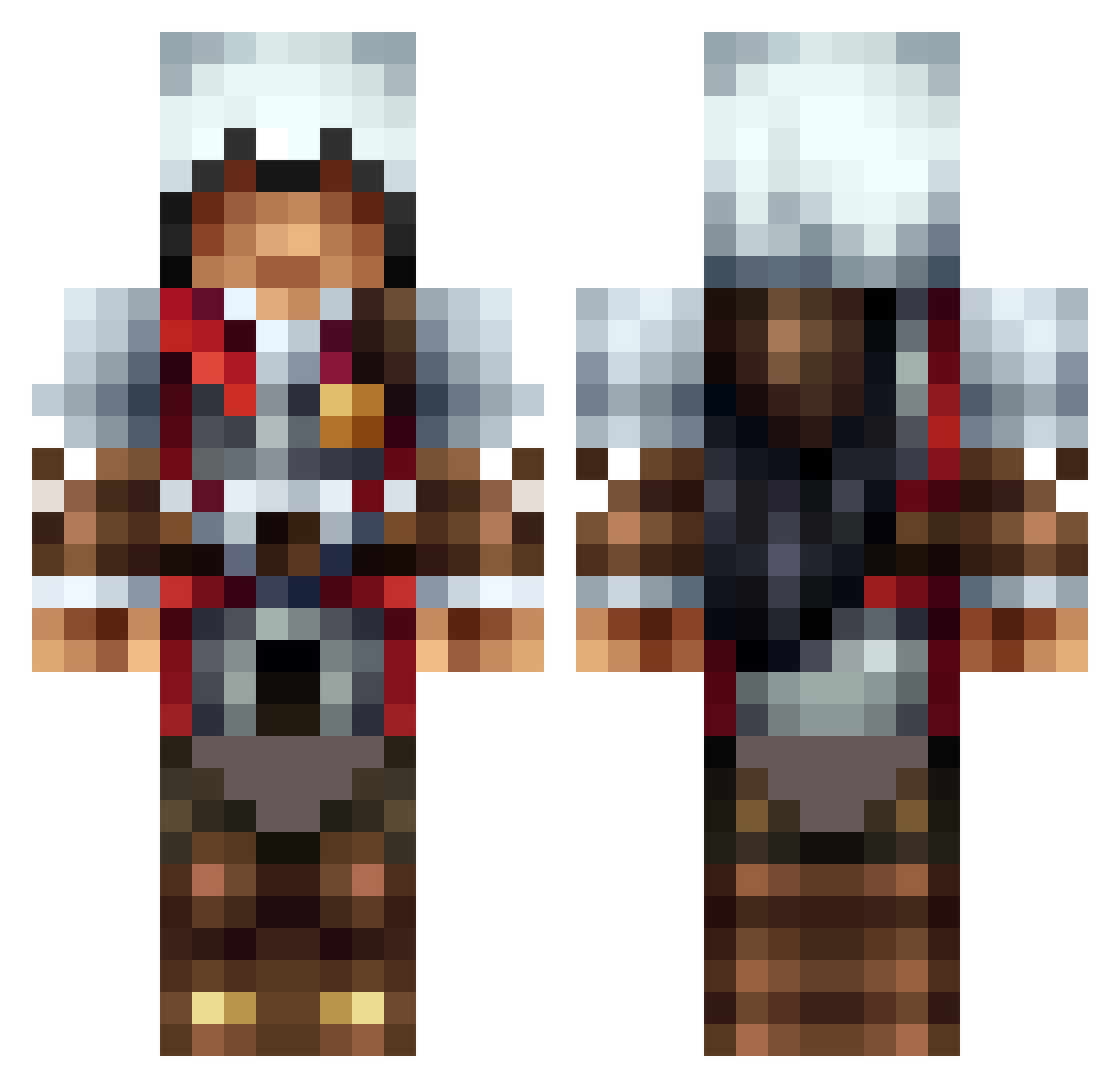
Current Minecraft skin of the player diego4132, loaded from the official Mojang API. Rotate the 3D model with your mouse or finger, then download the skin as a PNG file and use it in Minecraft: Bedrock Edition or Java Edition for free. When diego4132 changes their skin, this page updates automatically and the old skin stays in the history below.
Other players with this skin (1585)
diego4132 was the 1511th player we have seen with this skin, first spotted on 14.11.2026. The same skin was seen on these players. Open a nickname to see their current skin and skin history.
 NinjaBoy_117 Polish_Viking27 MC_Forrest Danielito_2 erics216 PabloLaso iceman369 Dewls_3 nikkko1234 LadyAshura NoWorries623 iamxorss multie roofrunner16 the_attack_wog68 EndlessR1ver mdbNinja fogboundtomb867 ExpLuSivE left4dead2dude KennyMC__ ninjahunter235 toruup Minxx007 octapol12 iLispyy ThaRealShady MGPhoeniX ninjadog49 xLAiKx DoganIsGod JackJrDaniels themightytoni Deaaan97 MisterrAwesome McKreen DonCarbonat alucard46 Zykovik emraldhunter123 CynnP jdmjohnle zjzachary AFCNAREAN tAcbacon2154 JYOEIDO Cpt_Coxo N7Dusk CaptainAvenger01 Chillflo SANestor Jesus1G WeaselGG thuriee gslightning27 ville_2012 Darrick255 craig31lightning Marco6554 portis2610
More Altair Minecraft skins
How to install the diego4132 skin
- Press the Download button above to save the skin as a PNG file.
- Minecraft: Bedrock Edition (PE): open the Dressing Room from the main menu (or tap your character → Edit Character), go to Classic Skins → Owned, press the + (new skin) button, choose the downloaded PNG and pick the Classic (Steve) model. Works on PC and mobile; consoles cannot import custom skins.
- Minecraft: Java Edition: open the Minecraft Launcher, go to the Skins tab, click New Skin, load the PNG, pick the Classic (Steve) model and press Save & Use. You can also upload it at minecraft.net → Profile → Change Skin.
The skin does not show up after import - what should I do?
Restart Minecraft and open the Dressing Room again - imported skins sometimes appear only after a restart. Also make sure you selected the imported skin and picked the Classic (Steve) model.
Which model should I choose, Classic or Slim?
This skin is designed for the Classic (Steve) model. If you pick the wrong model, the arms of the skin will look stretched or squeezed.
Is the skin of diego4132 free to download?
Yes. Press Download, save the PNG file and use it in Minecraft: Bedrock Edition or Java Edition - no payment or registration needed. The skin also works on multiplayer servers and Realms.
More skins
Looking for more? Go back to all Minecraft skins and check the top skins of the week, month and all time, or find any player's skin by nickname.