
diamondhernandez - Minecraft Skins & Skin History
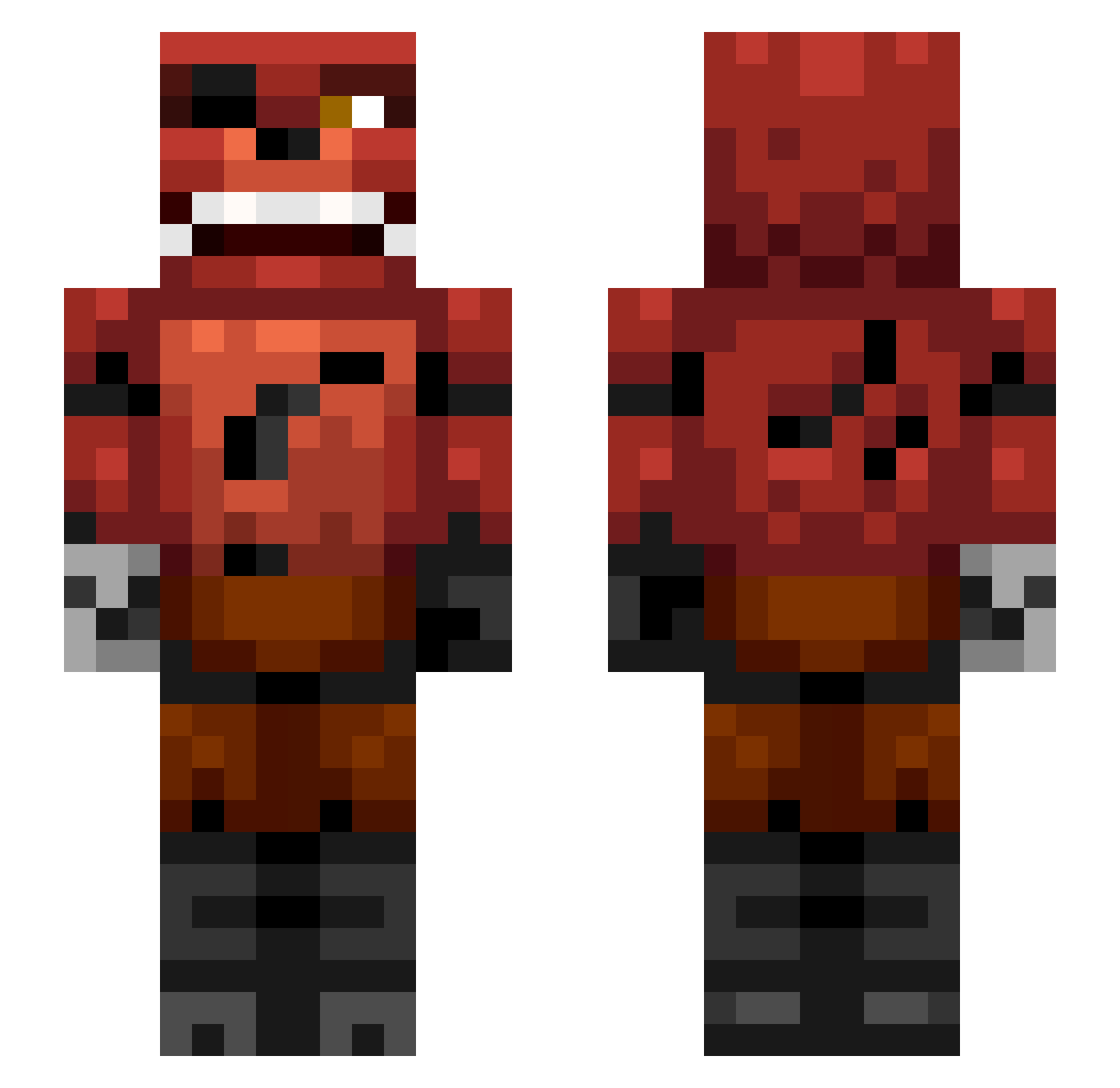
Current Minecraft skin of the player diamondhernandez, loaded from the official Mojang API. Rotate the 3D model with your mouse or finger, then download the skin as a PNG file and use it in Minecraft: Bedrock Edition or Java Edition for free. When diamondhernandez changes their skin, this page updates automatically and the old skin stays in the history below.
Other players with this skin (338)
diamondhernandez was the 151st player we have seen with this skin, first spotted on 15.09.2026. The same skin was seen on these players. Open a nickname to see their current skin and skin history.
 MushyDevil05 messi72 owen61606 Lit_Y3 DaGoatz Wasa1628 MDTheCraftinator Ace_Da_Killa cristragel BraydsMcShane mw4awesome blitzfun9 Madhead1234 Cammeroon Fear_Kill Electricdragon17 Ethanczeck XxSanslicerxX MrBossness217 coolrobodude33 Maxiboyplayz enderman8804 palumbot Johannessen99 tree84 sircarryon seidj COOLGUYAARON123 lumberblack JakeStilling skywing10 PavilionWeb Awesomness31351 kevinmaiktom LikeANashorn IGOTEPICSKILLBRO Trexony imretarded thedingoman9 Sandbear madamspazz Slenderman496 luckyberi shazam1611 strahinjad jonte82006 Sam06D JustPinter Brassdog Gibbyson1023 christianrose DaBigBoom Miajas Natascha1996 roo1801minecraft death_gamer_4040 jonte_321 Jono35 mitzelfelt Charmander002006
More Foxy Minecraft skins
How to install the diamondhernandez skin
- Press the Download button above to save the skin as a PNG file.
- Minecraft: Bedrock Edition (PE): open the Dressing Room from the main menu (or tap your character → Edit Character), go to Classic Skins → Owned, press the + (new skin) button, choose the downloaded PNG and pick the Slim (Alex) model. Works on PC and mobile; consoles cannot import custom skins.
- Minecraft: Java Edition: open the Minecraft Launcher, go to the Skins tab, click New Skin, load the PNG, pick the Slim (Alex) model and press Save & Use. You can also upload it at minecraft.net → Profile → Change Skin.
The skin does not show up after import - what should I do?
Restart Minecraft and open the Dressing Room again - imported skins sometimes appear only after a restart. Also make sure you selected the imported skin and picked the Slim (Alex) model.
Which model should I choose, Classic or Slim?
This skin is designed for the Slim (Alex) model. If you pick the wrong model, the arms of the skin will look stretched or squeezed.
Is the skin of diamondhernandez free to download?
Yes. Press Download, save the PNG file and use it in Minecraft: Bedrock Edition or Java Edition - no payment or registration needed. The skin also works on multiplayer servers and Realms.
More skins
Looking for more? Go back to all Minecraft skins and check the top skins of the week, month and all time, or find any player's skin by nickname.