
diamondcrafter79 - Minecraft Skins & Skin History
Current Minecraft skin of the player diamondcrafter79, loaded from the official Mojang API. Rotate the 3D model with your mouse or finger, then download the skin as a PNG file and use it in Minecraft: Bedrock Edition or Java Edition for free. When diamondcrafter79 changes their skin, this page updates automatically and the old skin stays in the history below.
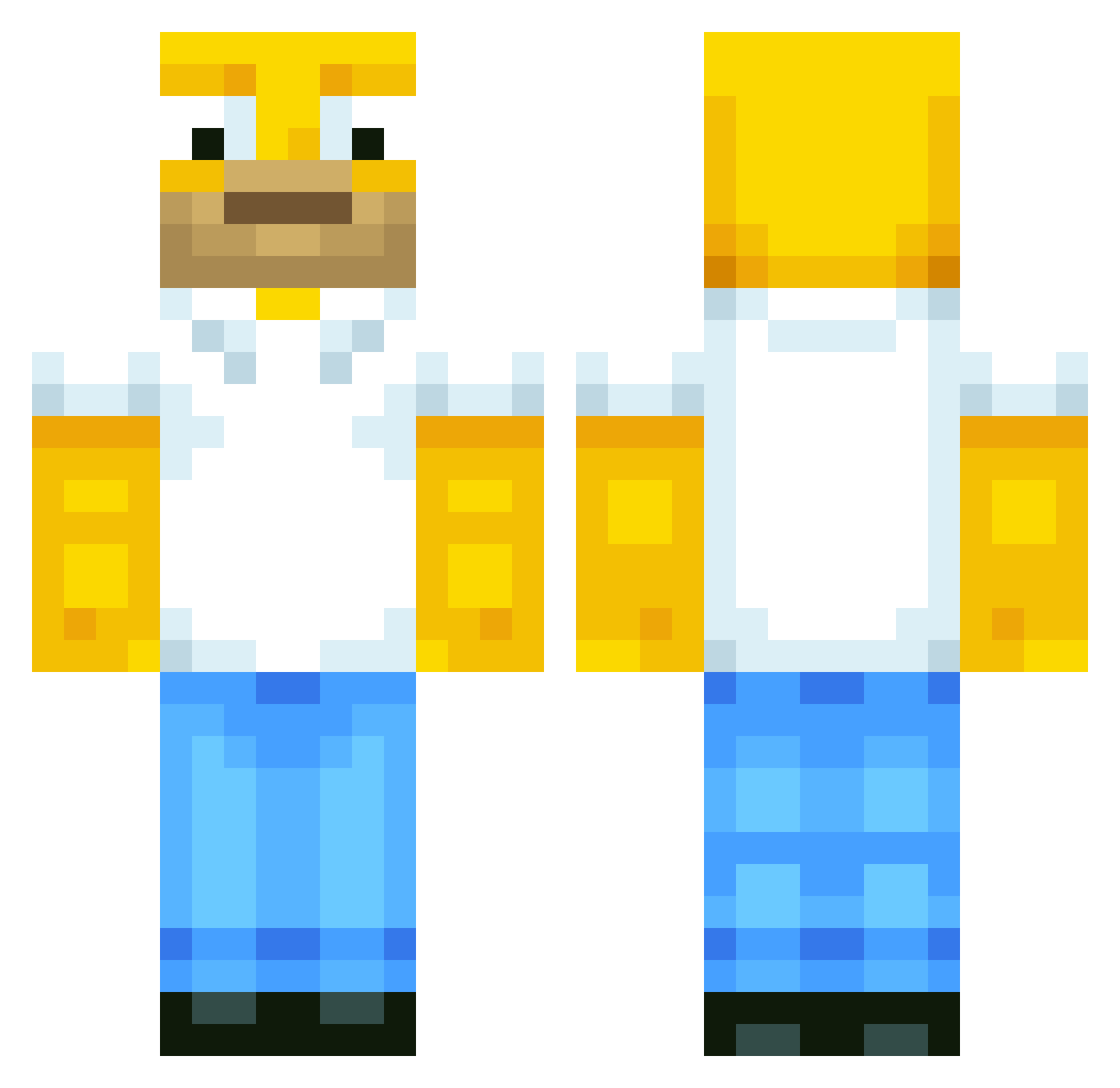
Other players with this skin (513)
diamondcrafter79 was the 470th player we have seen with this skin, first spotted on 13.10.2026. The same skin was seen on these players. Open a nickname to see their current skin and skin history.
 jtjohnson96 Maximilian2610 NarwhalMasterz jon57 Darwin_PCH Wickedsherby main519 Rhys014 custein illcio Lickleman VictorKorsdal Tobi308 DylanSkilz seeraj123 Kylemaster499 Grom000 schuetti7 Edward6666 shoop_da_woop12 Pontus1588 tompirla Crafter4106 DanielJohnson20 ShShShamu Moonshiner69er Shanims Ax1s03 breenboys Tigerprofi Alex_GamerGR Rick231006 johnnyboyxxx logoboyz loicg10 OrcElf AIRHEAD_99 umaril Bobibi8 hexohm fengaming Metal_Creeper_Zg SwAgTaSt1c07 Maar5 Fabiong TNTDudes101 JordanW567 JSando4831 BuilderPhil Patschi1 wendytai MasterGrand DenholmDude101 CapitaineStark mathieu12344321 Albertinobj Konra192837465 svenetopia Titz84 Cainify
More Homer Simpson Minecraft skins
See all 283 Homer Simpson skins
How to install the diamondcrafter79 skin
- Press the Download button above to save the skin as a PNG file.
- Minecraft: Bedrock Edition (PE): open the Dressing Room from the main menu (or tap your character → Edit Character), go to Classic Skins → Owned, press the + (new skin) button, choose the downloaded PNG and pick the Classic (Steve) model. Works on PC and mobile; consoles cannot import custom skins.
- Minecraft: Java Edition: open the Minecraft Launcher, go to the Skins tab, click New Skin, load the PNG, pick the Classic (Steve) model and press Save & Use. You can also upload it at minecraft.net → Profile → Change Skin.
The skin does not show up after import - what should I do?
Restart Minecraft and open the Dressing Room again - imported skins sometimes appear only after a restart. Also make sure you selected the imported skin and picked the Classic (Steve) model.
Which model should I choose, Classic or Slim?
This skin is designed for the Classic (Steve) model. If you pick the wrong model, the arms of the skin will look stretched or squeezed.
Is the skin of diamondcrafter79 free to download?
Yes. Press Download, save the PNG file and use it in Minecraft: Bedrock Edition or Java Edition - no payment or registration needed. The skin also works on multiplayer servers and Realms.
More skins
Looking for more? Go back to all Minecraft skins and check the top skins of the week, month and all time, or find any player's skin by nickname.