
dghkj - Minecraft Skins & Skin History
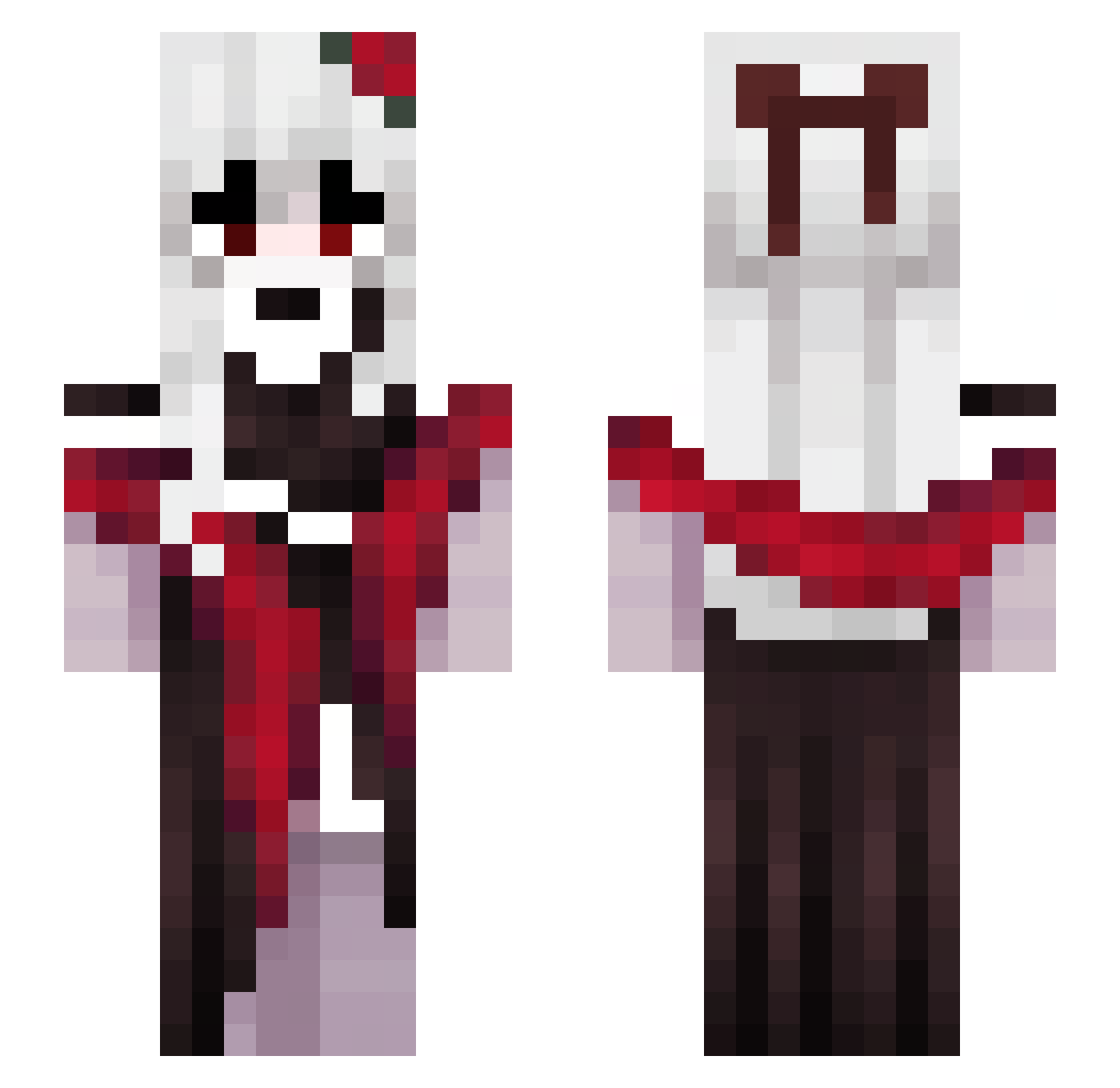
Current Minecraft skin of the player dghkj, loaded from the official Mojang API. Rotate the 3D model with your mouse or finger, then download the skin as a PNG file and use it in Minecraft: Bedrock Edition or Java Edition for free. When dghkj changes their skin, this page updates automatically and the old skin stays in the history below.
Other players with this skin (135)
dghkj was the 70th player we have seen with this skin, first spotted on 16.09.2026. The same skin was seen on these players. Open a nickname to see their current skin and skin history.
 Winter011IsHere Spongezhao LilithsAngels SakuraAdachii Duul_ pqsg SovaKiki wyueh LOveXEmi Ynaaa_ hyyeeu Wakeral ELF_Lena RRReyn _CutePotato_ NevsZA BlackRari Qth_ AshVSARope yuchaMax ViolaLou Hangbal Shadow_Memory Gwen_yoru qukooo cynthiarizly jaewondall Feyd2229 _HAERANG TaisuutheBus
 asango R3TR0N finejade_1231 SpringRoseAme Beatrizp AdLEY67G jddbdkdj Zero_Flandre xPolar Valneheim luizfelipe1707 Ristunet2 KittenzKat13 WheatAddict67 Dawn_Fire Claraladino Mnnnnn7 lightning38088 maramahg SevtenL tusubi InterpolInMySock SNstrike Aruna_lakeulasya BerDauPhong odws Just_MoonLight02 Kayle_e arlequin33 GGCSN
More Vampire Minecraft skins
How to install the dghkj skin
- Press the Download button above to save the skin as a PNG file.
- Minecraft: Bedrock Edition (PE): open the Dressing Room from the main menu (or tap your character → Edit Character), go to Classic Skins → Owned, press the + (new skin) button, choose the downloaded PNG and pick the Slim (Alex) model. Works on PC and mobile; consoles cannot import custom skins.
- Minecraft: Java Edition: open the Minecraft Launcher, go to the Skins tab, click New Skin, load the PNG, pick the Slim (Alex) model and press Save & Use. You can also upload it at minecraft.net → Profile → Change Skin.
The skin does not show up after import - what should I do?
Restart Minecraft and open the Dressing Room again - imported skins sometimes appear only after a restart. Also make sure you selected the imported skin and picked the Slim (Alex) model.
Which model should I choose, Classic or Slim?
This skin is designed for the Slim (Alex) model. If you pick the wrong model, the arms of the skin will look stretched or squeezed.
Is the skin of dghkj free to download?
Yes. Press Download, save the PNG file and use it in Minecraft: Bedrock Edition or Java Edition - no payment or registration needed. The skin also works on multiplayer servers and Realms.
More skins
Looking for more? Go back to all Minecraft skins and check the top skins of the week, month and all time, or find any player's skin by nickname.