
dezbnbutsinyomth - Minecraft Skins & Skin History
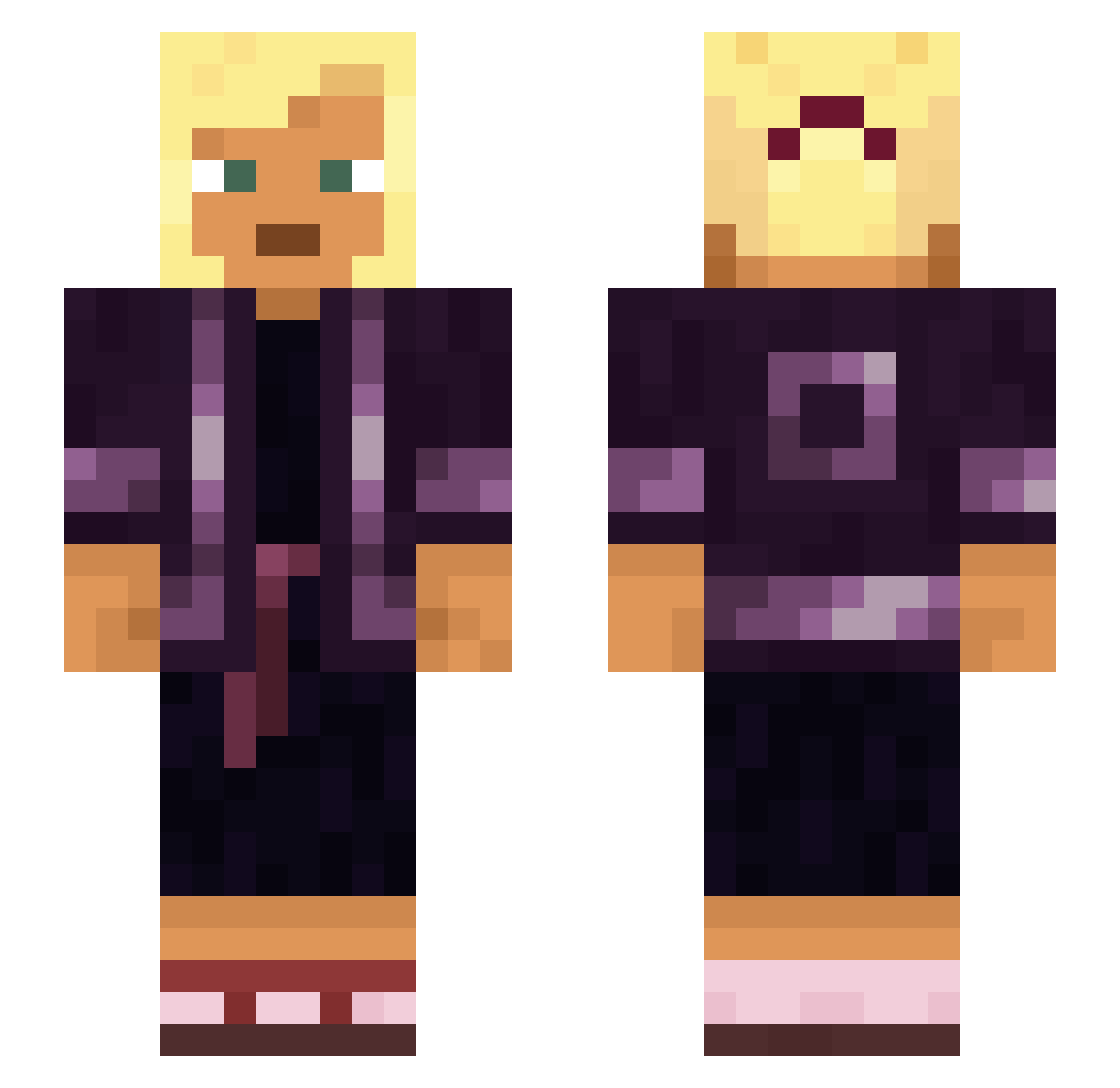
Current Minecraft skin of the player dezbnbutsinyomth, loaded from the official Mojang API. Rotate the 3D model with your mouse or finger, then download the skin as a PNG file and use it in Minecraft: Bedrock Edition or Java Edition for free. When dezbnbutsinyomth changes their skin, this page updates automatically and the old skin stays in the history below.
Other players with this skin (930)
dezbnbutsinyomth was the 619th player we have seen with this skin, first spotted on 06.10.2026. The same skin was seen on these players. Open a nickname to see their current skin and skin history.
 Furryboy124 kyuutaren Minnehaha Crateral KazitsBR Perlite Tift peterloo Hippomanes Adnascent PeppZieher69 _BraVed_ 3joe Neuronym Weightlessness Okula LXW19 Sags Velosior Coquito Ischial papermaker lorri Chirper BigFalcon overcreep joaobolonhin Middest Atoem MrNobody274 clausen6230 HyRate Geminated Robexior RZIriska_ua Harmonize Swindler43 giamlml Lagomorphic Conquian Flop hehehehe Denuclearized Hulkkyle Testa_DiMatto cayenneS guro Graydon1386 Freelance AviationFnatic Hydroxylic Pinfall Swithering CookingWith_Jack DiegoBG Azadirachta idyl Alacritous hypoglycemia Mahina_Pie
More Asian Minecraft skins
How to install the dezbnbutsinyomth skin
- Press the Download button above to save the skin as a PNG file.
- Minecraft: Bedrock Edition (PE): open the Dressing Room from the main menu (or tap your character → Edit Character), go to Classic Skins → Owned, press the + (new skin) button, choose the downloaded PNG and pick the Slim (Alex) model. Works on PC and mobile; consoles cannot import custom skins.
- Minecraft: Java Edition: open the Minecraft Launcher, go to the Skins tab, click New Skin, load the PNG, pick the Slim (Alex) model and press Save & Use. You can also upload it at minecraft.net → Profile → Change Skin.
The skin does not show up after import - what should I do?
Restart Minecraft and open the Dressing Room again - imported skins sometimes appear only after a restart. Also make sure you selected the imported skin and picked the Slim (Alex) model.
Which model should I choose, Classic or Slim?
This skin is designed for the Slim (Alex) model. If you pick the wrong model, the arms of the skin will look stretched or squeezed.
Is the skin of dezbnbutsinyomth free to download?
Yes. Press Download, save the PNG file and use it in Minecraft: Bedrock Edition or Java Edition - no payment or registration needed. The skin also works on multiplayer servers and Realms.
More skins
Looking for more? Go back to all Minecraft skins and check the top skins of the week, month and all time, or find any player's skin by nickname.