
derstar_520 - Minecraft Skins & Skin History
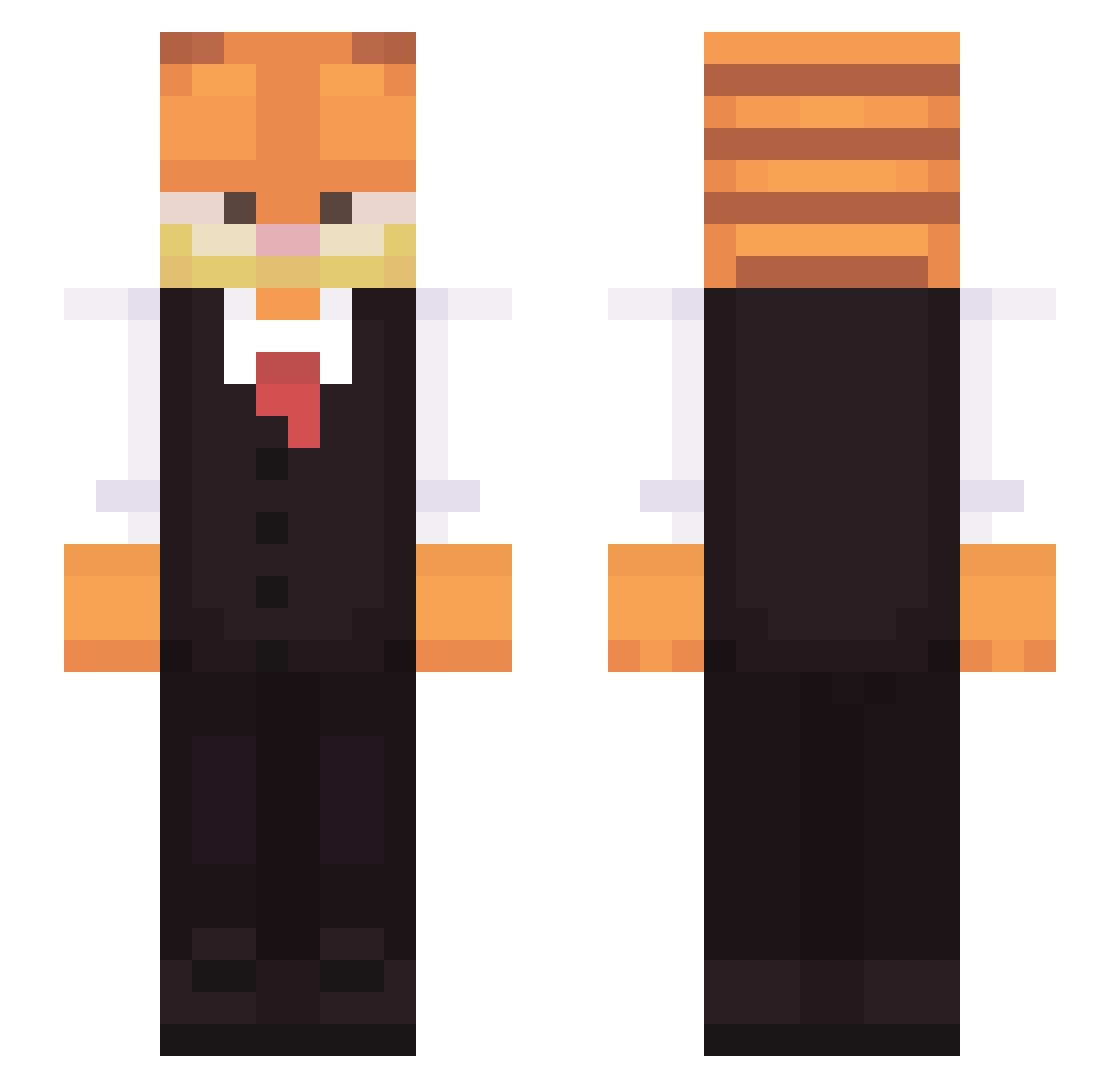
Current Minecraft skin of the player derstar_520, loaded from the official Mojang API. Rotate the 3D model with your mouse or finger, then download the skin as a PNG file and use it in Minecraft: Bedrock Edition or Java Edition for free. When derstar_520 changes their skin, this page updates automatically and the old skin stays in the history below.
Other players with this skin (387)
derstar_520 was the 348th player we have seen with this skin, first spotted on 10.11.2026. The same skin was seen on these players. Open a nickname to see their current skin and skin history.
 Nedaim HethXyphon Ryatur CrimsonMelody CanonD costin3312 OrkneyJude Jamroo Kali_13 Thronagator DJBronson TwistyOrb dbmgbds23 sweeperx Maximhjhjhj trinkovv Dank_braaaa lionbaxter ryanm15 kukiee_ MogusTyp sadFew Srolhogan Michael30309 RIP_PEPETA Soup_is1 YuruCamp123 Witik0 XavBD ninja291135 _PanDawidek_ MonkE824 sitartodiogarto Thomoosey13 MadWorg spjo vl4d3ment Er_404 Vhain25 spettermark ReneDon Marino69_ coolguy45667 Doblea1001 PalaceTV DogeRequiem zounl yeondu3 JCzz0603 keyboardmc ryandenholm Darkwave2111 cDysfunc ArtN1ck SyanAdam dulcedeleche_FF Irenebao eliamoen gelobelo Kenocky
More Garfield Minecraft skins
How to install the derstar_520 skin
- Press the Download button above to save the skin as a PNG file.
- Minecraft: Bedrock Edition (PE): open the Dressing Room from the main menu (or tap your character → Edit Character), go to Classic Skins → Owned, press the + (new skin) button, choose the downloaded PNG and pick the Slim (Alex) model. Works on PC and mobile; consoles cannot import custom skins.
- Minecraft: Java Edition: open the Minecraft Launcher, go to the Skins tab, click New Skin, load the PNG, pick the Slim (Alex) model and press Save & Use. You can also upload it at minecraft.net → Profile → Change Skin.
The skin does not show up after import - what should I do?
Restart Minecraft and open the Dressing Room again - imported skins sometimes appear only after a restart. Also make sure you selected the imported skin and picked the Slim (Alex) model.
Which model should I choose, Classic or Slim?
This skin is designed for the Slim (Alex) model. If you pick the wrong model, the arms of the skin will look stretched or squeezed.
Is the skin of derstar_520 free to download?
Yes. Press Download, save the PNG file and use it in Minecraft: Bedrock Edition or Java Edition - no payment or registration needed. The skin also works on multiplayer servers and Realms.
More skins
Looking for more? Go back to all Minecraft skins and check the top skins of the week, month and all time, or find any player's skin by nickname.