
dereksayshi - Minecraft Skins & Skin History
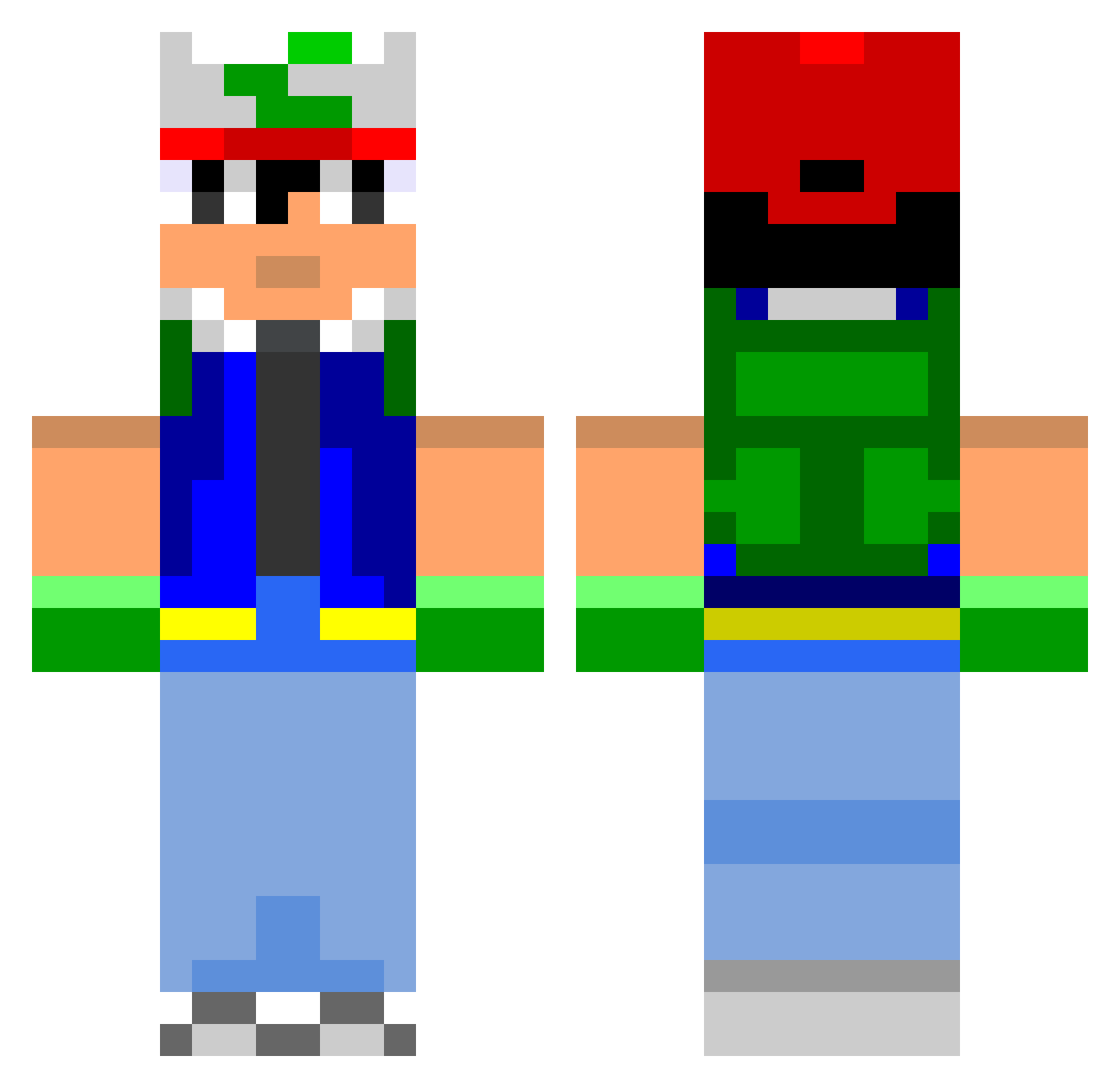
Current Minecraft skin of the player dereksayshi, loaded from the official Mojang API. Rotate the 3D model with your mouse or finger, then download the skin as a PNG file and use it in Minecraft: Bedrock Edition or Java Edition for free. When dereksayshi changes their skin, this page updates automatically and the old skin stays in the history below.
Other players with this skin (801)
dereksayshi was the 623rd player we have seen with this skin, first spotted on 15.10.2026. The same skin was seen on these players. Open a nickname to see their current skin and skin history.
 ArcaneDeep nickwantstofly thiraWoW aneils Dano680 jkevin brttrssll ksimonis3 DannoMonzter Jsmooth58 PunchingPuffins Raxc Gringodu57 HeavyBlackPika queenandais Plouwf yogiebere Tuns glasvegas Eynix NeoDeG p00p ConradLuke TumblingPenguin 4Nicon McLoveBear IOddity jacobb489 EAGELS11 skill_scope RMcEachinIII de_Calle Sean_Edgar MrHomolicious jacquesjr kalespe nmaccrate SkorPwN blacktoten DamianVallet c41umfab4 Dume960 Haddez James3Omecene Jimmygamer1000 stoogeboy5 aurelthomas CatchMeIfYouCan1 kenman139 DontCheckMyKD Webchuzz EMinM1213 edsgee oldebreizh cod1135 Raziih benben1232 jordan479 SamuSlayer fuzzwiz
More Ash Ketchum Minecraft skins
How to install the dereksayshi skin
- Press the Download button above to save the skin as a PNG file.
- Minecraft: Bedrock Edition (PE): open the Dressing Room from the main menu (or tap your character → Edit Character), go to Classic Skins → Owned, press the + (new skin) button, choose the downloaded PNG and pick the Classic (Steve) model. Works on PC and mobile; consoles cannot import custom skins.
- Minecraft: Java Edition: open the Minecraft Launcher, go to the Skins tab, click New Skin, load the PNG, pick the Classic (Steve) model and press Save & Use. You can also upload it at minecraft.net → Profile → Change Skin.
The skin does not show up after import - what should I do?
Restart Minecraft and open the Dressing Room again - imported skins sometimes appear only after a restart. Also make sure you selected the imported skin and picked the Classic (Steve) model.
Which model should I choose, Classic or Slim?
This skin is designed for the Classic (Steve) model. If you pick the wrong model, the arms of the skin will look stretched or squeezed.
Is the skin of dereksayshi free to download?
Yes. Press Download, save the PNG file and use it in Minecraft: Bedrock Edition or Java Edition - no payment or registration needed. The skin also works on multiplayer servers and Realms.
More skins
Looking for more? Go back to all Minecraft skins and check the top skins of the week, month and all time, or find any player's skin by nickname.