
demoraliser - Minecraft Skins & Skin History
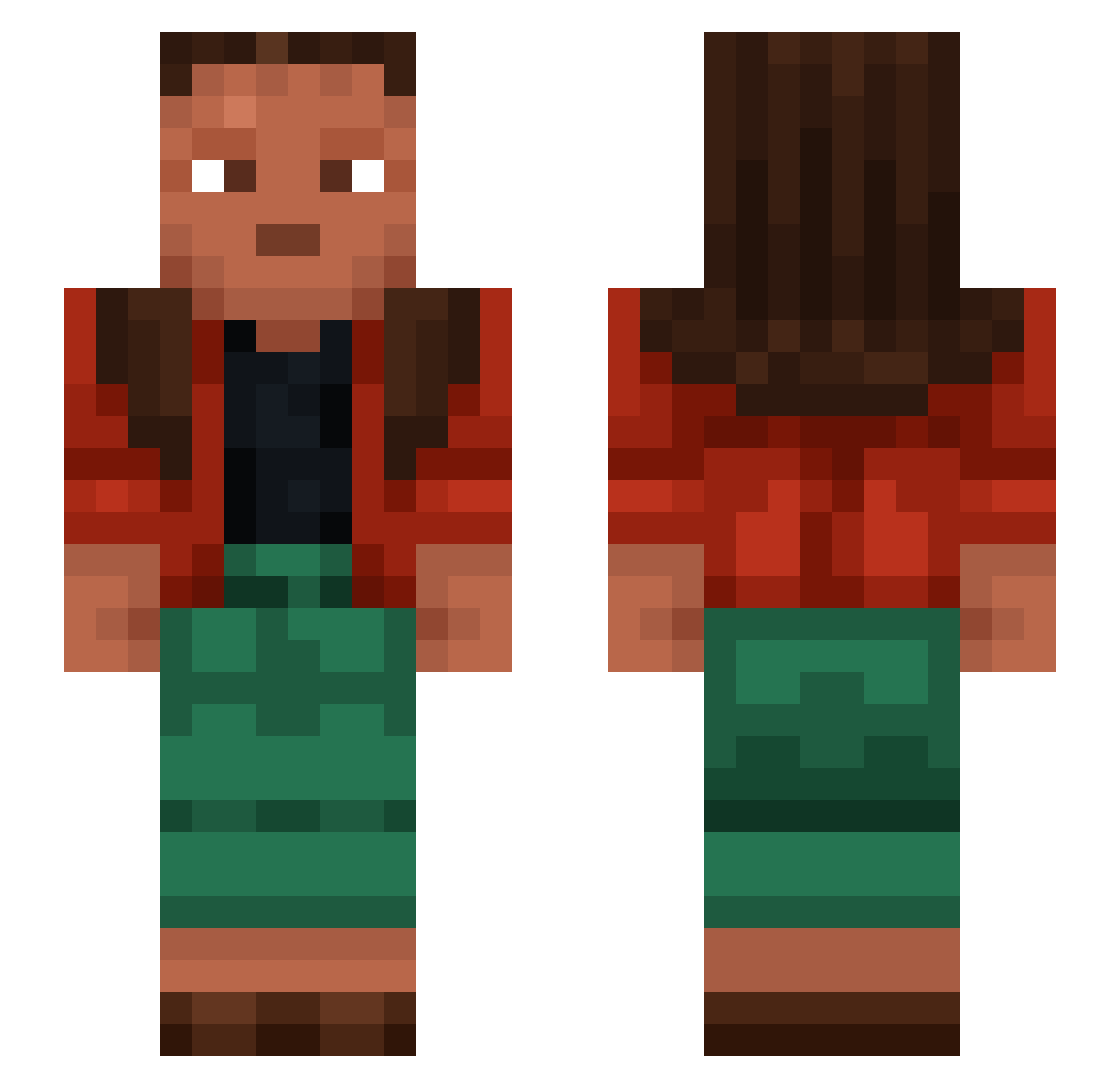
Current Minecraft skin of the player demoraliser, loaded from the official Mojang API. Rotate the 3D model with your mouse or finger, then download the skin as a PNG file and use it in Minecraft: Bedrock Edition or Java Edition for free. When demoraliser changes their skin, this page updates automatically and the old skin stays in the history below.
Other players with this skin (1056)
demoraliser was the 675th player we have seen with this skin, first spotted on 27.09.2026. The same skin was seen on these players. Open a nickname to see their current skin and skin history.
 Twih daidai DeniztrkcTR_ Hydrauli Barye Spical DaveBrunt Ruer BlackEvian FitnerdTv calvitoo ta3talindo Picofarad Cordiceps Inravel UniqueJimmbo philipp10086_ trinodal Gotha Exegete Zalmoxe ryen_12345 Cabelo renaeemo DarkRazer55 zakxzz Bundmalaikufta xXJoni_05Xx SheepMan21 Azeotropy zz0rg preauricular NewtNunu BuffinMC Xylenes lnteI buckaroo abrasiveness Runsy zabajones hysik0808 Prototypal BadGoofey JustGh0stY xxfloxx19 ksyzISchefRNKDq BELLON SuperSex Logomachic Roared Dravite voteleft declensions MathPerson7278 Bister Oskar_AFK unthink AHNKK El_manny Rescinds
How to install the demoraliser skin
- Press the Download button above to save the skin as a PNG file.
- Minecraft: Bedrock Edition (PE): open the Dressing Room from the main menu (or tap your character → Edit Character), go to Classic Skins → Owned, press the + (new skin) button, choose the downloaded PNG and pick the Slim (Alex) model. Works on PC and mobile; consoles cannot import custom skins.
- Minecraft: Java Edition: open the Minecraft Launcher, go to the Skins tab, click New Skin, load the PNG, pick the Slim (Alex) model and press Save & Use. You can also upload it at minecraft.net → Profile → Change Skin.
The skin does not show up after import - what should I do?
Restart Minecraft and open the Dressing Room again - imported skins sometimes appear only after a restart. Also make sure you selected the imported skin and picked the Slim (Alex) model.
Which model should I choose, Classic or Slim?
This skin is designed for the Slim (Alex) model. If you pick the wrong model, the arms of the skin will look stretched or squeezed.
Is the skin of demoraliser free to download?
Yes. Press Download, save the PNG file and use it in Minecraft: Bedrock Edition or Java Edition - no payment or registration needed. The skin also works on multiplayer servers and Realms.
More skins
Looking for more? Go back to all Minecraft skins and check the top skins of the week, month and all time, or find any player's skin by nickname.