
deathlazorV2 - Minecraft Skins & Skin History
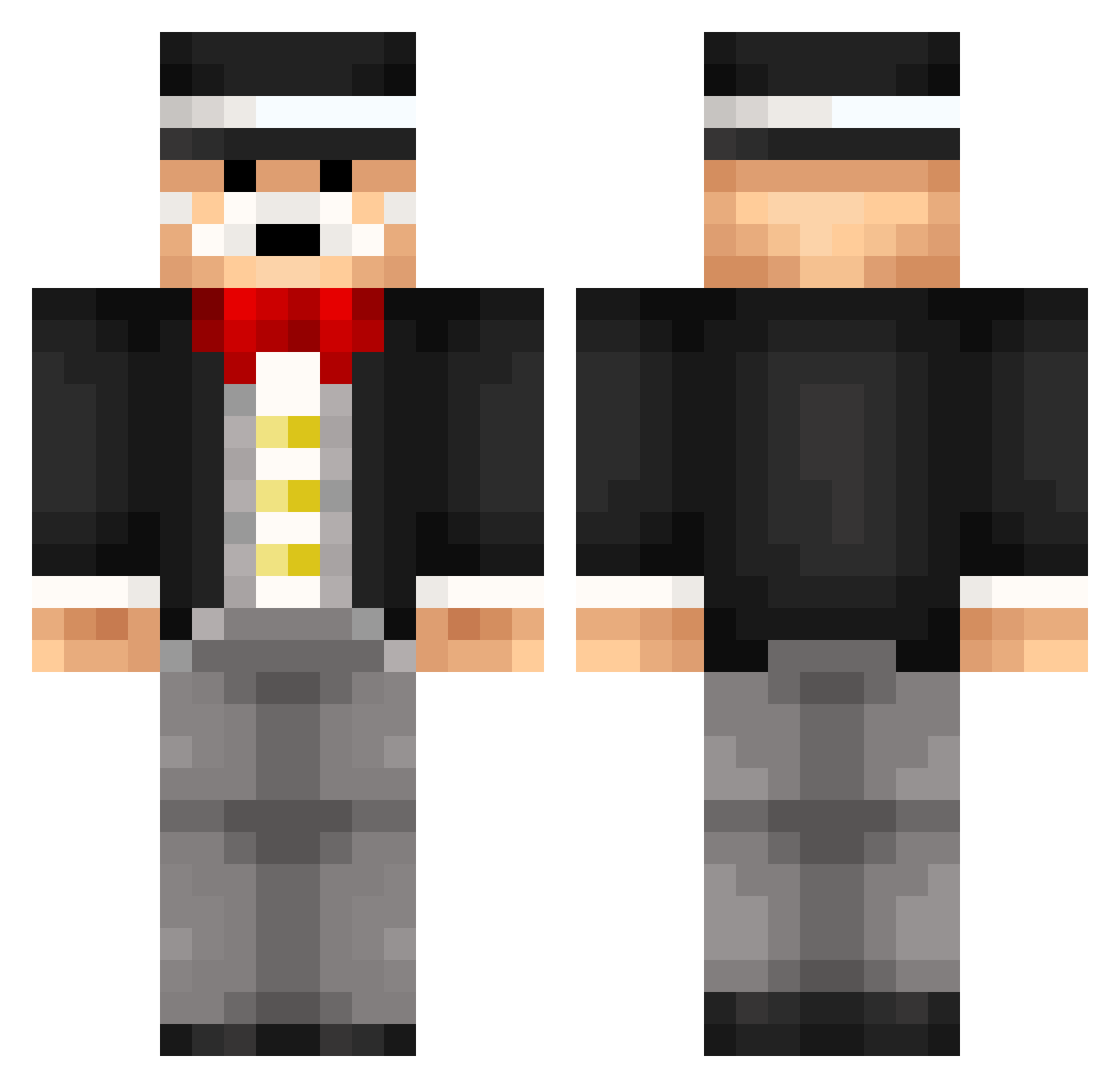
Current Minecraft skin of the player deathlazorV2, loaded from the official Mojang API. Rotate the 3D model with your mouse or finger, then download the skin as a PNG file and use it in Minecraft: Bedrock Edition or Java Edition for free. When deathlazorV2 changes their skin, this page updates automatically and the old skin stays in the history below.
Other players with this skin (81)
deathlazorV2 was the 23rd player we have seen with this skin, first spotted on 21.08.2026. The same skin was seen on these players. Open a nickname to see their current skin and skin history.
 Lyndon69er impendinggnat Gnbh Clevdawg XNiekumX senso42 AtomicSAM112 PollenKirjat shredded_weat Isaac_sigg mikamoe ROOM_422 WayneEdland YungCammy lianshu1918 alexfa55 Jazzire StevenF25 Ascent125 llSlushyll PauloCat PyjamaMasque DotMaster16100 Popojorka Biscuit_Knees GubiYoroi Bobwhitebird joshsmith389 Harmoony Vizarvar Typhon1327 SirBenchesALot noah670 SantiMas JanLivny victador Adamsw123 Mr_Memorable CoachJ82 FLibrada TheB3nas Atuhms Dash1612 tinatinax Matros559 GGbef99 ItsAlbion Coski_II lilsxurx Scandinavian_Man Alreex 4mks PCGunoierul Mister_Q2 Tombo_Baggins Skittle_Addict Agme eternalvr cookysTV SockenMarius
More Top Hat Minecraft skins
How to install the deathlazorV2 skin
- Press the Download button above to save the skin as a PNG file.
- Minecraft: Bedrock Edition (PE): open the Dressing Room from the main menu (or tap your character → Edit Character), go to Classic Skins → Owned, press the + (new skin) button, choose the downloaded PNG and pick the Classic (Steve) model. Works on PC and mobile; consoles cannot import custom skins.
- Minecraft: Java Edition: open the Minecraft Launcher, go to the Skins tab, click New Skin, load the PNG, pick the Classic (Steve) model and press Save & Use. You can also upload it at minecraft.net → Profile → Change Skin.
The skin does not show up after import - what should I do?
Restart Minecraft and open the Dressing Room again - imported skins sometimes appear only after a restart. Also make sure you selected the imported skin and picked the Classic (Steve) model.
Which model should I choose, Classic or Slim?
This skin is designed for the Classic (Steve) model. If you pick the wrong model, the arms of the skin will look stretched or squeezed.
Is the skin of deathlazorV2 free to download?
Yes. Press Download, save the PNG file and use it in Minecraft: Bedrock Edition or Java Edition - no payment or registration needed. The skin also works on multiplayer servers and Realms.
More skins
Looking for more? Go back to all Minecraft skins and check the top skins of the week, month and all time, or find any player's skin by nickname.