
ddamuck - Minecraft Skins & Skin History
Current Minecraft skin of the player ddamuck, loaded from the official Mojang API. Rotate the 3D model with your mouse or finger, then download the skin as a PNG file and use it in Minecraft: Bedrock Edition or Java Edition for free. When ddamuck changes their skin, this page updates automatically and the old skin stays in the history below.
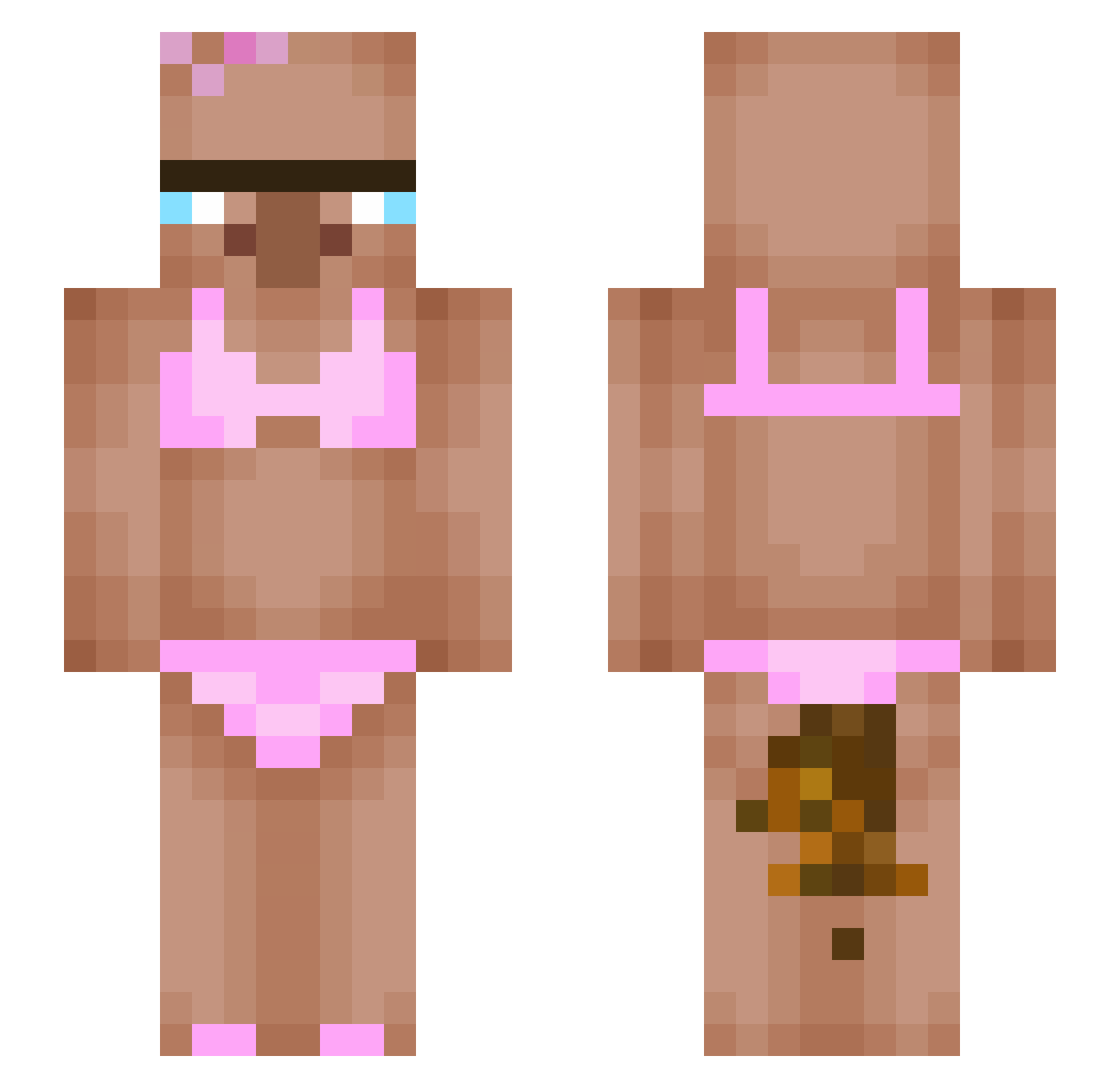
Other players with this skin (359)
ddamuck was the 88th player we have seen with this skin, first spotted on 17.08.2026. The same skin was seen on these players. Open a nickname to see their current skin and skin history.
 ko__y revzyt shaurya_x Sertex30 wnsdud1189 Mikasa32727 Justhavefun Seiya_69 GrownDepresivo Raphaoul57 Ramenzs W0lfK1ng11 OnlineSenpaI69 ilvio PacoErButanero ptmptw NoobG1981 Orefisen56
 Kalia2003 NiuniaGoGo Lunoxe_ KaToTam BigDeeW JolaKoralewska shadowspace75 Maxendo KristinaMew
 IntenseSum83600 EDobLAb2024 Mr_SniffleBottom HydroLP killinater Cluonb bel5045 watchrack HyePowerTV Max50109 georgi100617 Sketch001 petergalas13 Jmikaj Hello_Woong Dogooui Manebit2 CNLyk KIMJITAE319 stemylol EliminateByBibek Bucosul mercuey Aram_S xoBr0oke SwordOfGodly justsogrxm I_Eat_Dirt_88 Hirshman5 1zxhy_TW Applim0 Potatismannen12
 SIgmaTitus980
More Bikini Minecraft skins
How to install the ddamuck skin
- Press the Download button above to save the skin as a PNG file.
- Minecraft: Bedrock Edition (PE): open the Dressing Room from the main menu (or tap your character → Edit Character), go to Classic Skins → Owned, press the + (new skin) button, choose the downloaded PNG and pick the Slim (Alex) model. Works on PC and mobile; consoles cannot import custom skins.
- Minecraft: Java Edition: open the Minecraft Launcher, go to the Skins tab, click New Skin, load the PNG, pick the Slim (Alex) model and press Save & Use. You can also upload it at minecraft.net → Profile → Change Skin.
The skin does not show up after import - what should I do?
Restart Minecraft and open the Dressing Room again - imported skins sometimes appear only after a restart. Also make sure you selected the imported skin and picked the Slim (Alex) model.
Which model should I choose, Classic or Slim?
This skin is designed for the Slim (Alex) model. If you pick the wrong model, the arms of the skin will look stretched or squeezed.
Is the skin of ddamuck free to download?
Yes. Press Download, save the PNG file and use it in Minecraft: Bedrock Edition or Java Edition - no payment or registration needed. The skin also works on multiplayer servers and Realms.
More skins
Looking for more? Go back to all Minecraft skins and check the top skins of the week, month and all time, or find any player's skin by nickname.