
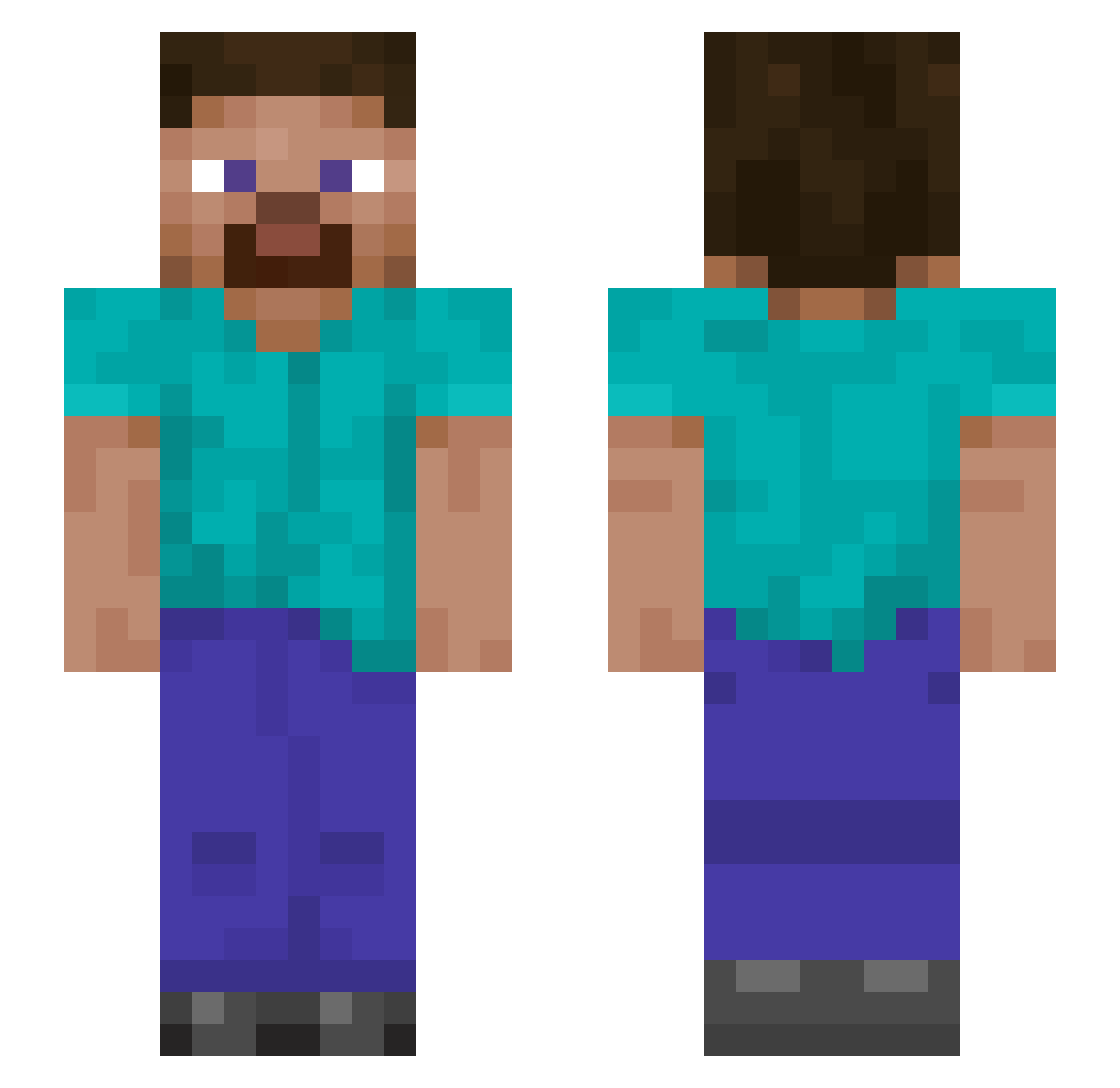
Current Minecraft skin of the player dc2023, loaded from the official Mojang API. Rotate the 3D model with your mouse or finger, then download the skin as a PNG file and use it in Minecraft: Bedrock Edition or Java Edition for free. When dc2023 changes their skin, this page updates automatically and the old skin stays in the history below.
Other players with this skin (831)
dc2023 was the 775th player we have seen with this skin, first spotted on 08.10.2026. The same skin was seen on these players. Open a nickname to see their current skin and skin history.
 thesharly seba363 TheCornerback29 Ember_firestorm OnkelCovid pabyss Ale420187 JayOnHots fodor12345 ashleyNN Joltz0724 DillonFam wanglllllll HardcoreDuckeigh icygoober9000 pickIejuice DrLight2001 Mattja29 Munchydo TheChild66 Manzilla09 ali123_ BBoneHead elcapitan2808 LatvianLaser Daehbonk KazaSora makisi1217 anhcuong2004 Rinsam1 Kech1 PeyPeyGlasca BluueMoon SATAN_SAN yunxinxin kvng20 kevinmisael7076 demodragonoob erickfgb89 Alexander996 Fnckboi Nahida233 BLOXC Dragon_Lord999 WackMcFart ITJZMK2 Tyrant7077 Yeonwoo0409 Soapclouds7 GenericlyNamed TQiC ccustodio Sammy7387 OJIOJY9 DiegoBe PatrickWiedmer FLAPan15 IkemanAUT KushManBevor OldManFloyd73
How to install the dc2023 skin
- Press the Download button above to save the skin as a PNG file.
- Minecraft: Bedrock Edition (PE): open the Dressing Room from the main menu (or tap your character → Edit Character), go to Classic Skins → Owned, press the + (new skin) button, choose the downloaded PNG and pick the Slim (Alex) model. Works on PC and mobile; consoles cannot import custom skins.
- Minecraft: Java Edition: open the Minecraft Launcher, go to the Skins tab, click New Skin, load the PNG, pick the Slim (Alex) model and press Save & Use. You can also upload it at minecraft.net → Profile → Change Skin.
The skin does not show up after import - what should I do?
Restart Minecraft and open the Dressing Room again - imported skins sometimes appear only after a restart. Also make sure you selected the imported skin and picked the Slim (Alex) model.
Which model should I choose, Classic or Slim?
This skin is designed for the Slim (Alex) model. If you pick the wrong model, the arms of the skin will look stretched or squeezed.
Is the skin of dc2023 free to download?
Yes. Press Download, save the PNG file and use it in Minecraft: Bedrock Edition or Java Edition - no payment or registration needed. The skin also works on multiplayer servers and Realms.
More skins
Looking for more? Go back to all Minecraft skins and check the top skins of the week, month and all time, or find any player's skin by nickname.