
dbxoqhd - Minecraft Skins & Skin History
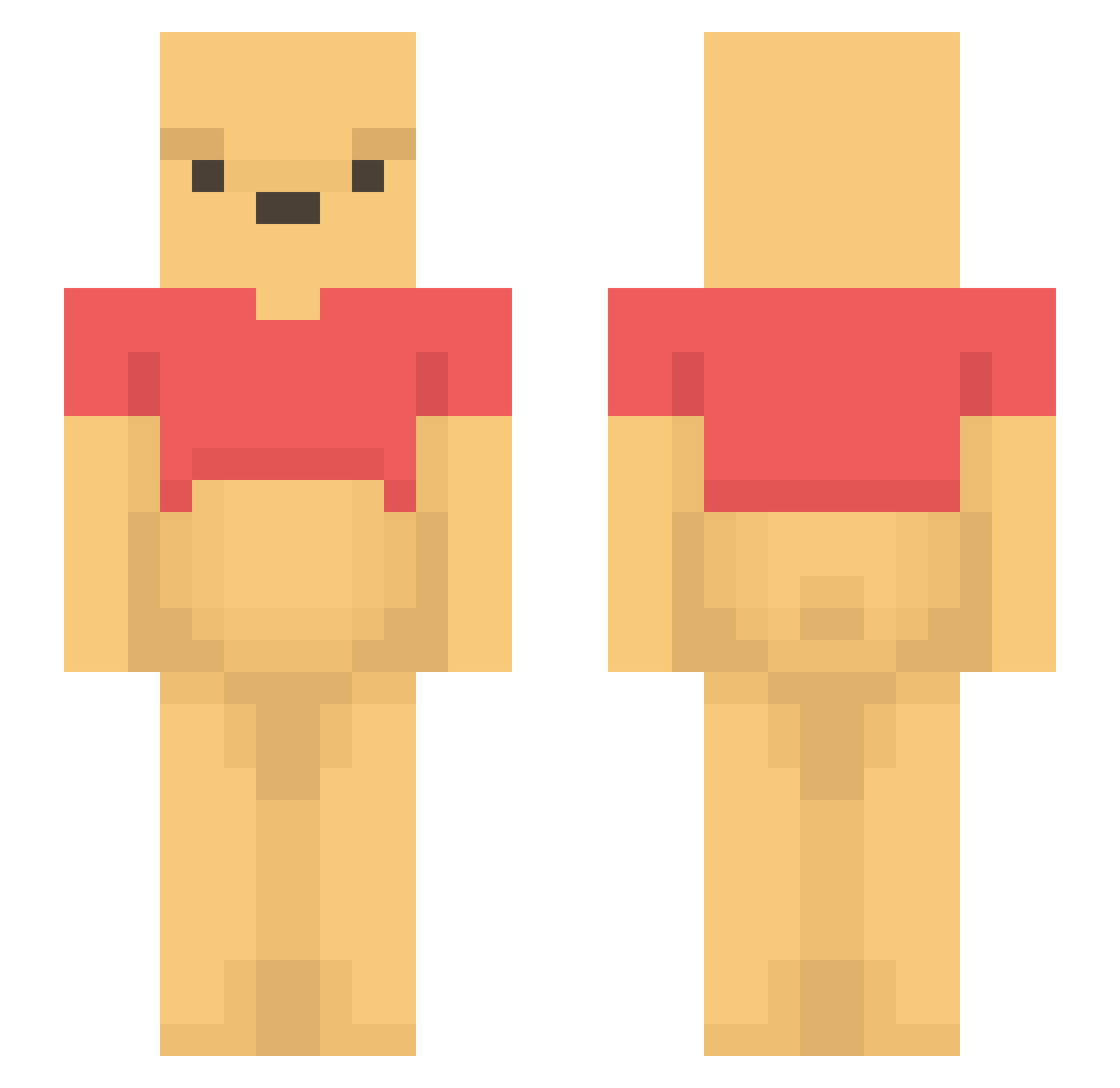
Current Minecraft skin of the player dbxoqhd, loaded from the official Mojang API. Rotate the 3D model with your mouse or finger, then download the skin as a PNG file and use it in Minecraft: Bedrock Edition or Java Edition for free. When dbxoqhd changes their skin, this page updates automatically and the old skin stays in the history below.
Other players with this skin (1197)
dbxoqhd was the 166th player we have seen with this skin, first spotted on 08.08.2026. The same skin was seen on these players. Open a nickname to see their current skin and skin history.
 sseung0814 brochiselnisel mituki115
 orangesodarocks gokibur182243234 SarlowJD BananenIQ ToastyVibes Kingcroft29 eryitha Qar0leq ddaik Shinjiken88 boopsimon Roxokiwo chillhillbilly InboundBaker526 AkAden47 TheBiggestUnit C_Hoon AlinaVR Katieallinson michaelbogey11 Rhaknar Xkaziro jpetro_ Ballernciiaga JangMyDang69 CodeNameWinnie Call_Me_Ronald Okina_Kuma edsheeran18 Yoon0605 Ayuann Agusia12125 tahyu0511 ssaprentiss ilovemen4life Maroro2023 GhostHunter_EN ingwon69 CHROSEACK CHARLOTTE_111 AIN_13 Potato_yummeh nastypooh Gamer_Girl142 KITERFIGHTER Parus dongbin0918 Mix1 JappieJumbo hirokl1997 fan_77 KahulaRicky running_wild1 McDodgy wjdgml alvarofarrona muto0911
More Winnie The Pooh Minecraft skins
See all 305 Winnie The Pooh skins
How to install the dbxoqhd skin
- Press the Download button above to save the skin as a PNG file.
- Minecraft: Bedrock Edition (PE): open the Dressing Room from the main menu (or tap your character → Edit Character), go to Classic Skins → Owned, press the + (new skin) button, choose the downloaded PNG and pick the Slim (Alex) model. Works on PC and mobile; consoles cannot import custom skins.
- Minecraft: Java Edition: open the Minecraft Launcher, go to the Skins tab, click New Skin, load the PNG, pick the Slim (Alex) model and press Save & Use. You can also upload it at minecraft.net → Profile → Change Skin.
The skin does not show up after import - what should I do?
Restart Minecraft and open the Dressing Room again - imported skins sometimes appear only after a restart. Also make sure you selected the imported skin and picked the Slim (Alex) model.
Which model should I choose, Classic or Slim?
This skin is designed for the Slim (Alex) model. If you pick the wrong model, the arms of the skin will look stretched or squeezed.
Is the skin of dbxoqhd free to download?
Yes. Press Download, save the PNG file and use it in Minecraft: Bedrock Edition or Java Edition - no payment or registration needed. The skin also works on multiplayer servers and Realms.
More skins
Looking for more? Go back to all Minecraft skins and check the top skins of the week, month and all time, or find any player's skin by nickname.