
davidjcobb - Minecraft Skins & Skin History
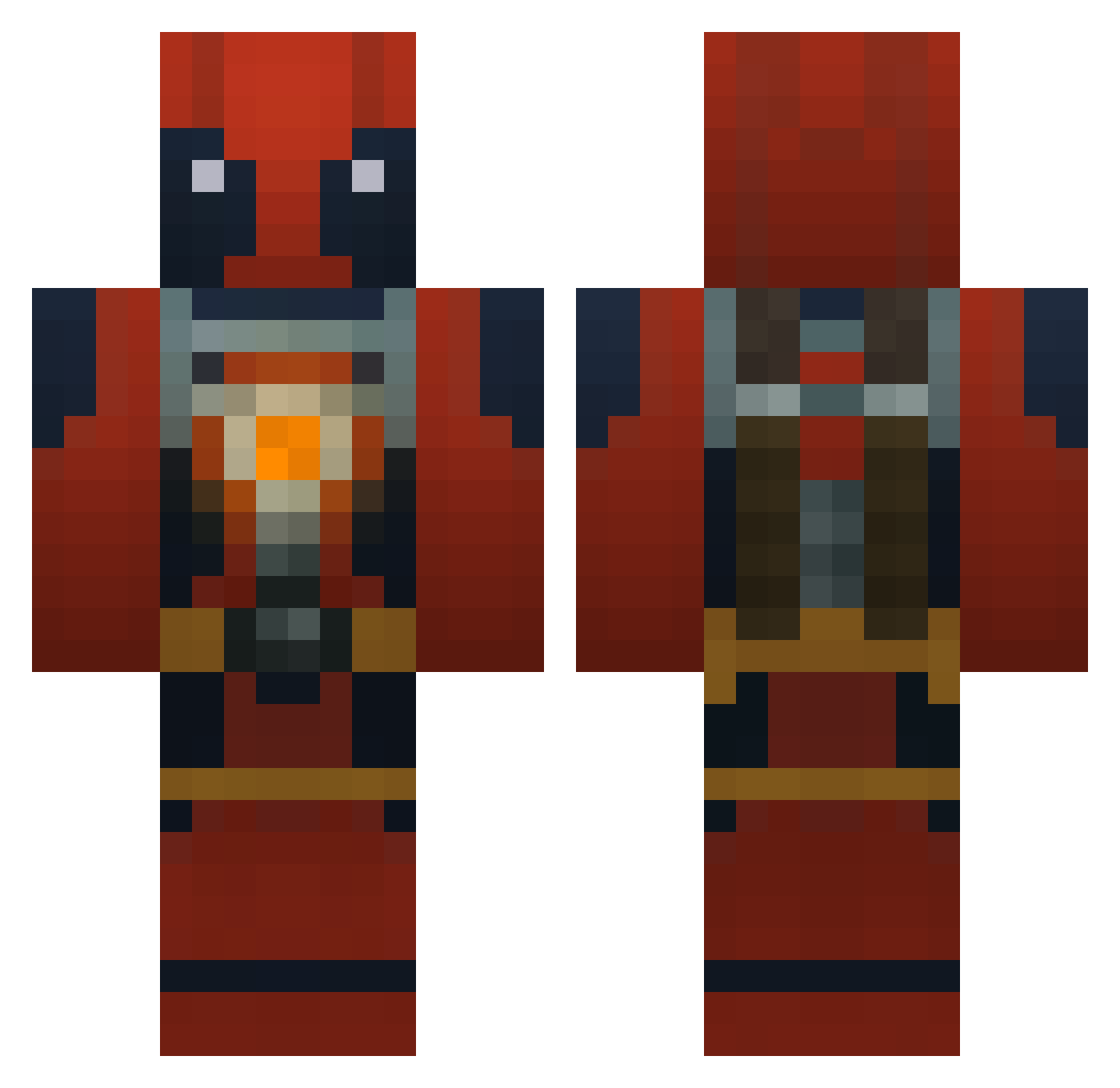
Current Minecraft skin of the player davidjcobb, loaded from the official Mojang API. Rotate the 3D model with your mouse or finger, then download the skin as a PNG file and use it in Minecraft: Bedrock Edition or Java Edition for free. When davidjcobb changes their skin, this page updates automatically and the old skin stays in the history below.
Other players with this skin (960)
davidjcobb was the 931st player we have seen with this skin, first spotted on 07.11.2026. The same skin was seen on these players. Open a nickname to see their current skin and skin history.
 kylecainisme Seditz Devans1029 TheJoshEffect2 chica00 bdog1234 lomhc Furyspower chiupee refellow BigWaxxx IncredibleGoblin knif3r wilza12 SargeMcD TheNameless1337 MelonFace lightferret LancealotLance33 braindiesoften JayJayEhm yorrickd MKN9ne GodOfEmptiness LemmeWinkle LavaBanana123 TomMoeras Mikez1024 SlienLP Zspeed21 REDS821 drpepperman7291 TheCilisieHD Yeek72 XxhamadxX3 coolfaceguy8998 bassbearNC HumpHogan keyworth101 lucke1011 Umean123 Aseron84 jalisco84 Trollingturtle9 hayleebush Sburbinite NeonDani NukeNFighted Louckyo BH777P KongBob TheDarkPsycho_69 MrTruffles69 MaloKingi_ TheLegs Banquiqui DerUnruh MisterFallen Rodrageos Killa4K
More Deadpool Minecraft skins
How to install the davidjcobb skin
- Press the Download button above to save the skin as a PNG file.
- Minecraft: Bedrock Edition (PE): open the Dressing Room from the main menu (or tap your character → Edit Character), go to Classic Skins → Owned, press the + (new skin) button, choose the downloaded PNG and pick the Classic (Steve) model. Works on PC and mobile; consoles cannot import custom skins.
- Minecraft: Java Edition: open the Minecraft Launcher, go to the Skins tab, click New Skin, load the PNG, pick the Classic (Steve) model and press Save & Use. You can also upload it at minecraft.net → Profile → Change Skin.
The skin does not show up after import - what should I do?
Restart Minecraft and open the Dressing Room again - imported skins sometimes appear only after a restart. Also make sure you selected the imported skin and picked the Classic (Steve) model.
Which model should I choose, Classic or Slim?
This skin is designed for the Classic (Steve) model. If you pick the wrong model, the arms of the skin will look stretched or squeezed.
Is the skin of davidjcobb free to download?
Yes. Press Download, save the PNG file and use it in Minecraft: Bedrock Edition or Java Edition - no payment or registration needed. The skin also works on multiplayer servers and Realms.
More skins
Looking for more? Go back to all Minecraft skins and check the top skins of the week, month and all time, or find any player's skin by nickname.