
dashawakeup - Minecraft Skins & Skin History
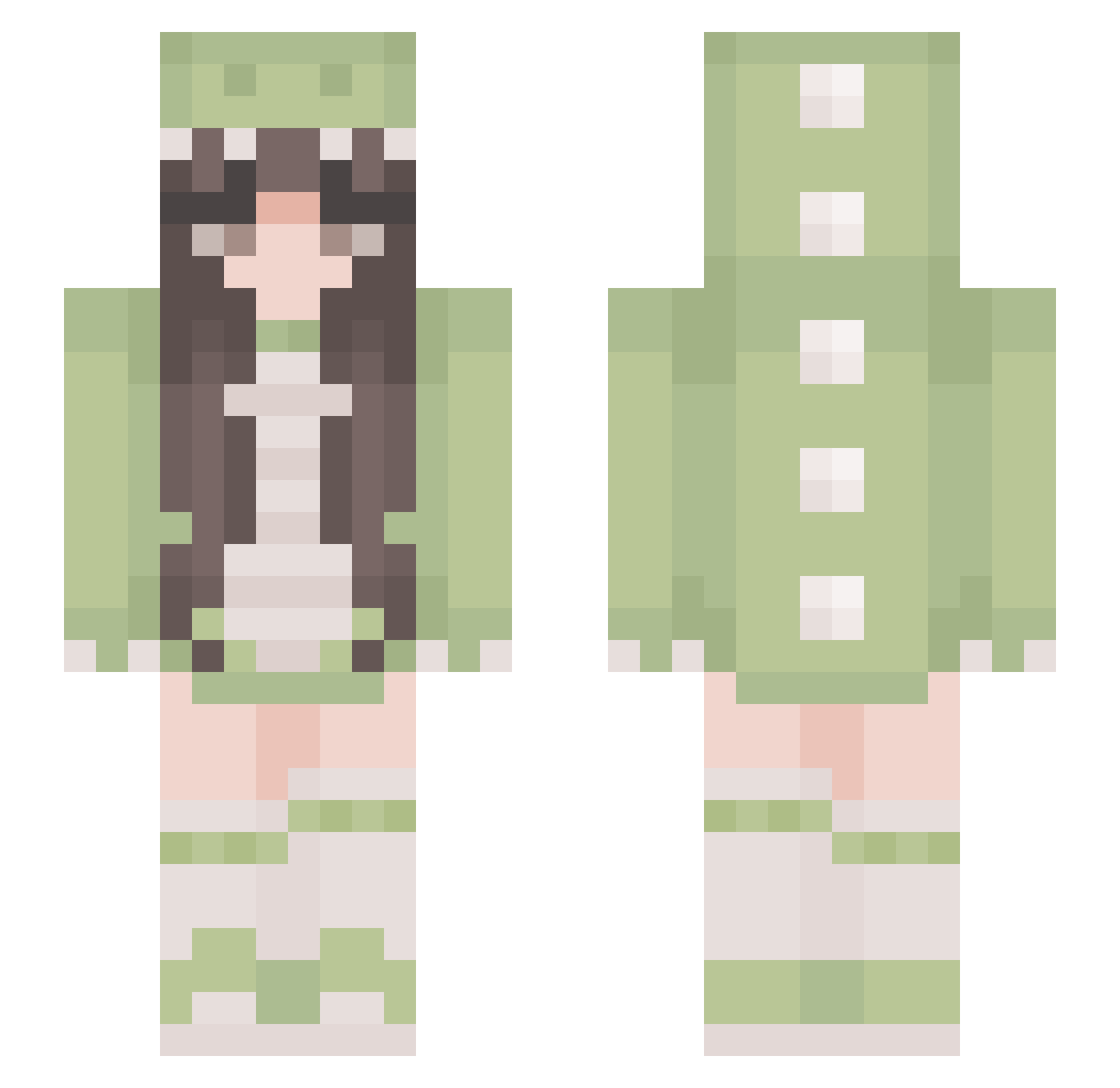
Current Minecraft skin of the player dashawakeup, loaded from the official Mojang API. Rotate the 3D model with your mouse or finger, then download the skin as a PNG file and use it in Minecraft: Bedrock Edition or Java Edition for free. When dashawakeup changes their skin, this page updates automatically and the old skin stays in the history below.
Other players with this skin (431)
dashawakeup was the 390th player we have seen with this skin, first spotted on 02.11.2026. The same skin was seen on these players. Open a nickname to see their current skin and skin history.
 ducky5309 nadiaagoat melymon RebZ1lla taylorjayne Eli_HR Zartbitter12 adaliah04 NaN347 zzynbe KatiKat428 anyingmi Mochii_77 Demetri00 Mububo Simp_Violence minq1210 dx61 Waafelka_ Sparkelhen1234 Danelys_30 Megulla85 JustGiu bustychic101 sorajay CaseyWare Bluberry_Muffin Ducky1417 NotMinzy muffinwz Gabriella_03 Erika240106 marianka97748 Kryspinova mang017 Mayu0224 meadowdub Bebytas ChattyMinly XinLiYu LOVE_RB leeyenn qtxzoee sugarblossom11 Mosquitoesss claudinerenz youyuy Qhuixie yupi355 motkany EdgeChaos Louisa1704 Bodzus saraalb Jessxoxo44 _LittleRayy_ Sparklingwater26 princesesally Eternal_Rosey qwqemqw
More Pastel Minecraft skins
How to install the dashawakeup skin
- Press the Download button above to save the skin as a PNG file.
- Minecraft: Bedrock Edition (PE): open the Dressing Room from the main menu (or tap your character → Edit Character), go to Classic Skins → Owned, press the + (new skin) button, choose the downloaded PNG and pick the Slim (Alex) model. Works on PC and mobile; consoles cannot import custom skins.
- Minecraft: Java Edition: open the Minecraft Launcher, go to the Skins tab, click New Skin, load the PNG, pick the Slim (Alex) model and press Save & Use. You can also upload it at minecraft.net → Profile → Change Skin.
The skin does not show up after import - what should I do?
Restart Minecraft and open the Dressing Room again - imported skins sometimes appear only after a restart. Also make sure you selected the imported skin and picked the Slim (Alex) model.
Which model should I choose, Classic or Slim?
This skin is designed for the Slim (Alex) model. If you pick the wrong model, the arms of the skin will look stretched or squeezed.
Is the skin of dashawakeup free to download?
Yes. Press Download, save the PNG file and use it in Minecraft: Bedrock Edition or Java Edition - no payment or registration needed. The skin also works on multiplayer servers and Realms.
More skins
Looking for more? Go back to all Minecraft skins and check the top skins of the week, month and all time, or find any player's skin by nickname.