
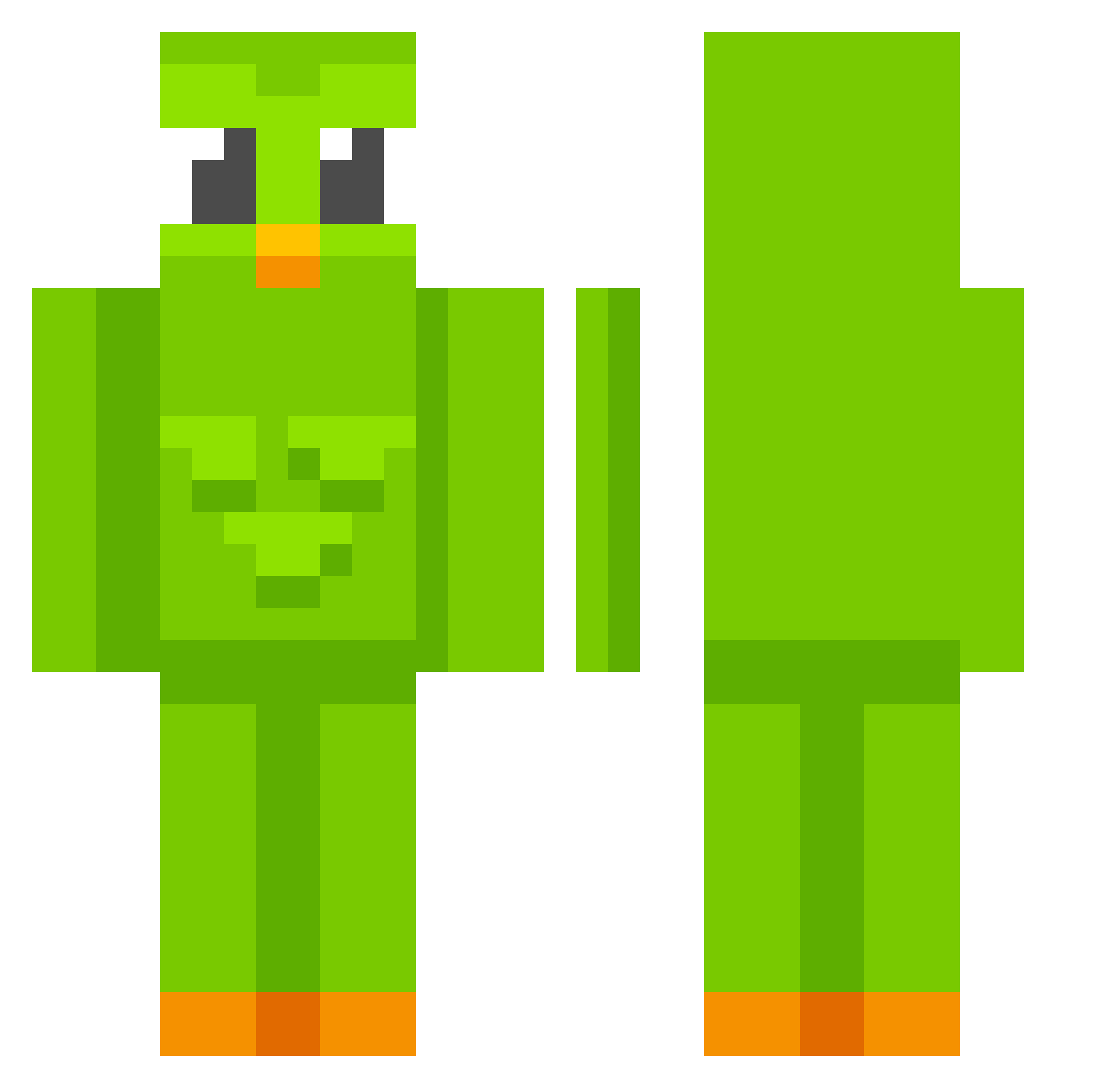
Current Minecraft skin of the player darosa01, loaded from the official Mojang API. Rotate the 3D model with your mouse or finger, then download the skin as a PNG file and use it in Minecraft: Bedrock Edition or Java Edition for free. When darosa01 changes their skin, this page updates automatically and the old skin stays in the history below.
Other players with this skin (526)
darosa01 was the 455th player we have seen with this skin, first spotted on 02.10.2026. The same skin was seen on these players. Open a nickname to see their current skin and skin history.
 excelsior25 grejul14 morgado3000 essietoday Sakoue_Bot iamdeathnote Ghostt1337 qrttttt loksaiOvO TIM19433 TTNShadow nether_cake OwnageRandom thebestpotato21 Monkie Foun bobthehacker13 thatsmeimben komin77 ItsMeGinfo RojOoOoO Cynder_Z _gameplayer_ karlakoalaa Noemie00 Aiakostyx Steven2069 hayatan_35 emayron Curlycrisp kkkevin711 Morrrizz psychwardian WertixOfficial NotLegendrySkyYT jstrieb axacio_ y3r0 dogiho vxAlly 8872937281645672 Pasilikum ssssssaaaa AColdFish Unstoppable5211 IAMJAM7161 ygcl18 El_HaKeR13 Mxriafxci iiWarMax Blanka_x_ Luqiio ThiThos turbozucchina seraypie Rallerersej13 Eyrun7 AhmedOth123 allanpvp ThinKKs
More Duo Minecraft skins
How to install the darosa01 skin
- Press the Download button above to save the skin as a PNG file.
- Minecraft: Bedrock Edition (PE): open the Dressing Room from the main menu (or tap your character → Edit Character), go to Classic Skins → Owned, press the + (new skin) button, choose the downloaded PNG and pick the Classic (Steve) model. Works on PC and mobile; consoles cannot import custom skins.
- Minecraft: Java Edition: open the Minecraft Launcher, go to the Skins tab, click New Skin, load the PNG, pick the Classic (Steve) model and press Save & Use. You can also upload it at minecraft.net → Profile → Change Skin.
The skin does not show up after import - what should I do?
Restart Minecraft and open the Dressing Room again - imported skins sometimes appear only after a restart. Also make sure you selected the imported skin and picked the Classic (Steve) model.
Which model should I choose, Classic or Slim?
This skin is designed for the Classic (Steve) model. If you pick the wrong model, the arms of the skin will look stretched or squeezed.
Is the skin of darosa01 free to download?
Yes. Press Download, save the PNG file and use it in Minecraft: Bedrock Edition or Java Edition - no payment or registration needed. The skin also works on multiplayer servers and Realms.
More skins
Looking for more? Go back to all Minecraft skins and check the top skins of the week, month and all time, or find any player's skin by nickname.