
danielford167 - Minecraft Skins & Skin History
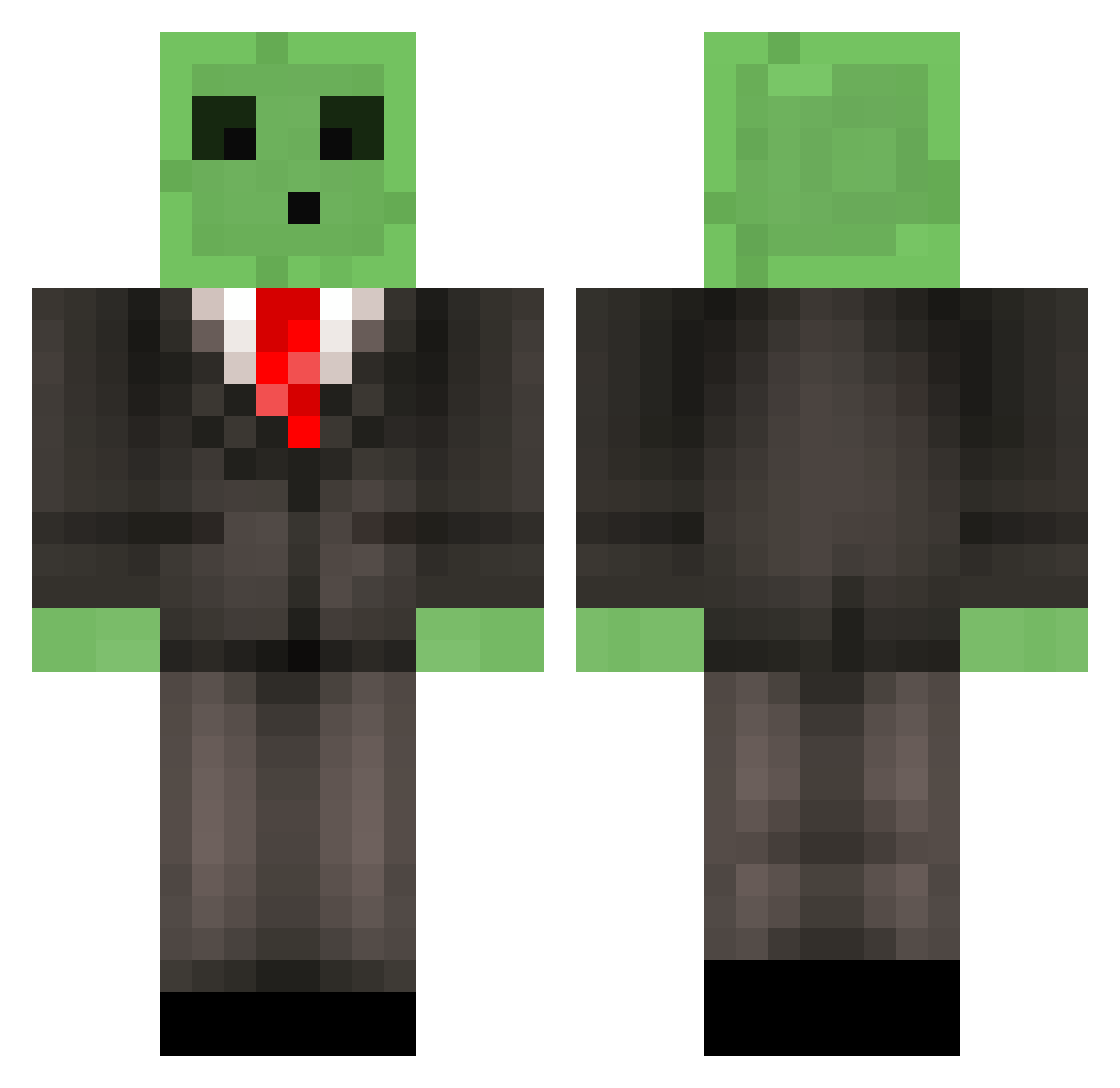
Current Minecraft skin of the player danielford167, loaded from the official Mojang API. Rotate the 3D model with your mouse or finger, then download the skin as a PNG file and use it in Minecraft: Bedrock Edition or Java Edition for free. When danielford167 changes their skin, this page updates automatically and the old skin stays in the history below.
Other players with this skin (513)
danielford167 was the 373rd player we have seen with this skin, first spotted on 30.09.2026. The same skin was seen on these players. Open a nickname to see their current skin and skin history.
 WhyPopTarts TeronSolus Josh960 LEO_19041 Limids CLIFFHEAD panchiitoo Bread_Loafy KingFeesh TheaGul123 RecklessTaco inFXicious YourMoter specificlanguage MinCrafFreak1997 DrPanquake The_Rickert Wertman Seltiv __Kytrol__ blaqkpandas ohDemo Cornstarch123 Wafflesocks Tomonthemove LinsterW KaiJunior21 kojaeyeon XasthonTR SirSlimeMC averagejoe11 LadyJoga ToyotaCamry royall12 Godz13 ARMATejani 1800GetSniped BROWN_SAVAGE RazrYT Jailppl jesseisaxe CentricCub mr_ari xeest MattX22 HotshotSnow3 blakethebeast222 BACCAJr Crazed7 ChubaMama BoomyTheBang Tim_zalm KiwiDurian CameronJacob ToXiiC_AdDeR CoalBox CorndogSteve sawistlol CoReTuBe toushi
More Slime Minecraft skins
How to install the danielford167 skin
- Press the Download button above to save the skin as a PNG file.
- Minecraft: Bedrock Edition (PE): open the Dressing Room from the main menu (or tap your character → Edit Character), go to Classic Skins → Owned, press the + (new skin) button, choose the downloaded PNG and pick the Classic (Steve) model. Works on PC and mobile; consoles cannot import custom skins.
- Minecraft: Java Edition: open the Minecraft Launcher, go to the Skins tab, click New Skin, load the PNG, pick the Classic (Steve) model and press Save & Use. You can also upload it at minecraft.net → Profile → Change Skin.
The skin does not show up after import - what should I do?
Restart Minecraft and open the Dressing Room again - imported skins sometimes appear only after a restart. Also make sure you selected the imported skin and picked the Classic (Steve) model.
Which model should I choose, Classic or Slim?
This skin is designed for the Classic (Steve) model. If you pick the wrong model, the arms of the skin will look stretched or squeezed.
Is the skin of danielford167 free to download?
Yes. Press Download, save the PNG file and use it in Minecraft: Bedrock Edition or Java Edition - no payment or registration needed. The skin also works on multiplayer servers and Realms.
More skins
Looking for more? Go back to all Minecraft skins and check the top skins of the week, month and all time, or find any player's skin by nickname.